Changelog
New updates and improvements to Perspective
AI Funnel Templates – Start from a funnel built for your goal 🧩

Here's What's New:
- Templates sorted by goal: Browse a new collection of AI funnel templates for booking appointments, growing your email list, recruiting and selling online.
- Built around that goal: Every step, question and call to action is designed to bring in high-quality leads, like a recruiting template that pre-interviews applicants in two minutes, no CV needed.
- Made yours by AI: Pick a template and ask the chat to adapt it to your industry and offer.
Why This Matters:
- No blank page: Skip the hours of prompting and start from a structure that fits your goal.
- Live faster: A version tailored to your business is ready in minutes.
Start a new AI funnel, open the templates and pick one for your goal.
Built-In Motion – Every AI funnel comes alive ✨
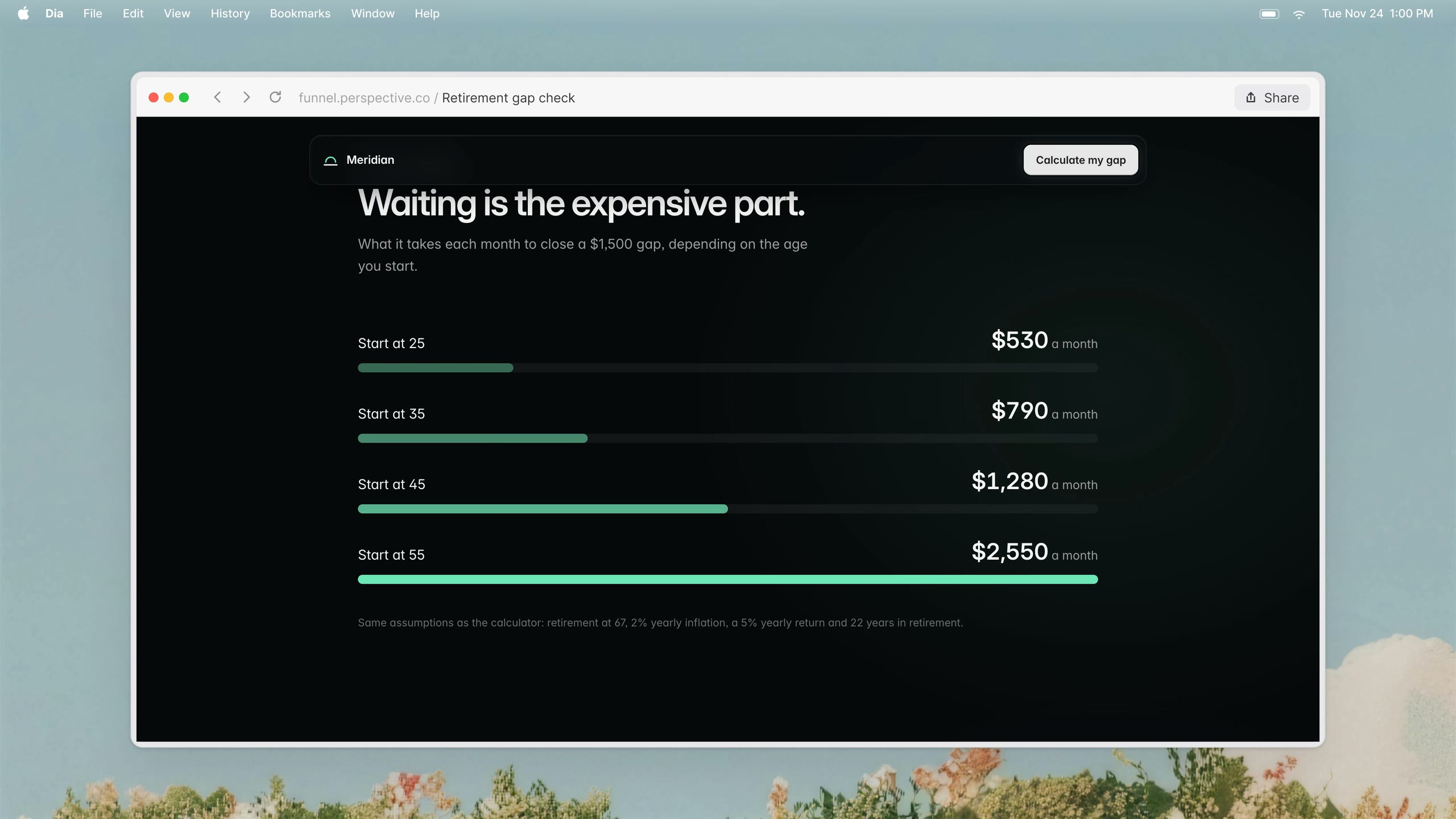
Here's What's New:
- Motion in every new AI funnel: Subtle animations are built in from the very first draft.
- Nothing to set up: Your pages move as visitors scroll, with no prompts or settings needed.
Why This Matters:
- Premium from day one: Your funnel feels polished before you change a single thing.
- Stand out: A page that comes alive never feels like a generic template.
Create a new AI funnel and scroll through the preview.
Quick Media Uploads – Your photos and videos in seconds 🖼️
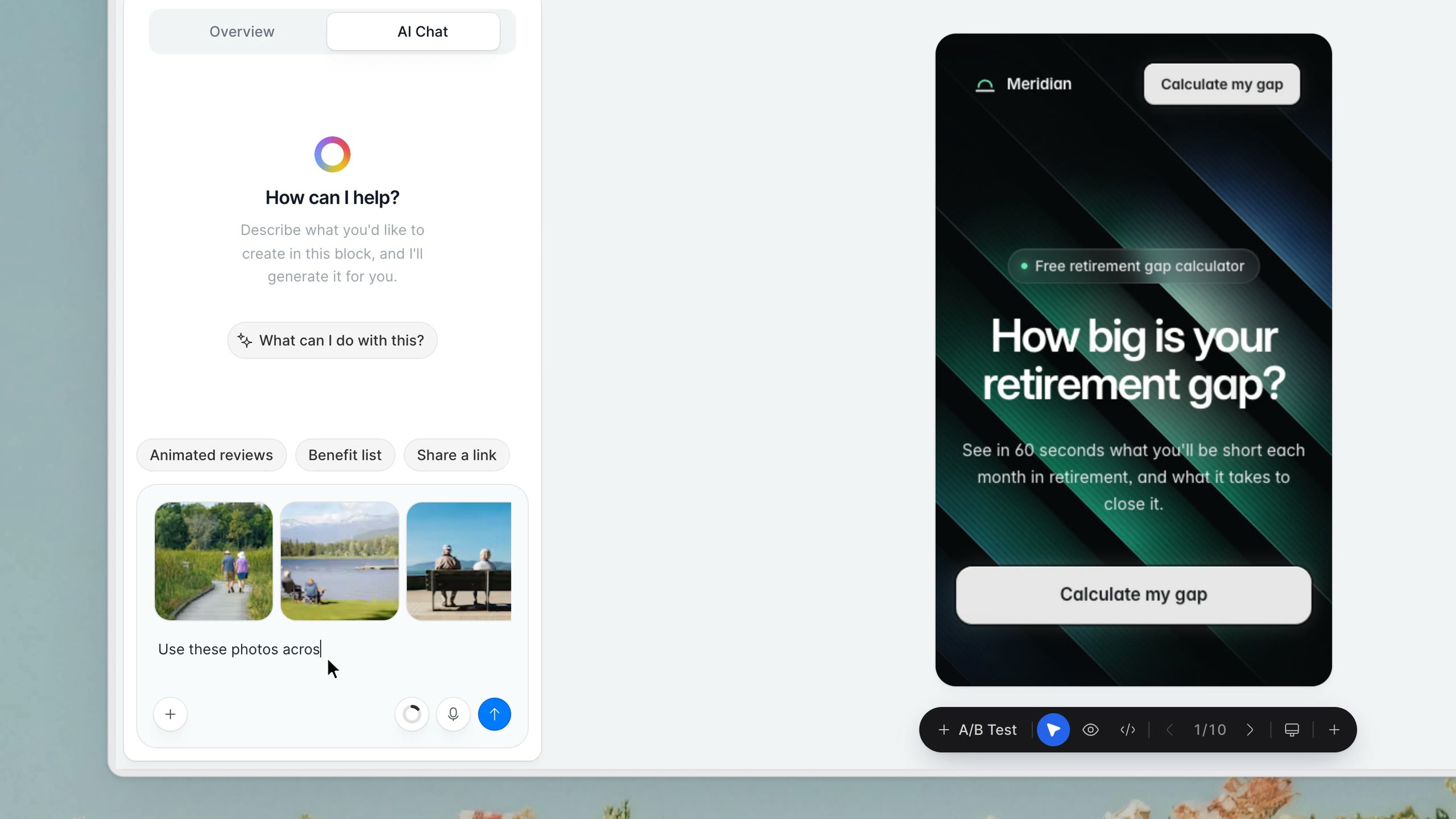
Here's What's New:
- Drop all your images at once: Drag your photos into the chat and the AI places them across your funnel.
- Click to swap: Click any image on the page to replace it.
- Videos by link: Paste a YouTube, Vimeo or Wistia link to add or swap a video.
Why This Matters:
- Unmistakably yours: Your own photos and videos make a funnel feel like your brand, not stock.
- No prompt per image: Make it yours in seconds instead of describing every picture.
Open the AI chat in any AI funnel and drop your images in.
Brand Profiles – On-brand from the very first draft 🎨
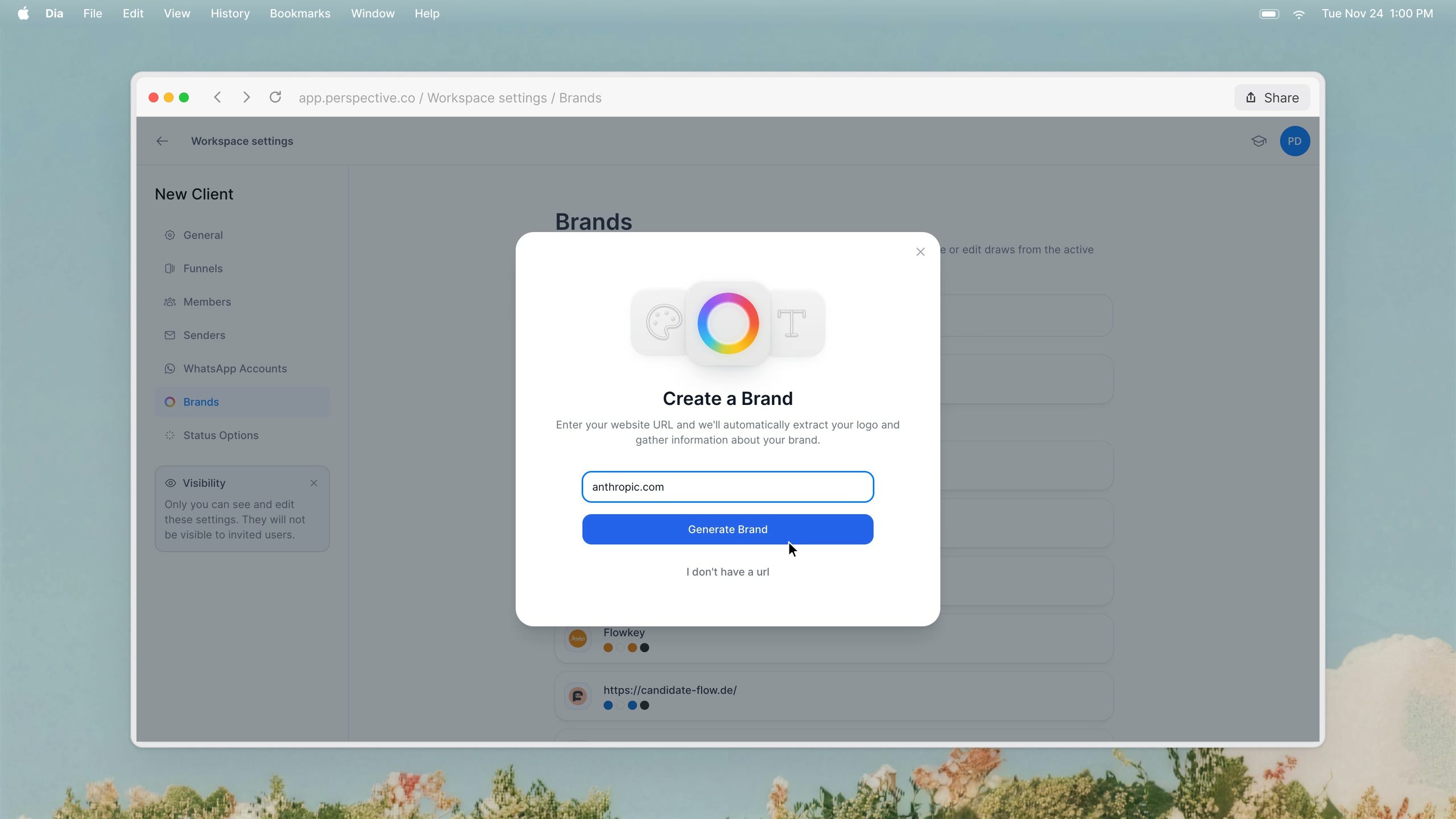
Here's What's New:
- Completely rebuilt brand profiles: Enter your website and Perspective captures your logo, colors, fonts and styles straight from the source.
- Used everywhere: Your brand is applied whether you start from scratch or from a template.
Why This Matters:
- No more fixing colors by prompt: Your funnel looks like yours before you start editing.
- Faster pitches: Enter a prospect's website and show them a funnel in their own look.
Go to Workspace settings, open Brands, click "Create new Brand" and enter your website.
Section Library in AI Funnels – 54 sections that match your style 🧱
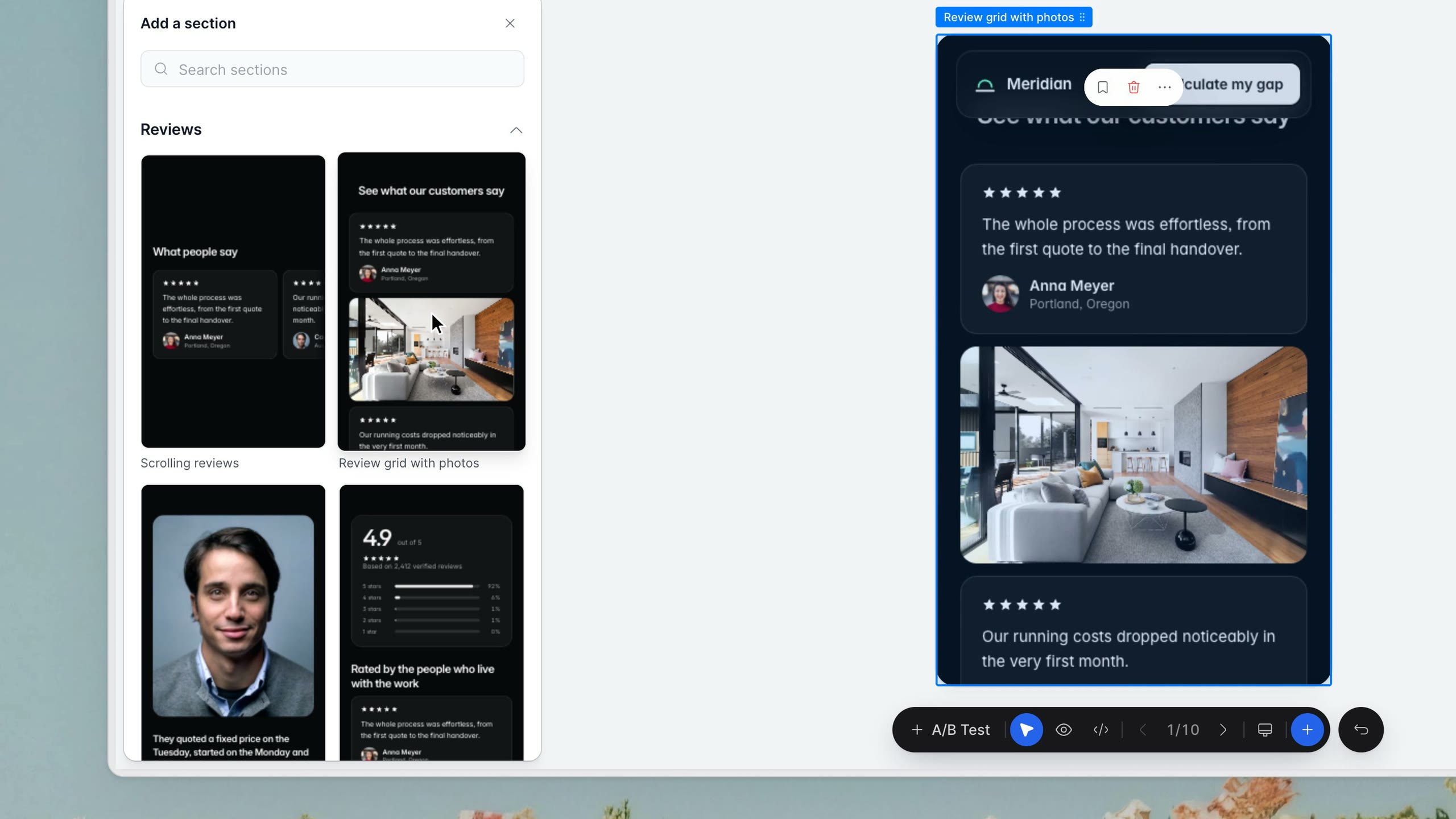
Here's What's New:
- Right on the canvas: Open the section library inside the AI editor.
- 54 designs in 12 categories: From hero sections to reviews, contact forms and image galleries.
- Adapts instantly: Drop a section in and it takes on your funnel's style, as if it was always there.
Why This Matters:
- Try a new hero in seconds: Test a different section without prompting or spending credits.
- Consistent design: New sections match the rest of your funnel automatically.
In any AI funnel, open "Add a section" and drop one onto the page.
Saved Sections – Your best sections, ready for every funnel 💾
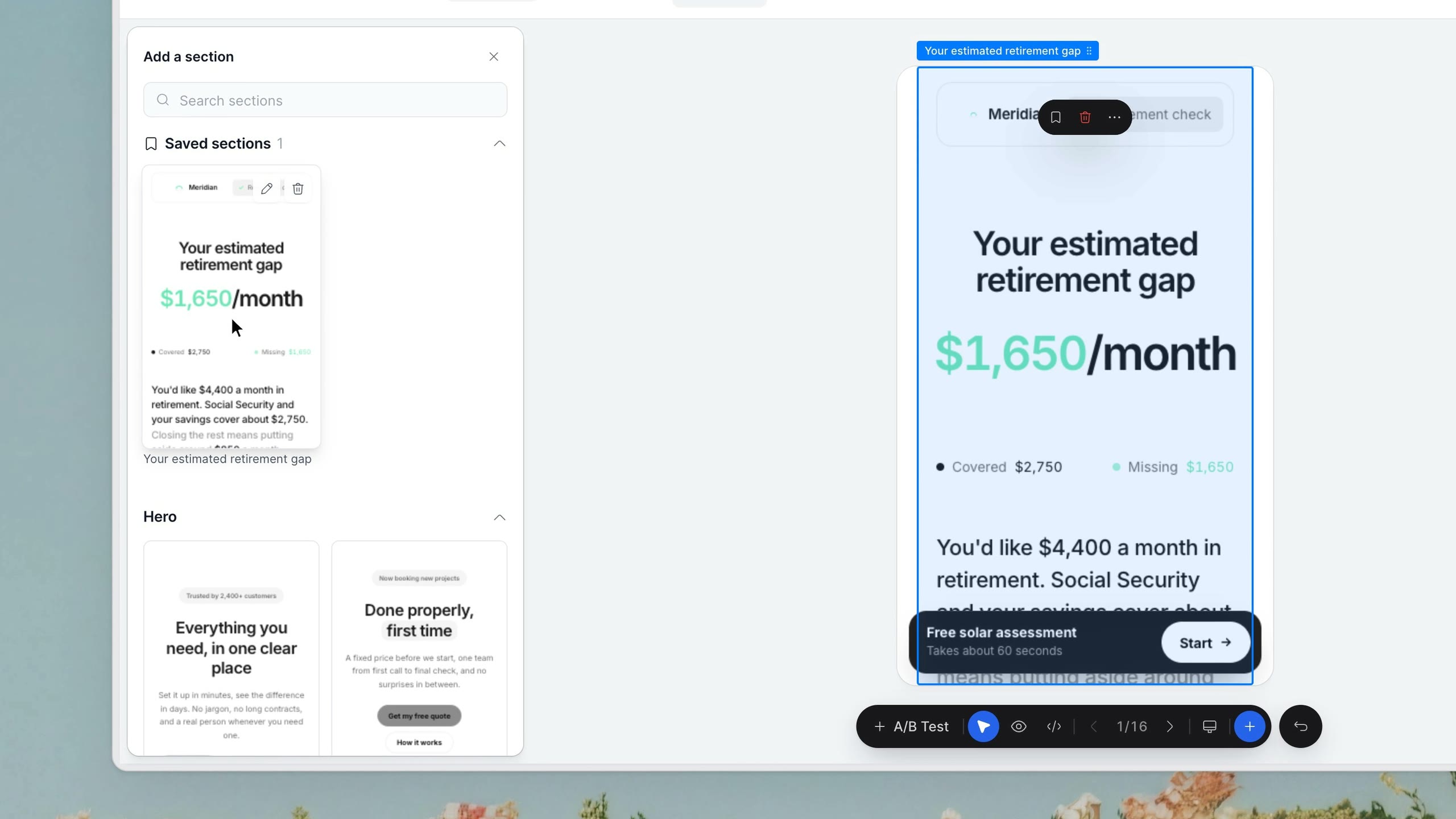
Here's What's New:
- Save to your team's library: Keep the hero, testimonial slider or offer that wins.
- One click into any funnel: Your saved sections show up in the section library, ready to drop in.
Why This Matters:
- Reuse your winners: Stop rebuilding the sections that already convert.
- Shared with your team: Everyone builds from the same proven sections.
Select a section in an AI funnel and save it to your library. You'll find it under "Saved sections" when you add a section.
HTML Import – Bring the page you already built 📤
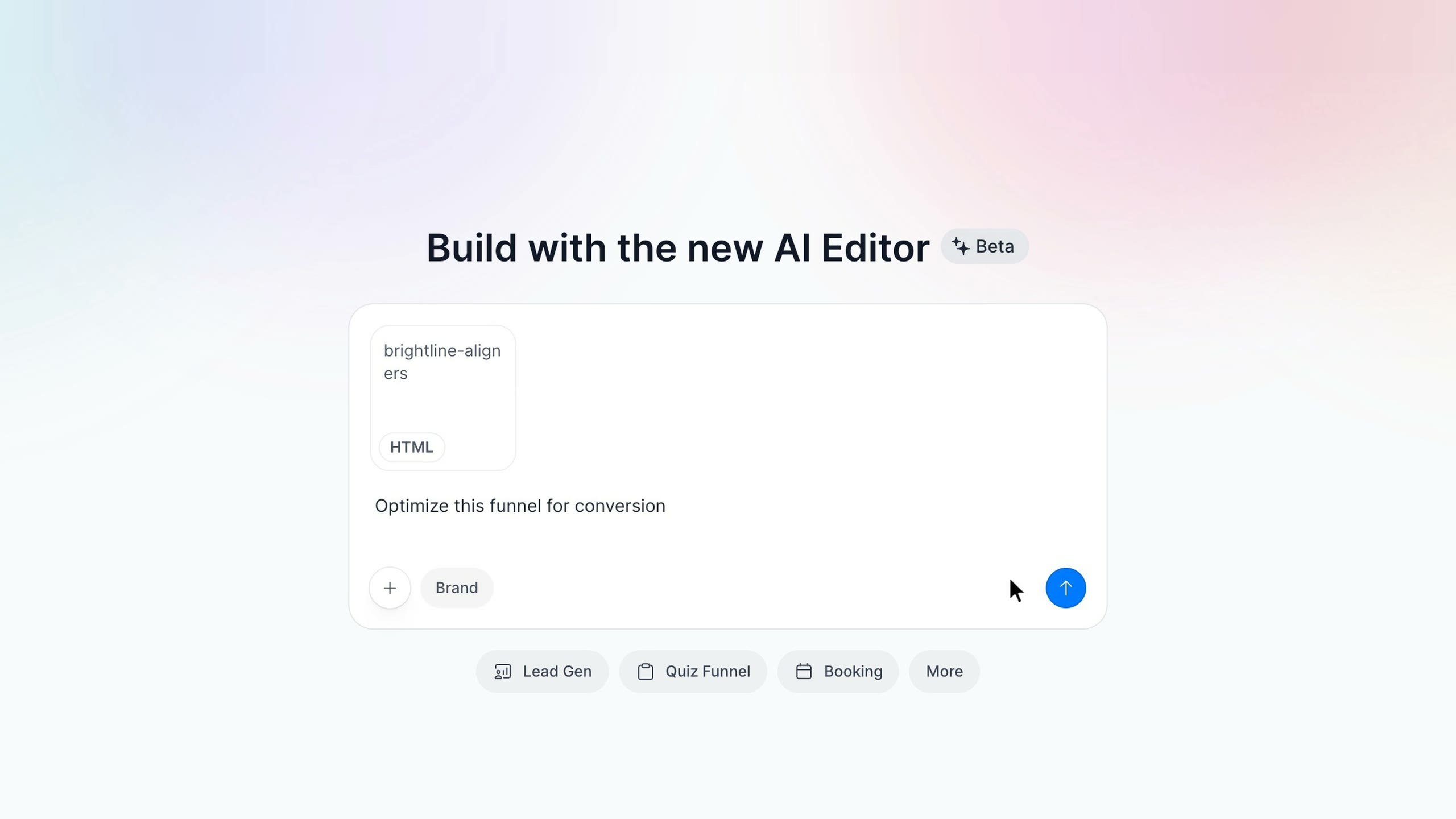
Here's What's New:
- Drop in your HTML: Add a self-contained HTML file to the chat and it becomes a Perspective funnel, with tracking wired in.
- Or use it as a reference: Add a prompt with your file, like "Optimize this funnel for conversion", and the AI builds from it.
Why This Matters:
- Build wherever you work best: Pages made in Claude, in code or in another builder can go live on Perspective.
- Everything connected: Tracking, CRM, follow-ups and reporting work from the first visitor.
Start a new AI funnel, click "+" and choose "Import HTML", or drop the file into the chat of an existing funnel. Importing uses AI credits.
Edit by Hand – Change anything without spending credits ✍️
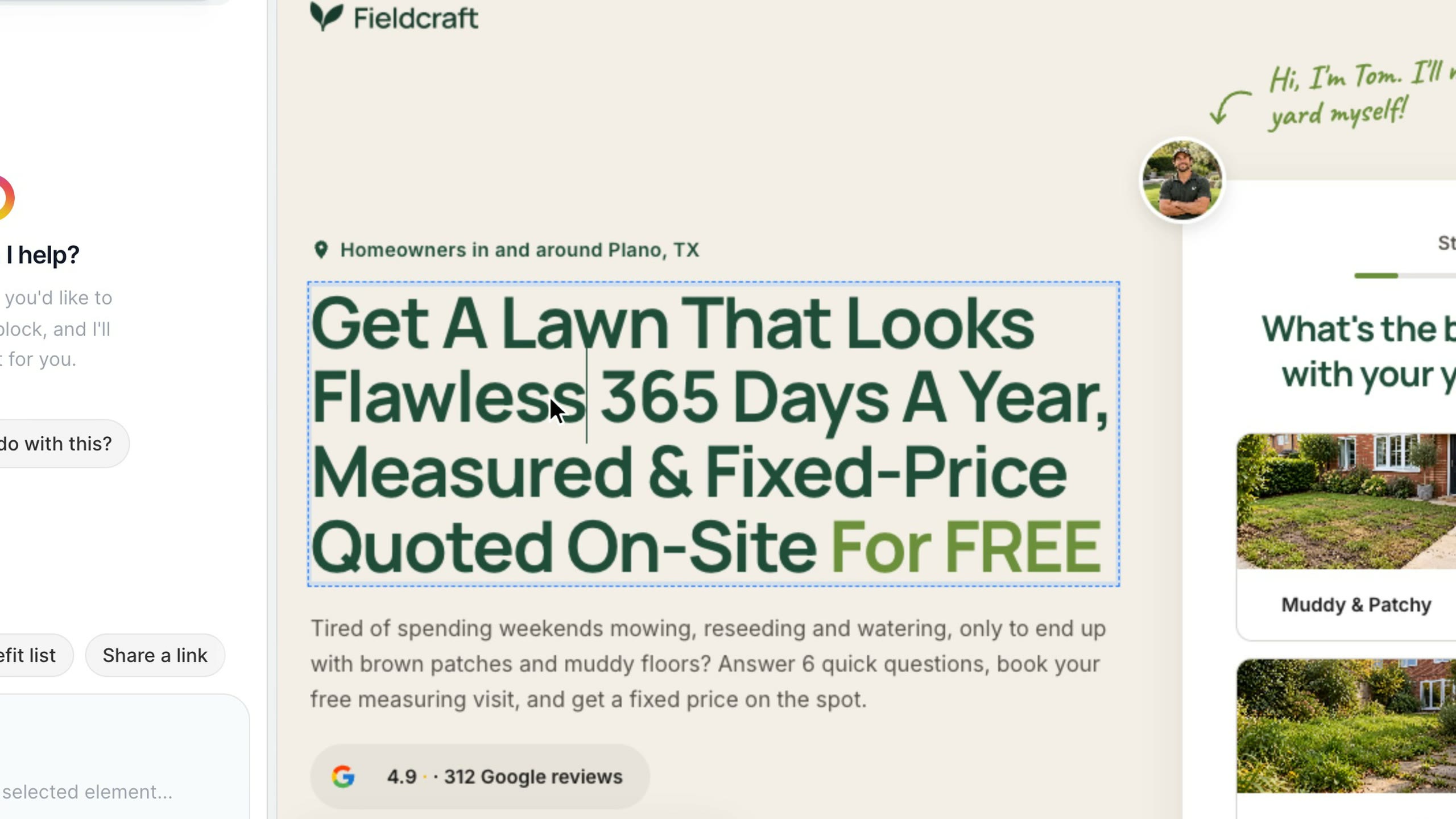
Here's What's New:
- Double-click to edit: Click into any text on the page and type.
- Move sections yourself: Drag sections to wherever you want them.
- No credits: Manual edits don't use AI credits.
Why This Matters:
- Small fixes in seconds: Change one word without writing a prompt.
- Save credits for bigger changes: Use the AI where it saves you the most time.
Open any AI funnel, double-click a headline and start typing.
Undo & Version History – Roll back any change in a click ↩️
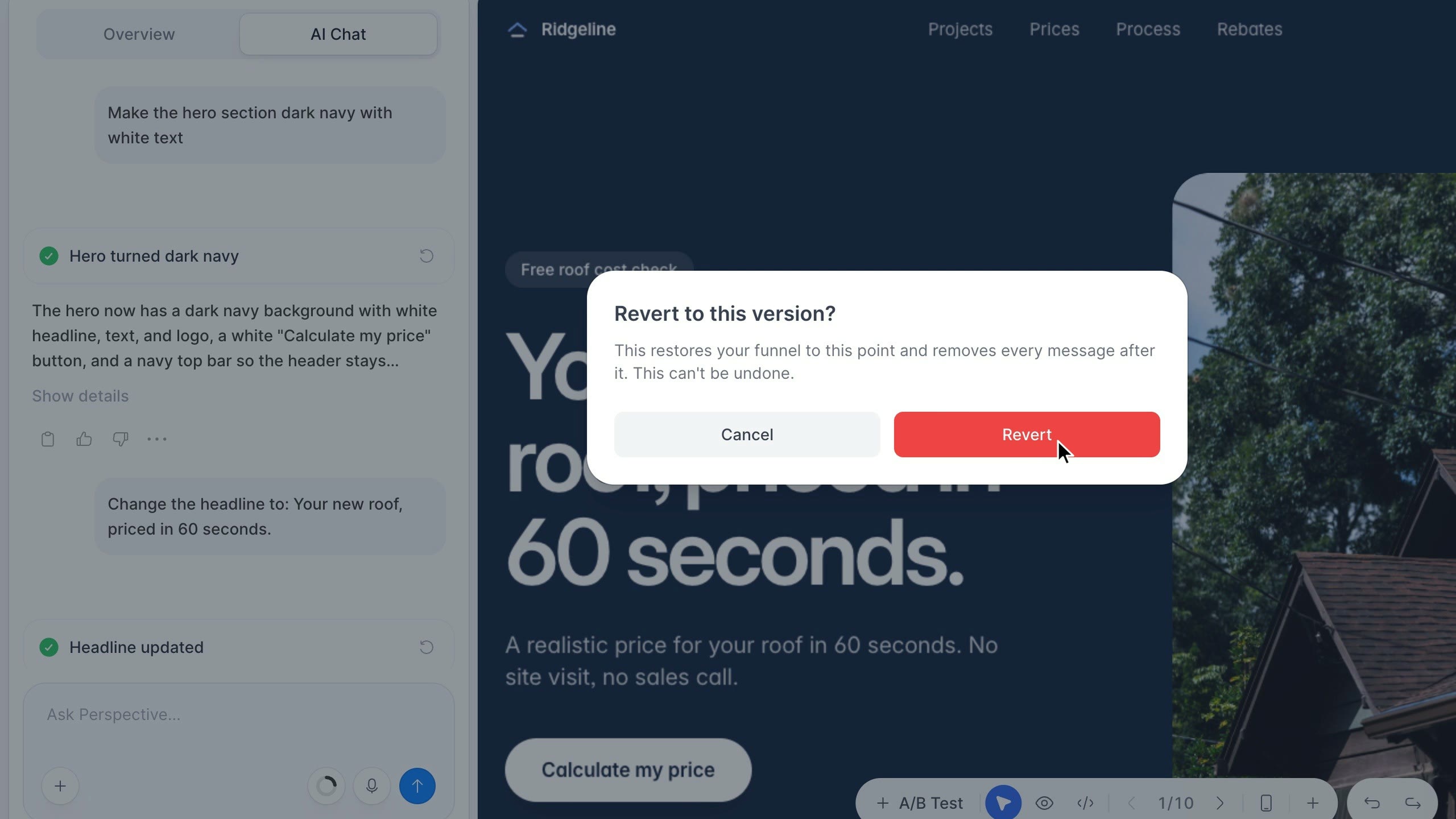
Here's What's New:
- Undo any edit: Step back through changes, whether you or the AI made them.
- Restore earlier versions: Go back to any earlier state of your funnel in a click.
Why This Matters:
- Safe to experiment: Try bold changes knowing you can always go back.
- No lost work: Every version of your funnel stays within reach.
Use undo in the editor, or revert to an earlier version from the AI chat. Version history isn't available on the Free plan.
Copy & Paste Across Funnels – Reuse what works, anywhere 📋
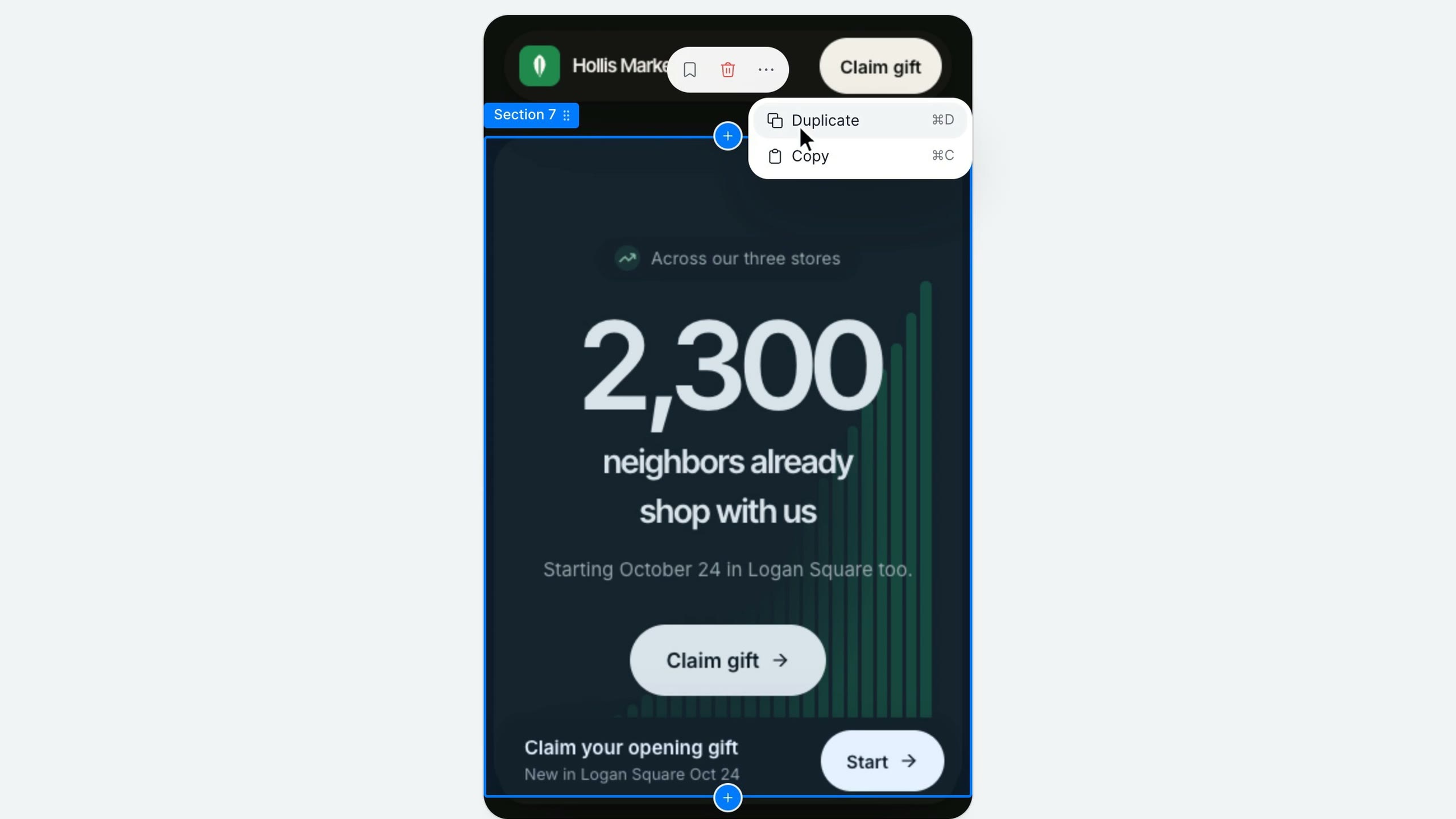
Here's What's New:
- Sections, blocks and elements: Copy anything on the page, or duplicate it right where you are.
- Paste anywhere: Drop it onto another page or into a completely different funnel.
Why This Matters:
- Build at full speed: Reuse what's already on the page instead of starting again.
- No prompts, no credits: Copying costs nothing.
Select an element in any AI funnel, copy it with Cmd C and paste it with Cmd V on another page or in another funnel.
Code Mode – Full control over your funnel's HTML 💻
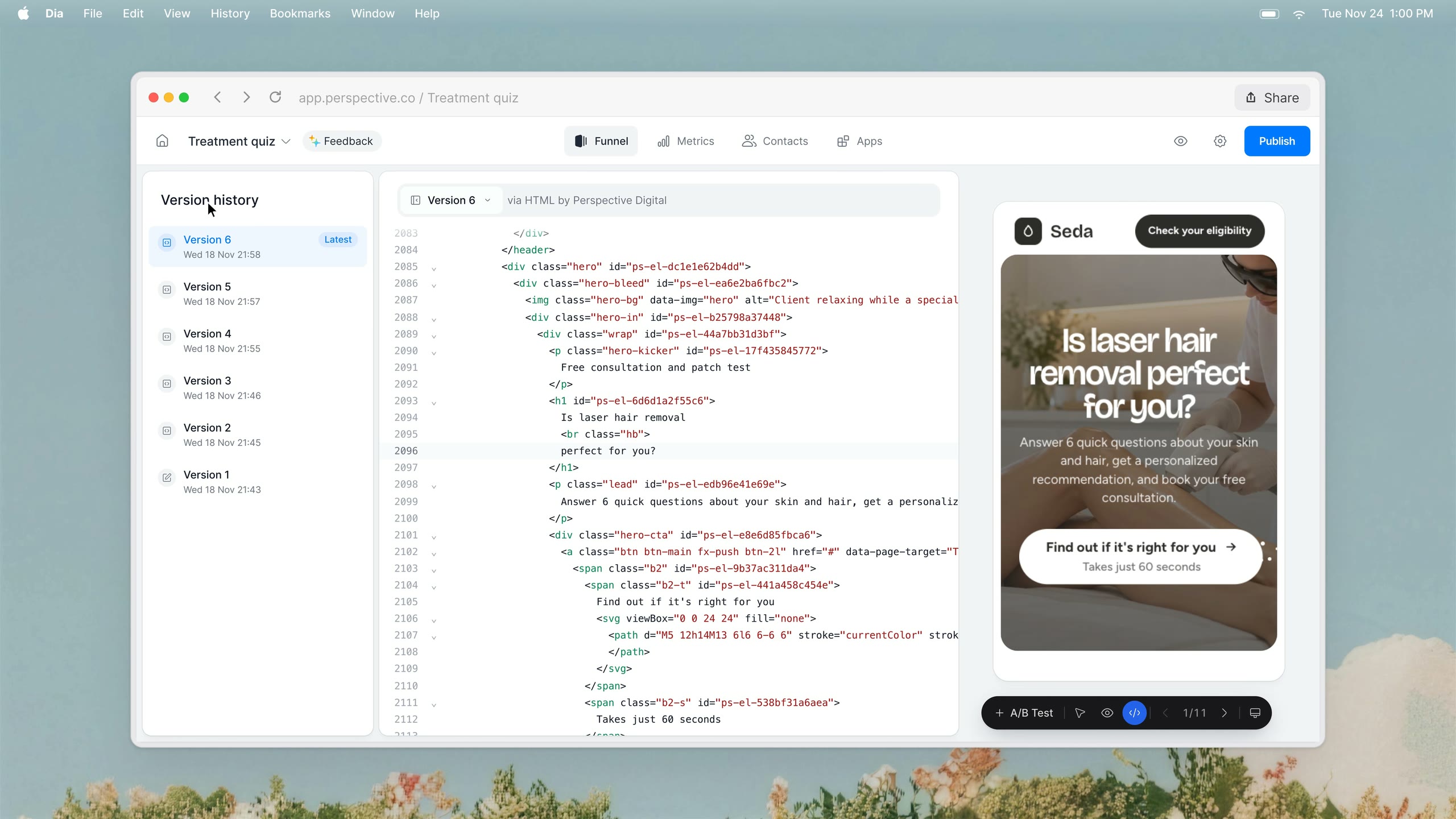
Here's What's New:
- Code editor in the toolbar: Open your funnel's HTML and change any line directly.
- Version history: Every saved version is kept, so you can compare changes and restore any version in a click.
Why This Matters:
- Every detail exactly right: When you know the change, make it yourself.
- Experiment freely: A wrong edit is one restore away.
Available on all plans. Open an AI funnel and open the code editor from the toolbar.
Up to 9x More AI Edits – Same credits, much further 🪙

Here's What's New:
- Lower cost per edit: A typical AI edit now uses less than 2 credits instead of 13.
- Up to 9x more: Do up to 9 times more with the same credits.
Why This Matters:
- More improvements per month: Make the whole round of changes, not just the most urgent one.
- Build more funnels: Your plan's credits go much further.
Nothing to switch on: the lower cost applies to AI edits in the chat automatically.
Guided Go-Live Checklist – From finished funnel to first lead ✅

Here's What's New:
- A checklist after every build: As soon as your funnel is built, the chat lists what's needed to go live: Meta Pixel, domain, email sequence and publishing.
- Actions right in the chat: It walks you through each step.
- Skip or set up elsewhere: Leave a step for later, and anything you set up outside the chat is ticked off automatically.
Why This Matters:
- Nothing gets stuck: Your funnel doesn't stall between building and launching.
- Connected from the start: Pixel, domain and follow-ups are in place before the first visitor.
Build a new AI funnel and follow the checklist in the AI chat.
Duplicate as AI Funnel – Give your classic funnels a glow-up 🔁

Here's What's New:
- One click to an AI version: Duplicate any classic funnel as a fully editable AI funnel.
- Original stays untouched: Your classic funnel keeps running exactly as it is.
Why This Matters:
- Keep what converts: Start from the funnel that already works, not from scratch.
- Every new feature: Your funnel gets the AI editor, section library, A/B testing and more.
Open a classic funnel's menu, choose Duplicate and select "Duplicate as AI Funnel".
Conditional Navigation – The right path for every visitor 🔀
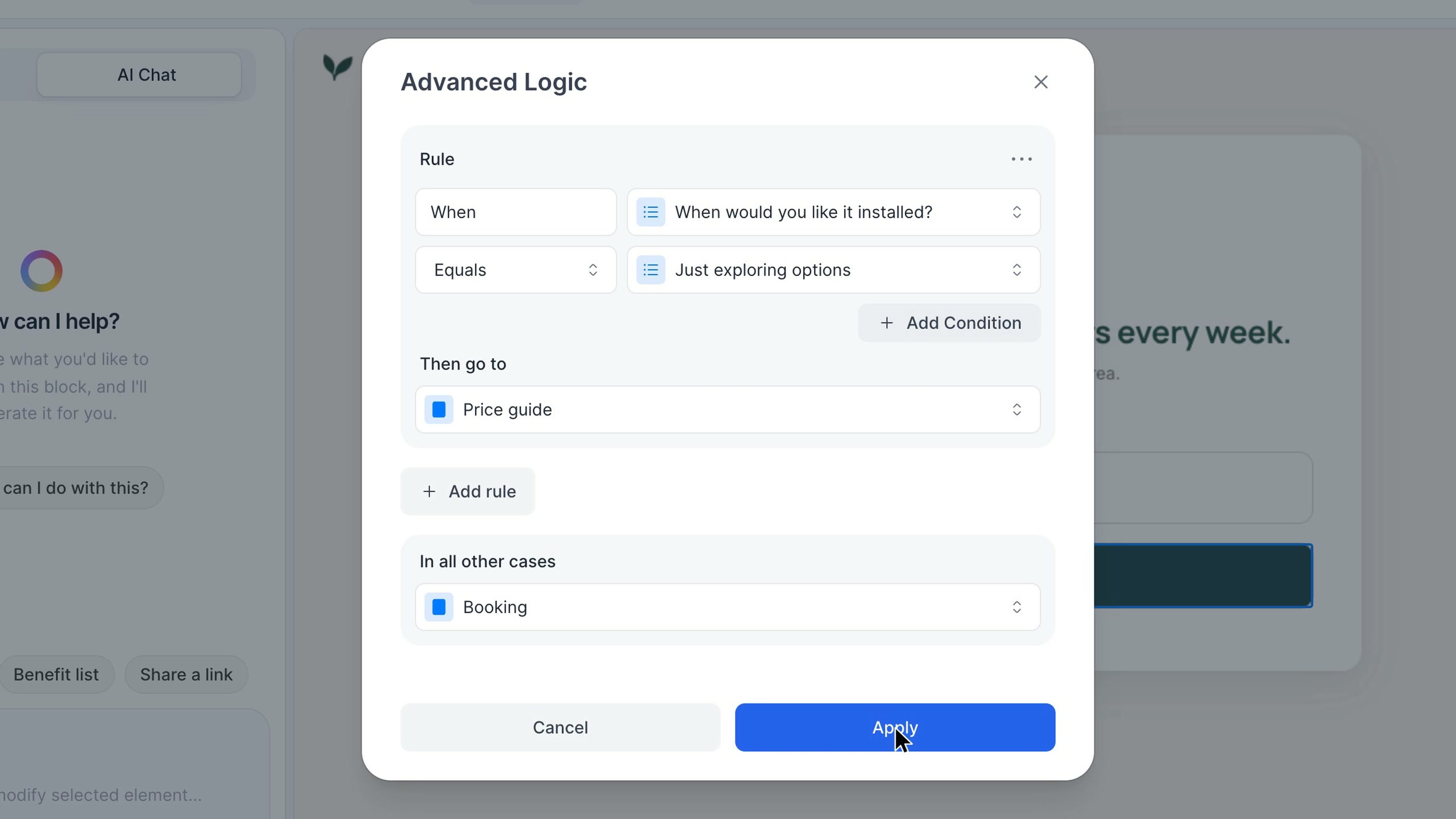
Here's What's New:
- Routing by answers in AI funnels: Your best leads go straight to your team, everyone else to a page that fits them better.
- Just tell the chat: Describe which visitors to filter out and where to send them, and the logic is set up for you.
- Or set it by hand: Add rules in Advanced Logic.
Why This Matters:
- Qualify before they reach your CRM: Your team spends its time on the leads that fit.
- Proven pattern: On Perspective, funnels that guide visitors by their answers convert around 30% better than funnels that send everyone the same way.
Available on Grow and up. Select a button or answer, open Linking and choose "Advanced linking", or ask the chat.
Phone & Email Verification – Leads your team can reach 🔐
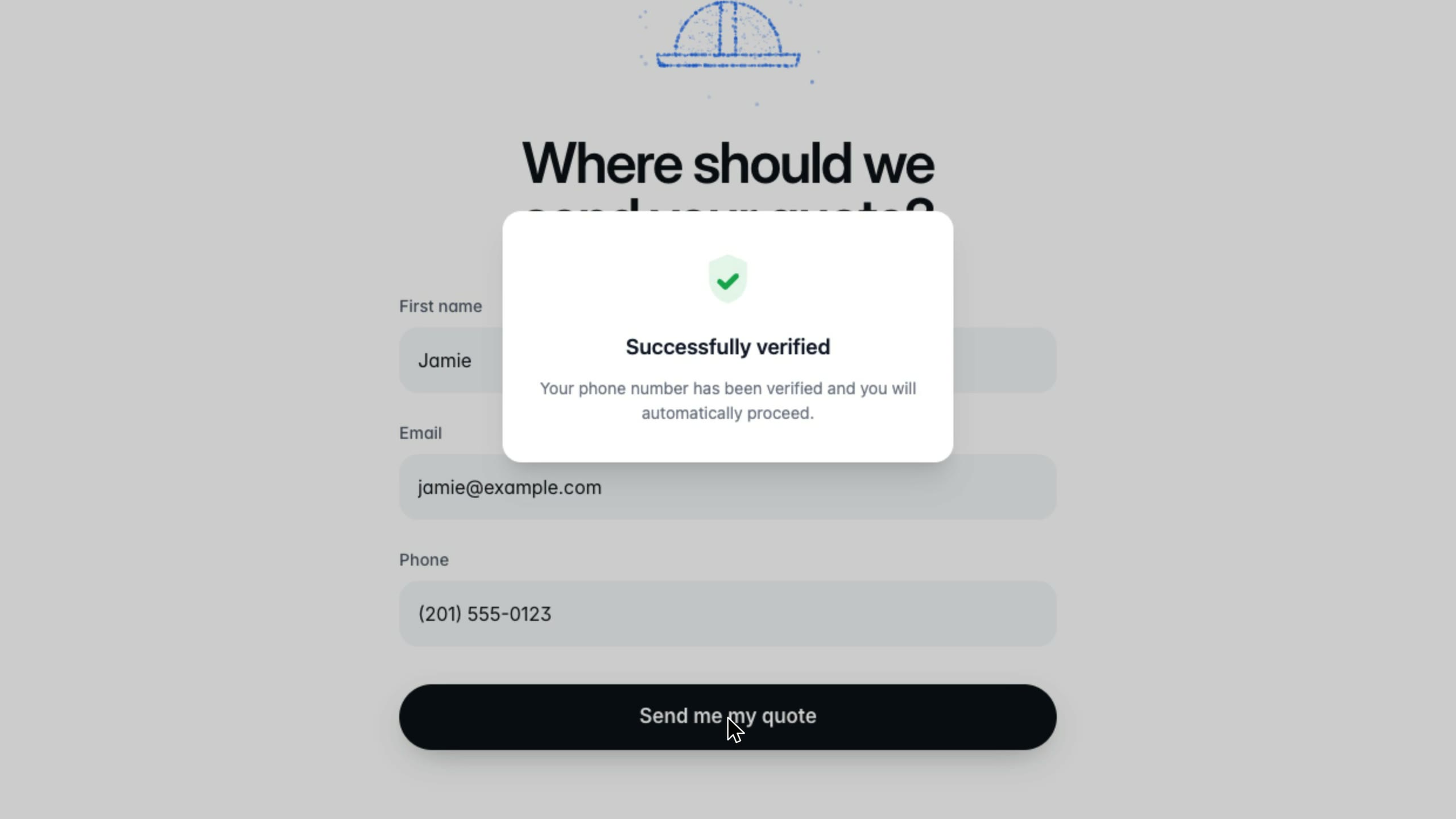
Here's What's New:
- One-time codes in AI funnels: Visitors confirm their phone number or email with a code before the form submits.
- Prompt or toggle: Ask the chat to add it, or switch on Verification in the input settings.
- Your choice: Keep unverified leads, or block them from converting.
Why This Matters:
- Fewer dead ends: Mistyped numbers and fake emails stop wasting your team's calls.
- Cleaner CRM: See at a glance which contacts confirmed their details.
Not available on the Free plan. Select a phone or email input and turn on Verification, or ask the chat.
Address Autocomplete – Complete addresses in one tap 📍
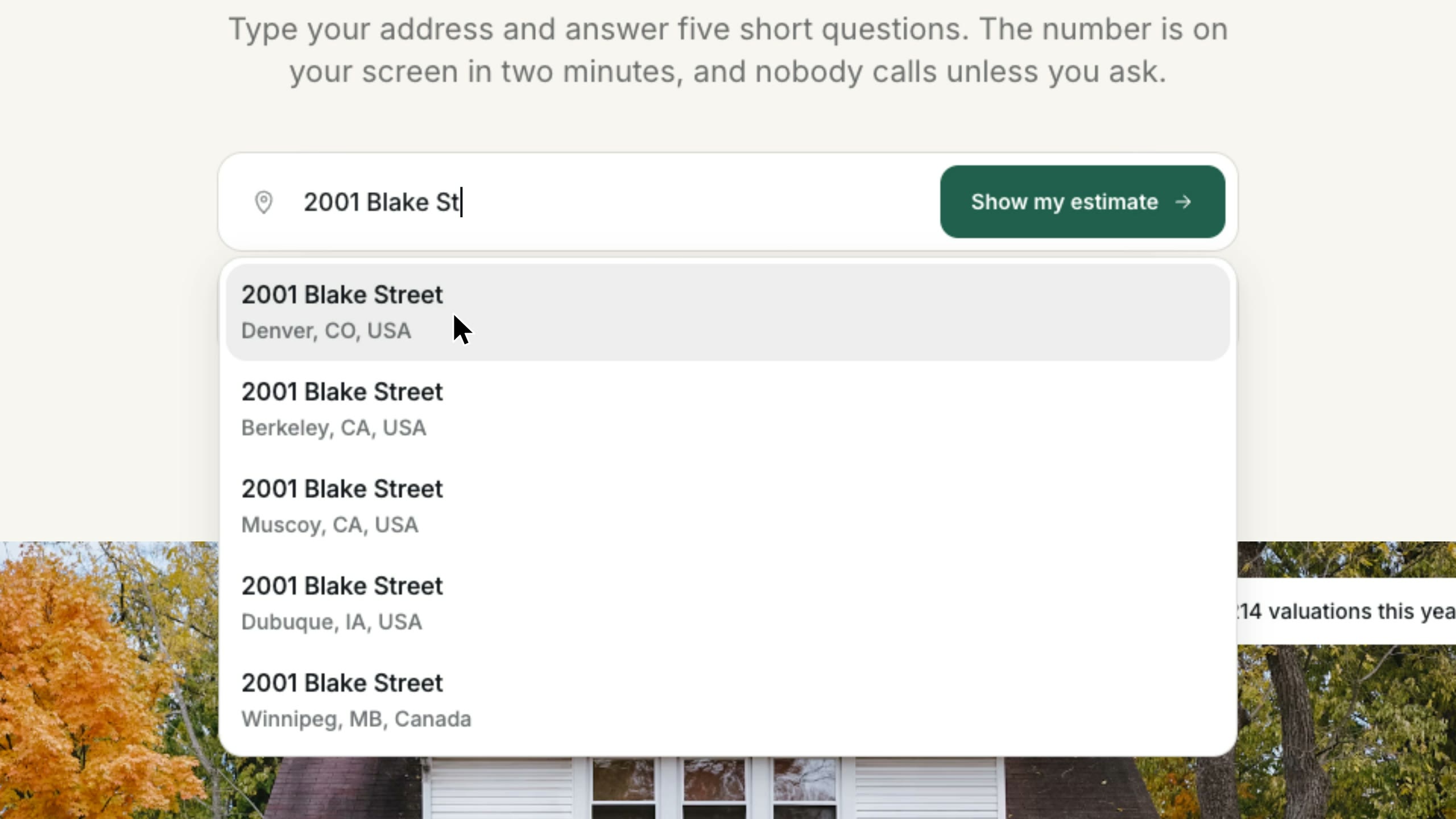
Here's What's New:
- Suggestions as visitors type: Real addresses appear in AI funnels while people type.
- One tap fills it in: Street, city and ZIP are completed in one go.
Why This Matters:
- Know where every lead is: Check the area before you pick up the phone.
- Less friction on mobile: Visitors tap instead of typing a full address.
Available on Expand and up. Ask the chat to add an address field with autocomplete.
File Uploads – Files land with the lead in your CRM 📎
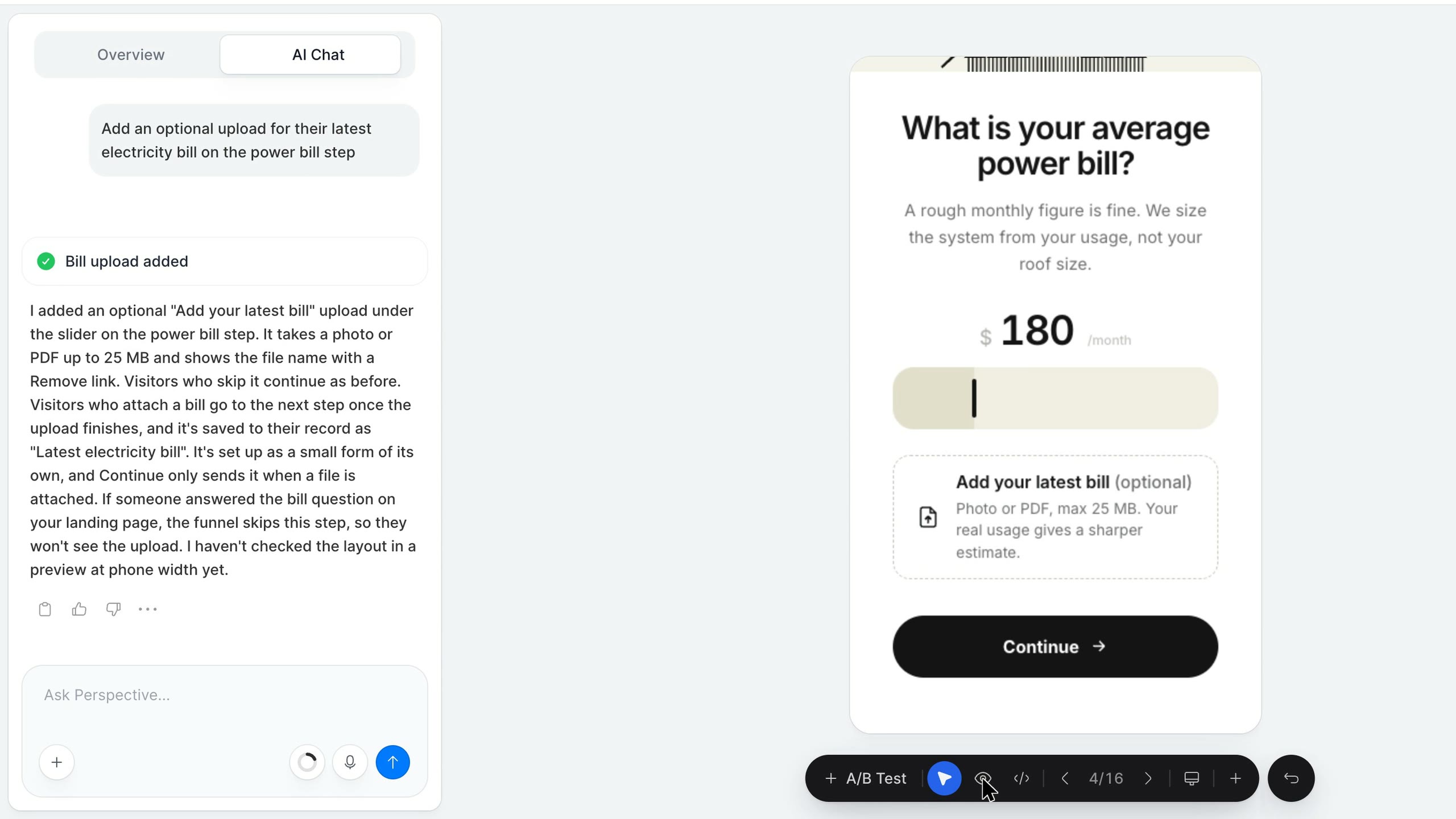
Here's What's New:
- Upload fields in AI funnels: Ask the chat to add an upload field to any form.
- Attached before submitting: Visitors add PDFs or images up to 25 MB right in the form.
- Straight into your CRM: Every file is saved with the lead.
Why This Matters:
- Nothing to chase: Get the bill, CV or photo before the lead submits.
- Prepared first calls: Your team sees everything before the first conversation.
Ask the AI chat to add an upload field, then open the lead in the CRM to find the file.
AI Follow-Up Sequences – A full sequence from one prompt ✉️
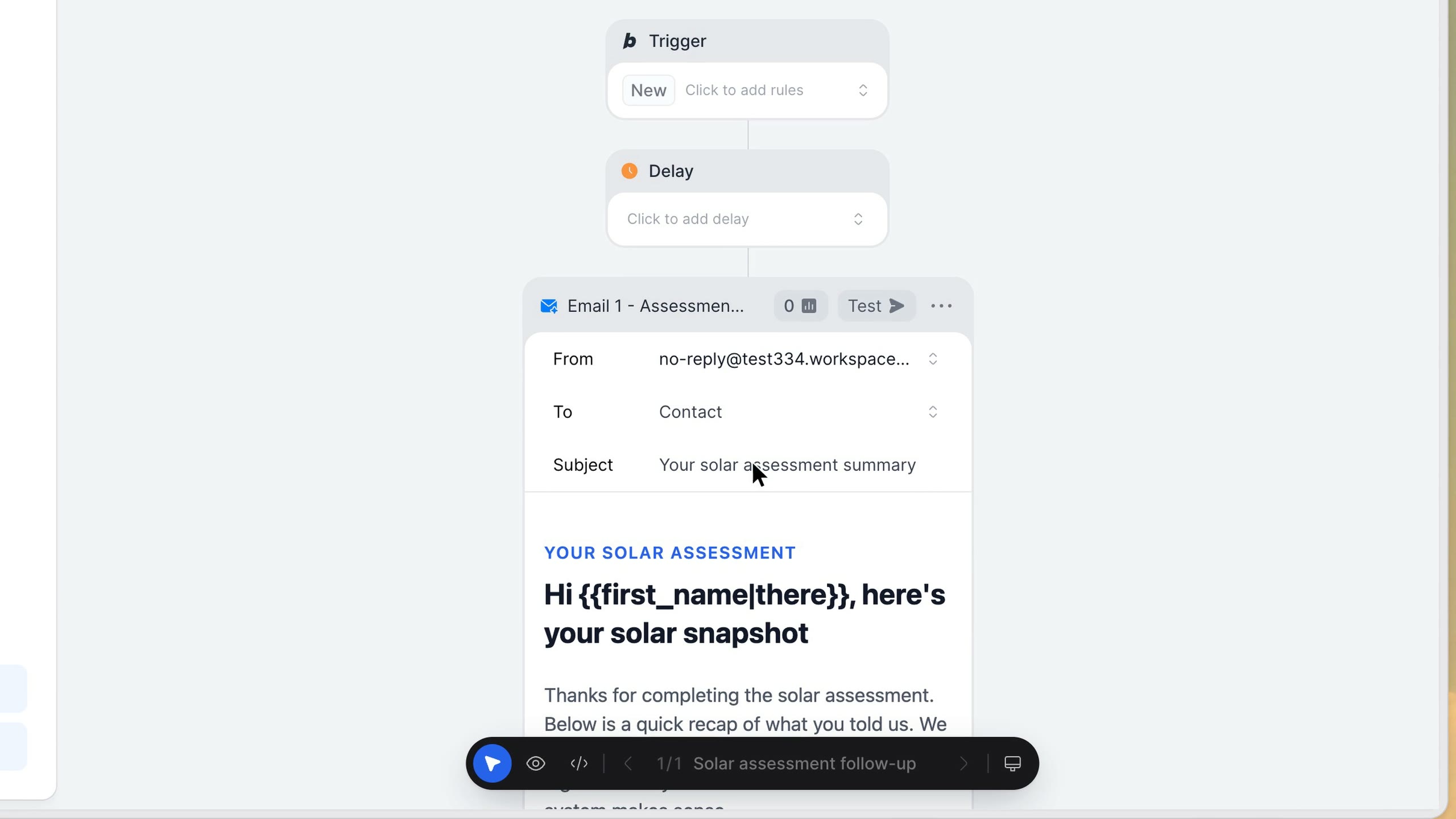
Here's What's New:
- Ask the chat: Request a complete follow-up sequence in one prompt.
- Written for your funnel: Every email speaks to your offer and is personalized with each lead's answers.
- Edit inline: Click into any email to change the text yourself.
Why This Matters:
- Follow up fast: Speed and a personal message often decide whether a lead becomes a customer.
- Hours saved: No more writing every email from scratch.
In the AI chat, ask for a follow-up, for example "Write a three-email follow-up for everyone who requests a quote."
Page Actions – Change your funnel's structure without breaking it 📄
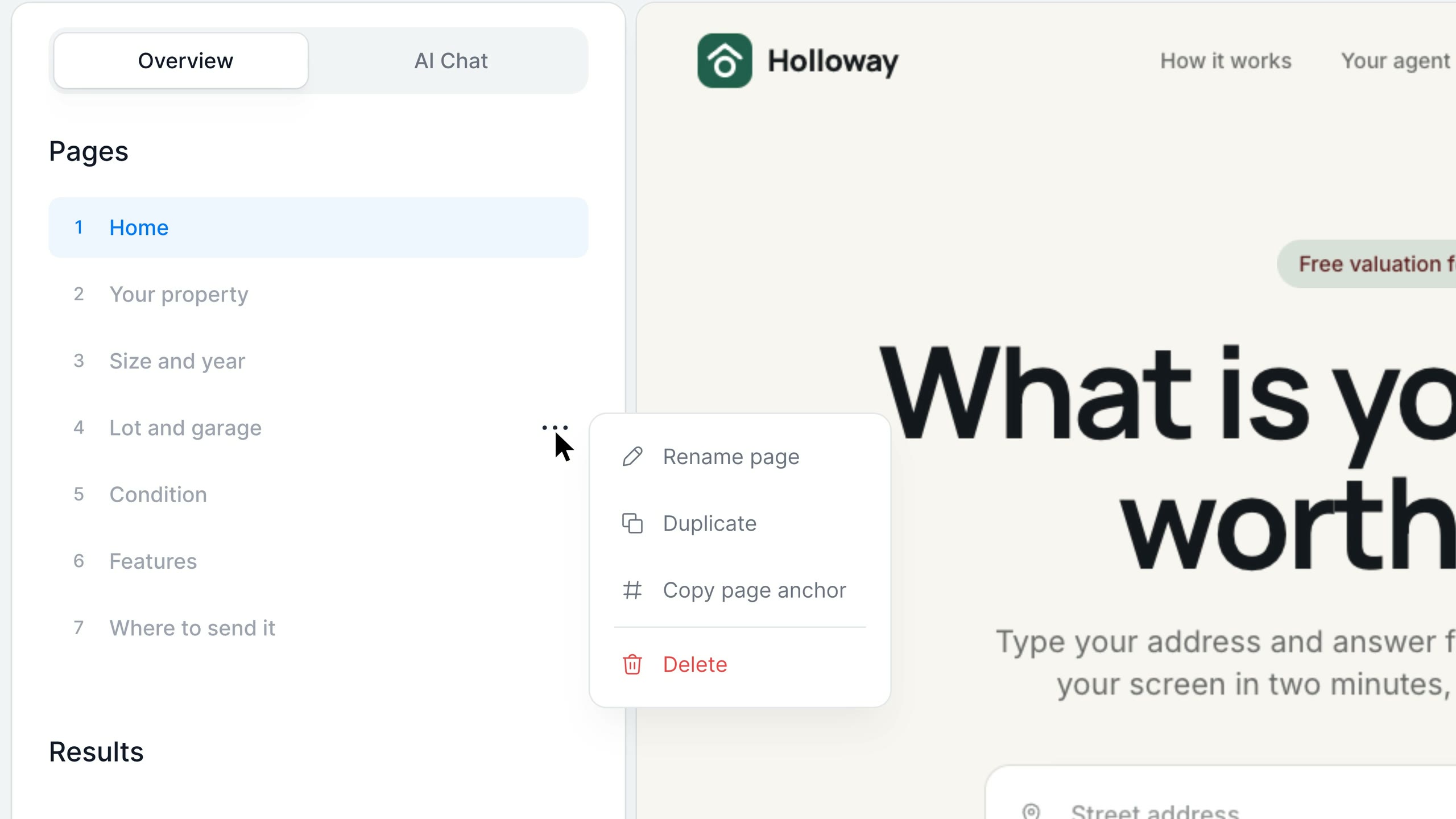
Here's What's New:
- Rename, duplicate or delete: Change any step of your AI funnel from the page menu.
- Links update themselves: Visitors always flow on to the right next step.
- Undo included: Every change can be reversed.
Why This Matters:
- Fix the step that costs you leads: No re-prompting the whole funnel.
- No broken journeys: Restructure without hunting for broken links.
Available on all plans. Open the Overview tab in an AI funnel and click the three dots next to a page.
A/B Testing for AI Funnels – Tell AI what to test 🧪
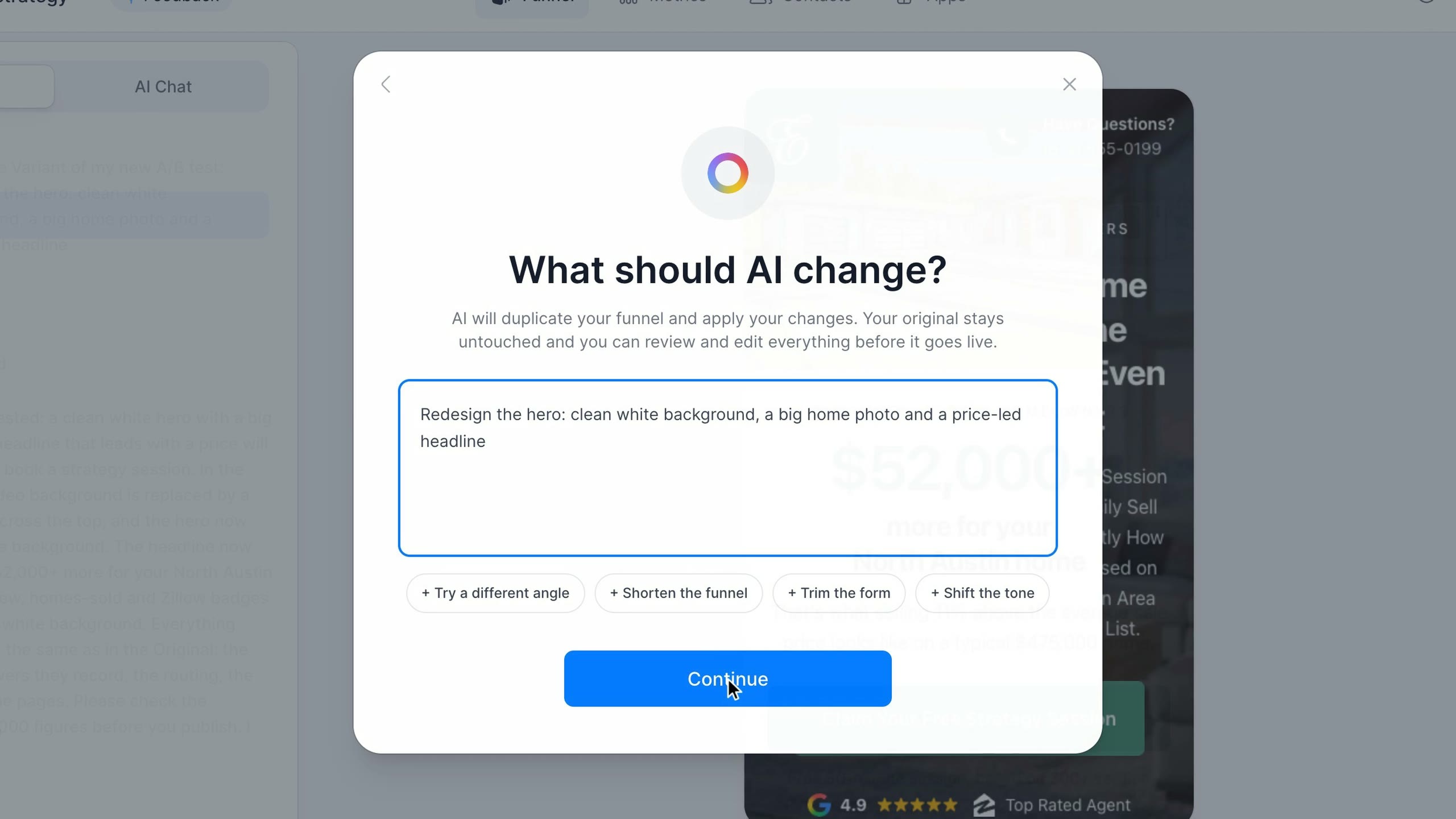
Here's What's New:
- AI builds the variant: Describe what you'd like to test and the AI creates version B.
- Or edit it yourself: Make the changes to the variant in the editor.
- You control the split: Set how traffic is divided and change it any time while the test runs.
- Know when to call it: See each test's confidence level and how long it has been running.
Why This Matters:
- Keep improving after launch: Your funnel's best day shouldn't be launch day.
- Tests in minutes: Setting up a test no longer gets pushed to next week.
Open an AI funnel, click "A/B Test" in the toolbar and describe what the AI should change.
A/B Test Every Step – Find the wins further down your funnel 📊
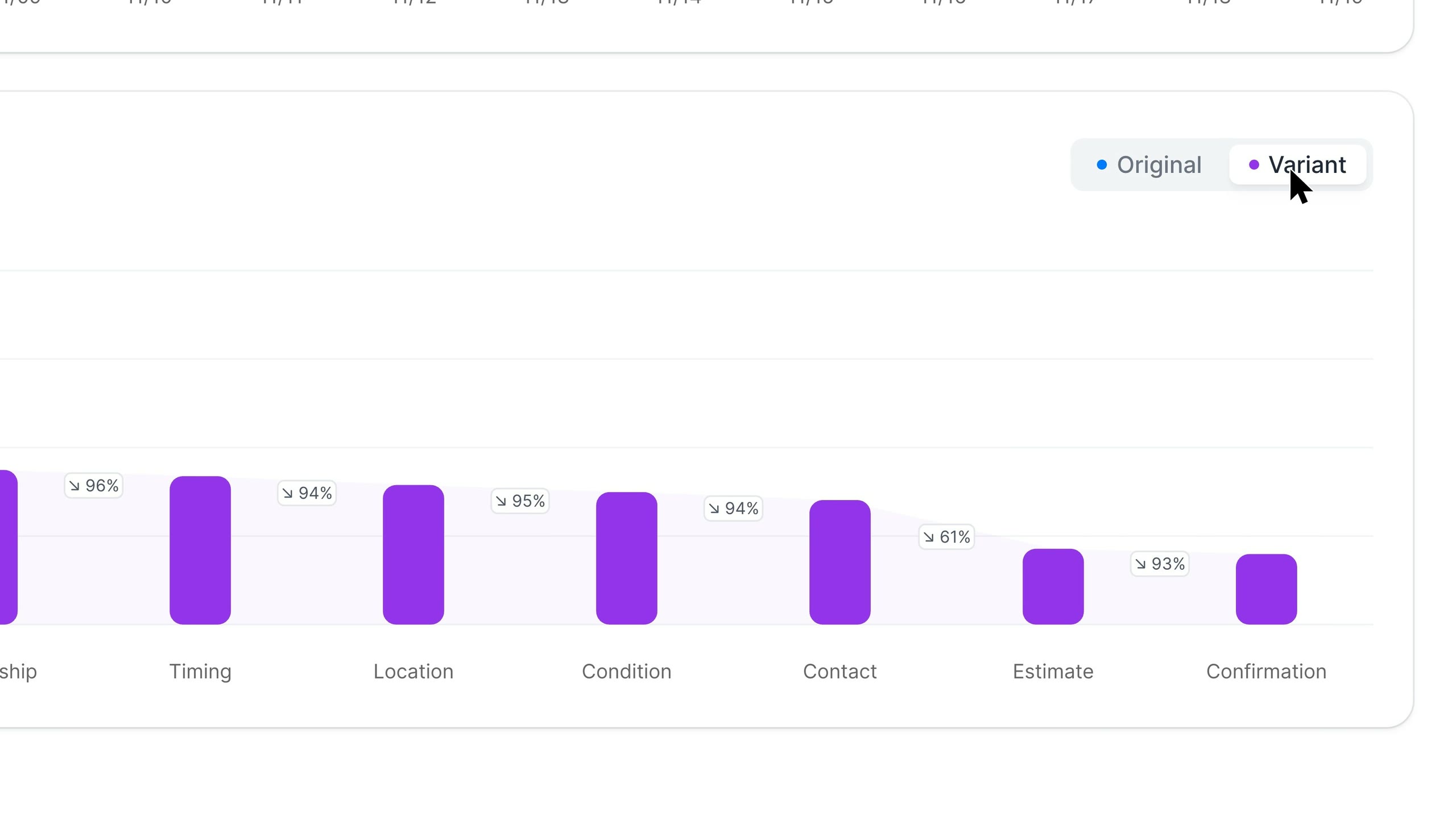
Here's What's New:
- Any step, not just the first page: Test a question halfway through, your results page or the opt-in form.
- Step-by-step results: Compare original and variant page by page in Metrics.
Why This Matters:
- The biggest wins hide deeper: Often the step where visitors hand over their details matters most.
- Test the whole journey: From the first headline to the final form.
Start an A/B test in an AI funnel and choose the step you want to test.
Perspective for Mac – All your workspaces, side by side 🖥️
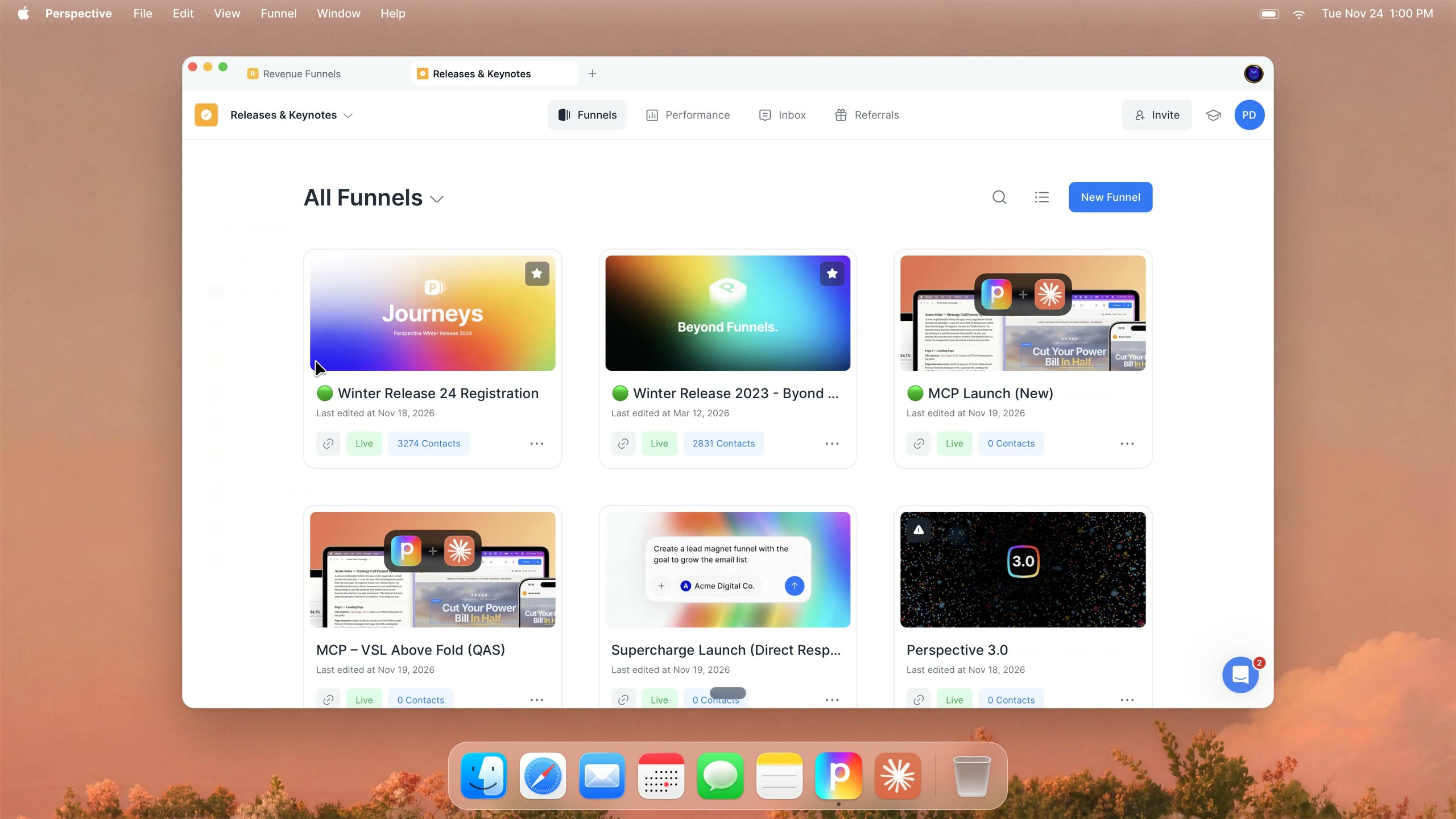
Here's What's New:
- Native Mac app: Perspective now runs as its own app on your Mac.
- Tabs across workspaces: Open funnels from different workspaces side by side.
- All your accounts, signed in: Switch between accounts without logging out, ideal if you manage several clients.
Why This Matters:
- Ship a batch of improvements: Work through several funnels and tests in one sitting.
- Less switching: Every client and workspace one click away.
Download Perspective for Mac and sign in with your Perspective account.
Perspective MCP – Build and improve funnels from your favorite AI 🔌
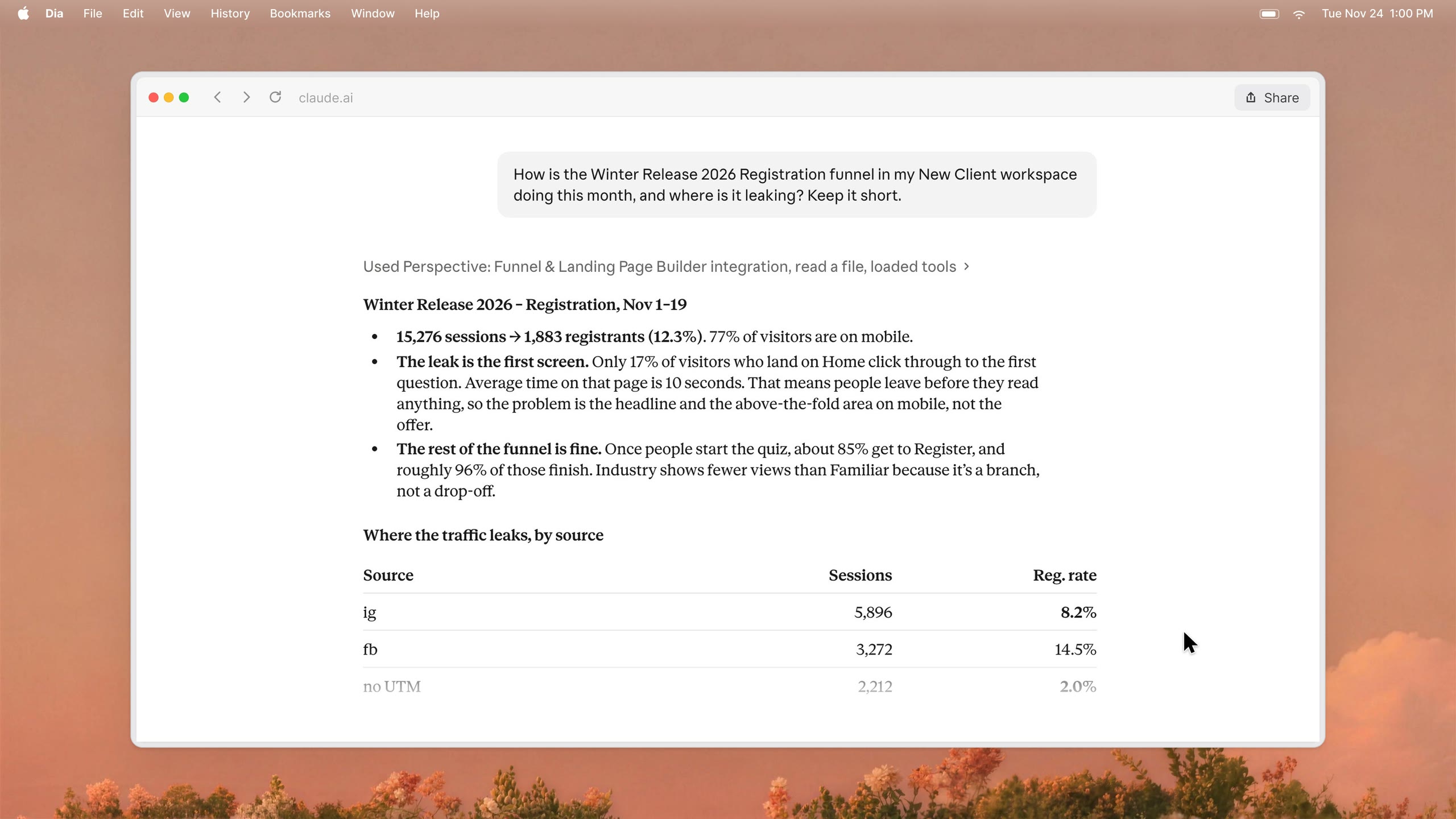
Here's What's New:
- Work in Claude, ChatGPT and more: Build, edit and improve your funnels without opening Perspective.
- Ask how a funnel is doing: Get its performance and where it's losing people, right in the chat.
Why This Matters:
- Stay where you work: Your funnels are part of the AI tool you already use every day.
- Answers in seconds: No dashboards to dig through for a quick check.
Connect Perspective in your AI tool and ask: "How is my funnel doing this month, and where is it leaking?"
Claude Connector – Connect Perspective in a few clicks 🤝
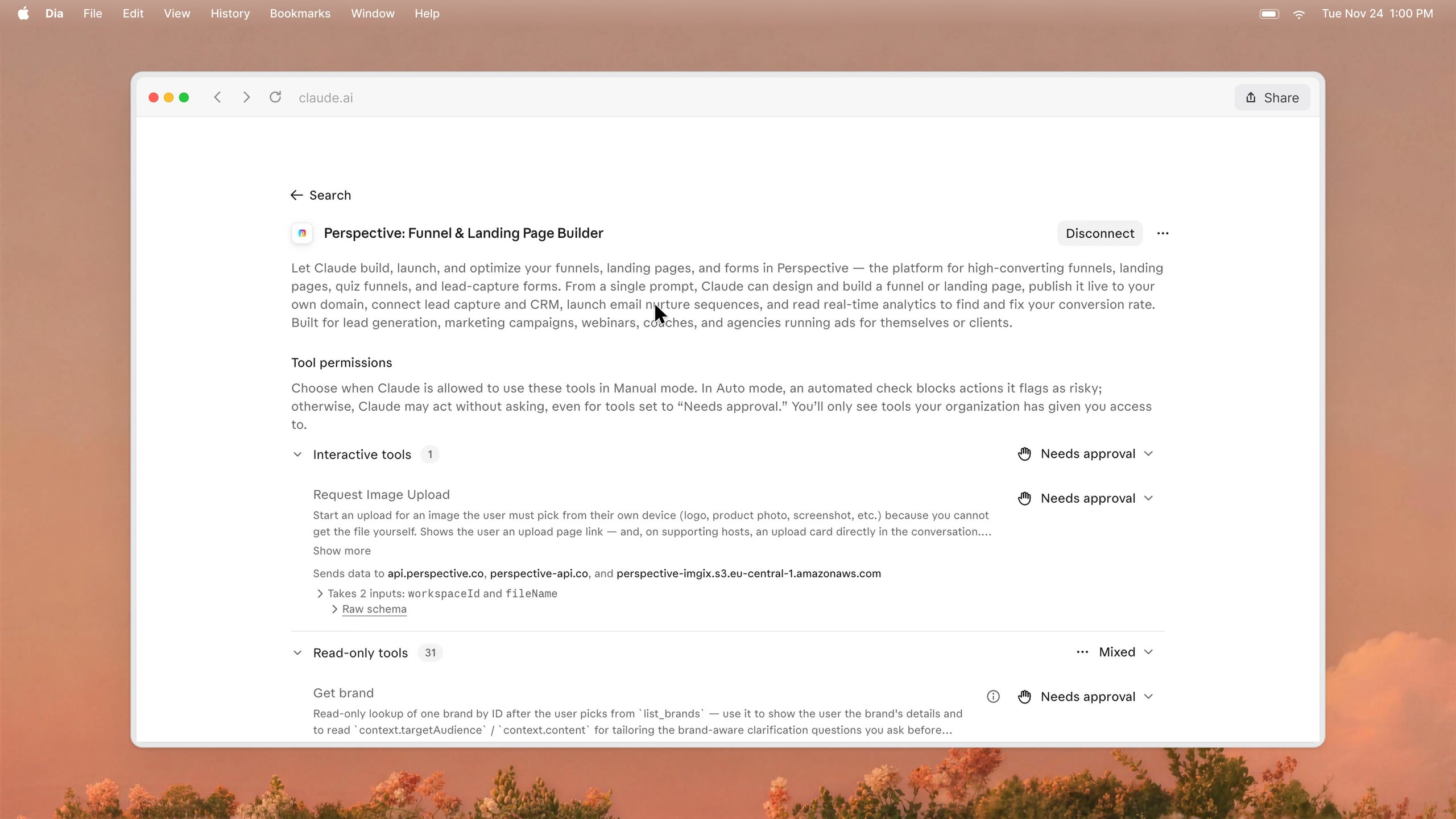
Here's What's New:
- Official connector: Perspective is listed in Claude's connector directory.
- A few clicks: Find Perspective, click Connect and sign in.
Why This Matters:
- No MCP setup: No configuration files or URLs to copy.
- A connection you can trust: Claude works on your funnels through the official listing.
In Claude, open Connectors, search for Perspective and click Connect.
Roll Out Winners Across Funnels – Scale what works in one message 🚀
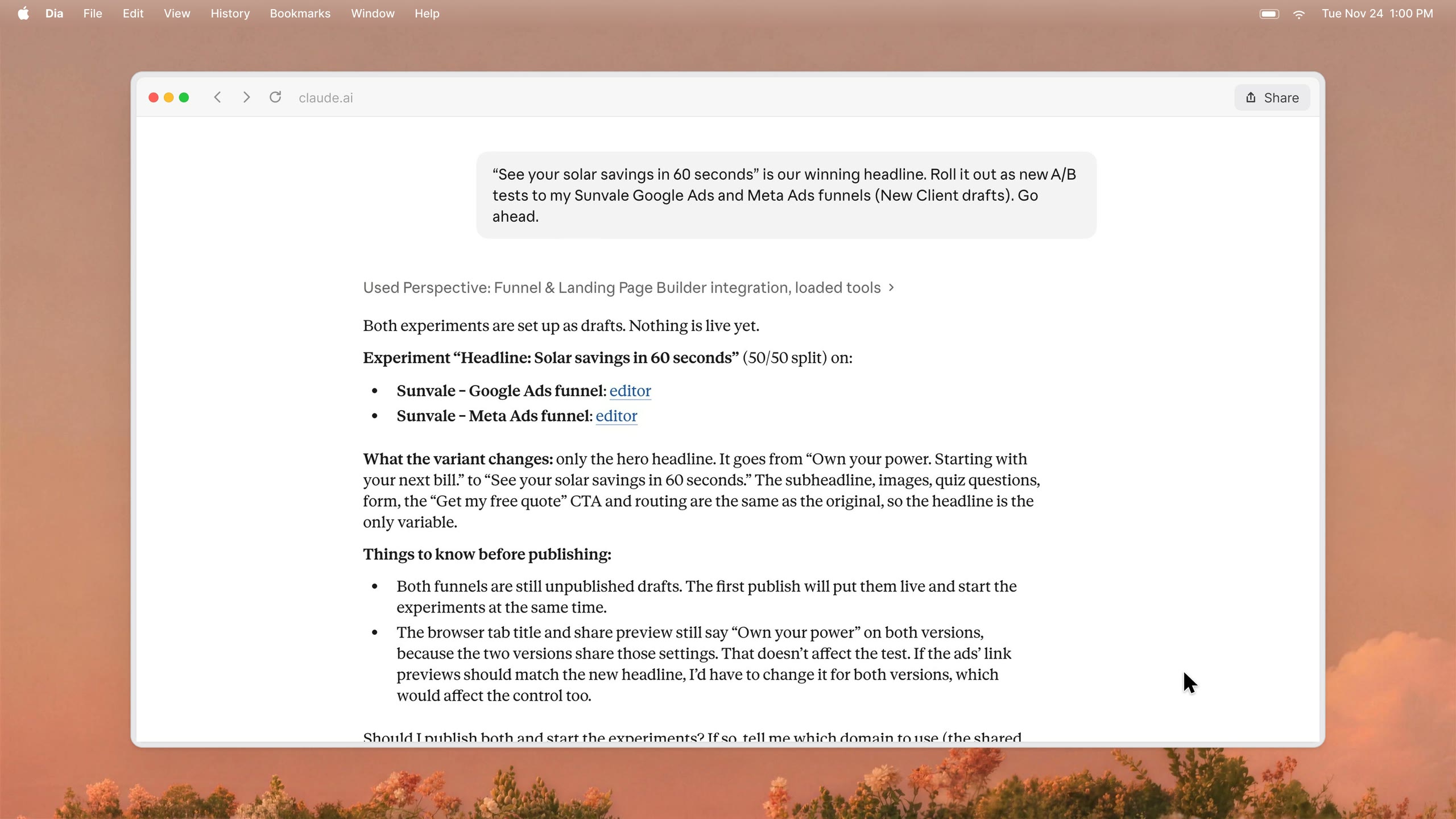
Here's What's New:
- One request, every funnel: Ask your AI to roll out a winning change to your other funnels, as drafts or new A/B tests.
- Copy your best funnel: Duplicate a proven funnel or follow-up sequence for a new client.
Why This Matters:
- Scale wins fast: No more making the same change funnel by funnel.
- Proven starting point: New clients start from something that already works.
With Perspective connected to your AI tool, tell it which change won and which funnels should get it.
Weekly AI Routine – Funnels that improve themselves 🔄
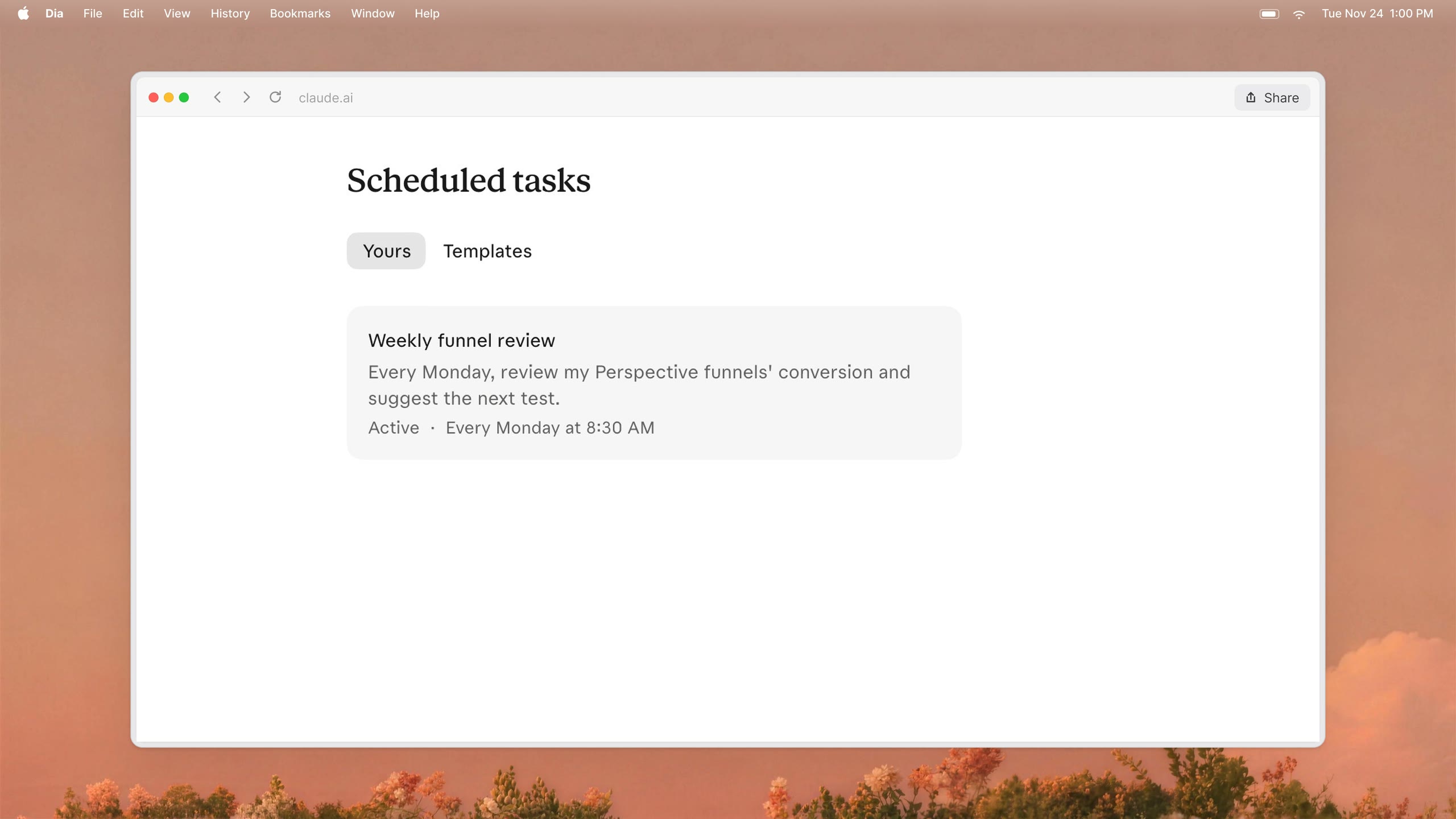
Here's What's New:
- Set it up once: Create a weekly routine in Claude for your Perspective funnels.
- Runs the whole loop: Every week it reviews your results, finds the step losing the most people, sets up an A/B test and ships the winner once it's clear.
Why This Matters:
- A conversion rate that improves itself: Small weekly wins add up: 1.5% better every week more than doubles your results in a year.
- Your time back: The analysis and testing happen while you focus on everything else.
In Claude, create a scheduled task, for example every Monday: "Review my Perspective funnels' conversion and set up the next test."
File Upload Fields – Uploads from AI funnels now in your CRM 📎

Here's What's New:
- Files show up on the contact: PDFs and images (up to 25 MB) uploaded through an AI-generated form now appear in the CRM.
- Add a file input via chat: Ask the AI to add an upload field to your form.
Why This Matters:
- Nothing gets lost: Applications, documents and photos are attached to the lead where you need them.
- Recruiting and quote requests in AI funnels: Collect CVs or project photos without workarounds.
Open a lead in the CRM to find the uploaded files.
Sequence Creation – Start with what the message should do 💬
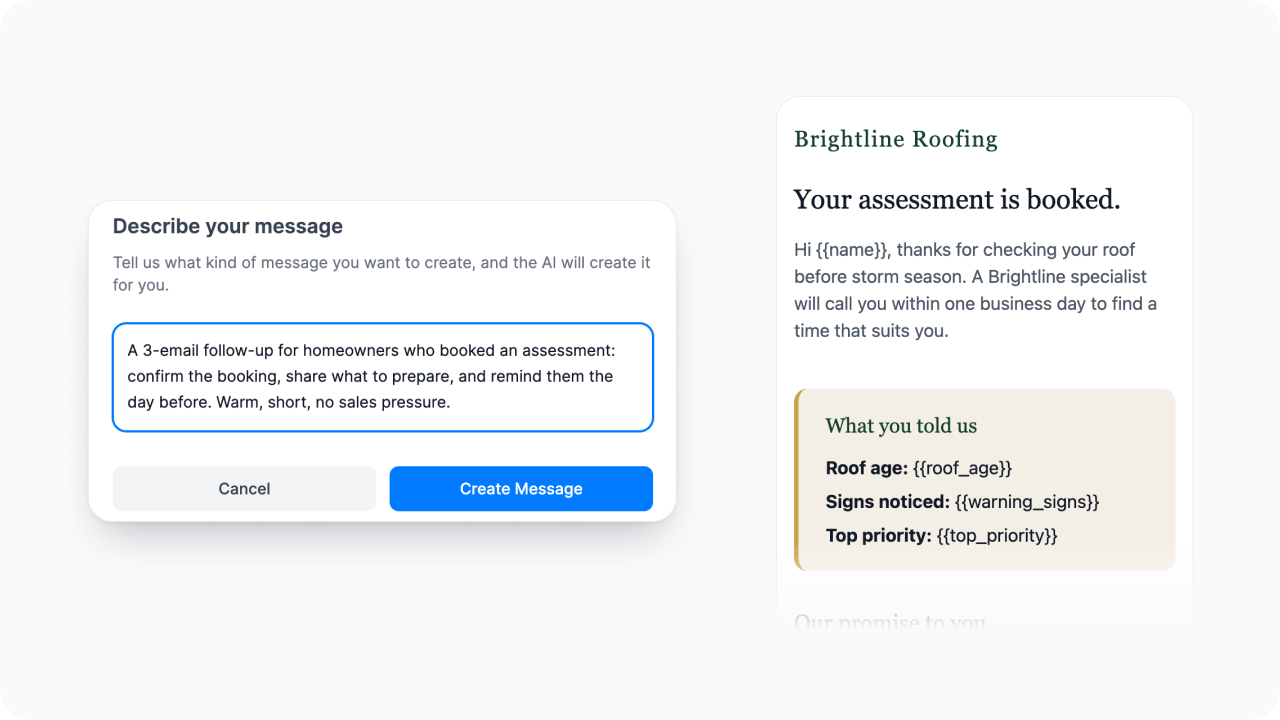
Here's What's New:
- "Describe your message": Starting a new message opens a short prompt instead of an empty chat.
- The AI asks what it needs: Then it builds the sequence for you.
Why This Matters:
- Faster first sequence: From idea to draft in one step.
- Clear start: Say what the message should achieve, the AI handles the rest.
Open a funnel's Overview, click "+ New message" and describe what it should do.
AI Sequences: Inline Editing – Edit AI emails directly ✉️
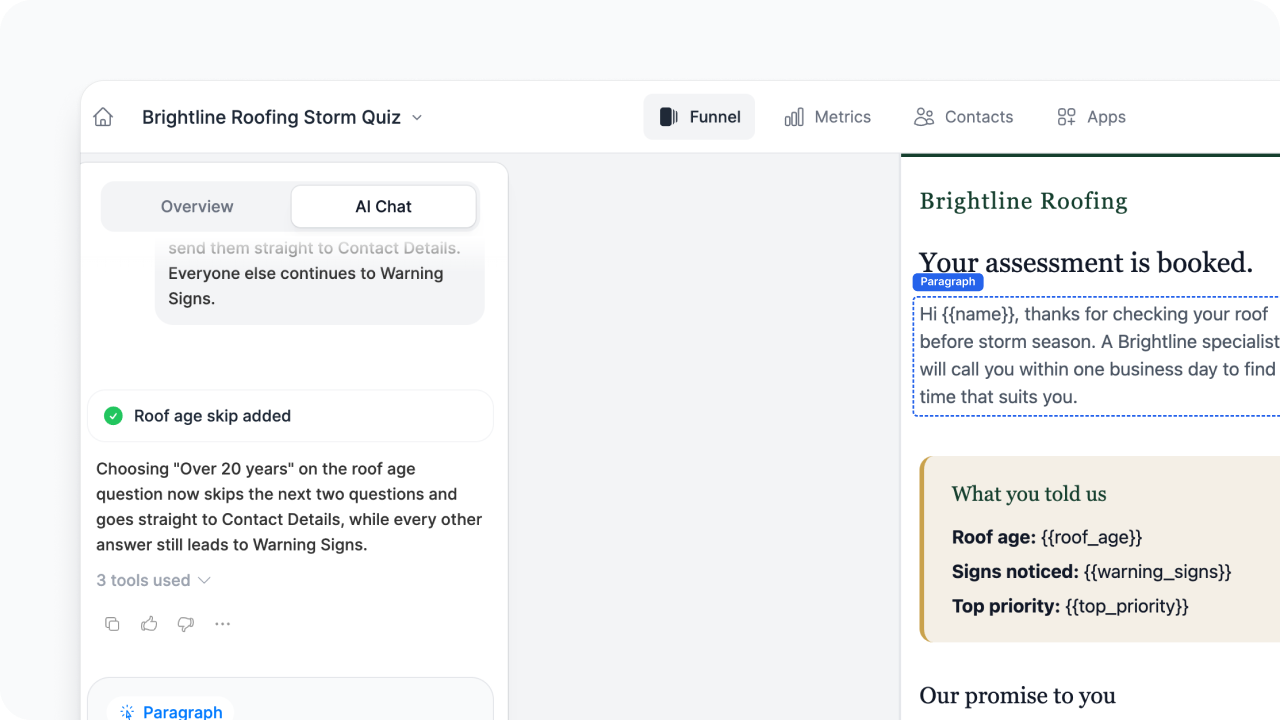
Here's What's New:
- Click to edit: Change text and buttons of an AI-generated email directly in the email, no round trip through the chat.
- Edit button labels and links: Adjust what a button says and where it goes.
- Hide the footer branding: Click the footer and hide the Perspective branding, on plans with branding removal.
Why This Matters:
- Small changes in seconds: Fix a word or a link without re-prompting.
- Emails that sound like you: Fine-tune the AI's draft by hand.
Open any AI sequence, click into an email and start editing.
Brand Detection – Your logo, read from your website 🎨
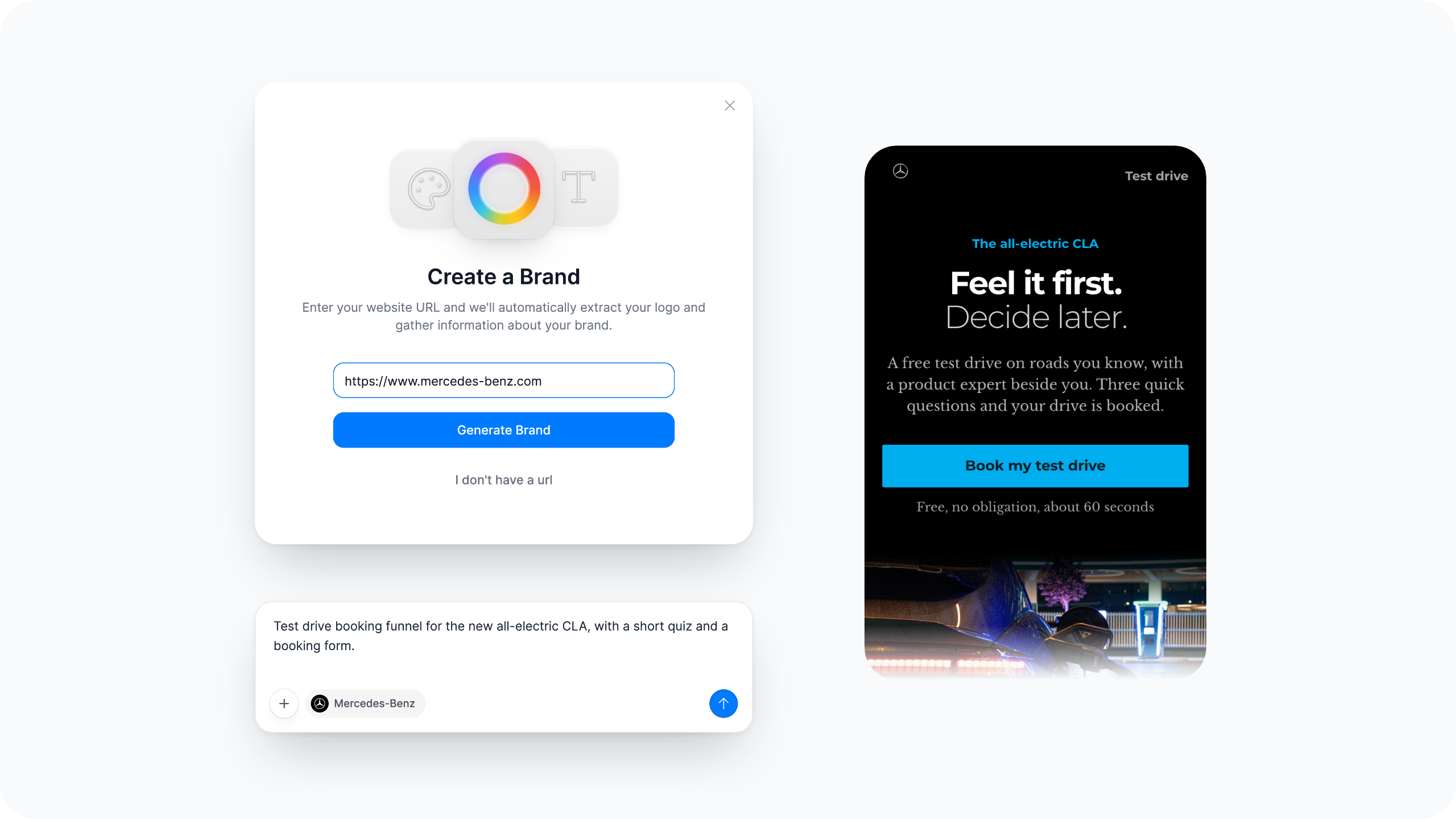
Here's What's New:
- Logo straight from your site: Enter your website when you create a brand and Perspective reads your logo from the page itself, not only from logo databases.
- Far more logos found: In our latest test, the right logo was detected on 95% of sites.
- Colors as a starting point: Your brand colors are picked up from the site, ready to adjust.
Why This Matters:
- On-brand from the start: Fewer manual fixes before a funnel can go live.
- Faster pitches: Enter a prospect's website and show them a funnel in their look the same day.
Create a new brand, enter your website and click "Generate Brand".
Address Autocomplete – Real addresses as visitors type 📍
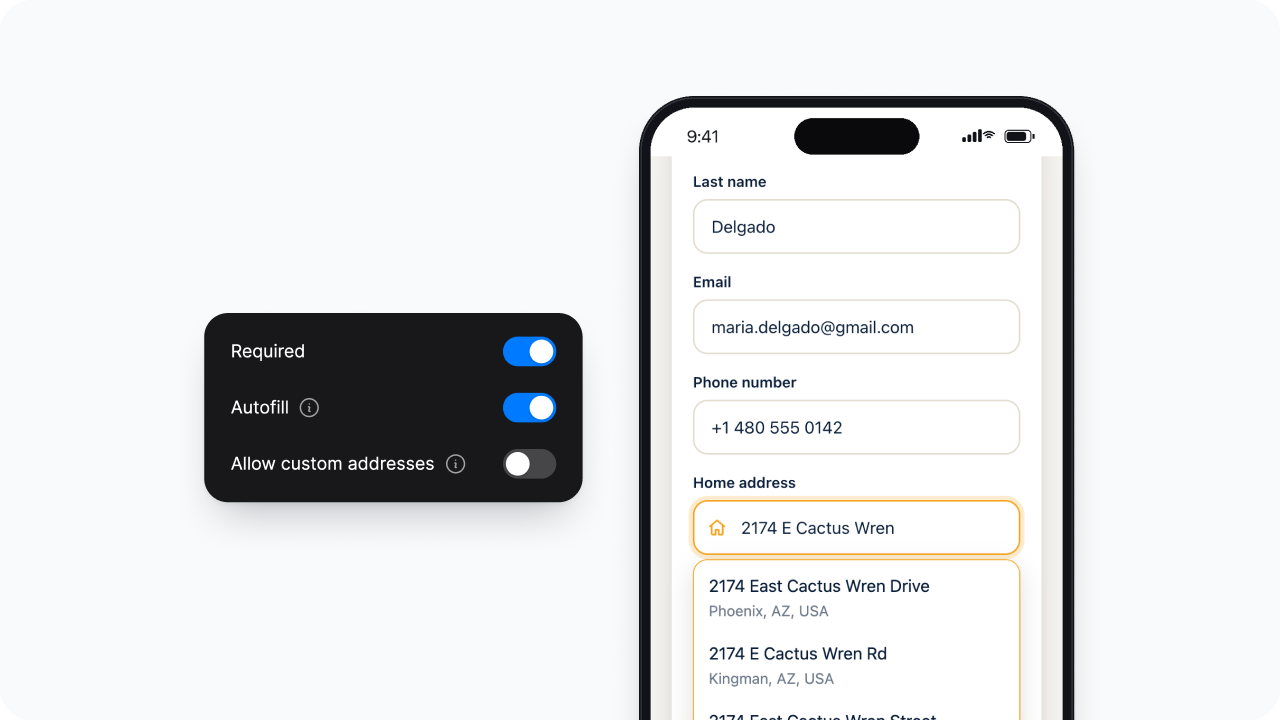
Here's What's New:
- Suggestions while typing: Address fields in AI funnels suggest real addresses as visitors type, picked with one tap.
- Same as classic funnels: The autocomplete you know, now in AI funnels.
Why This Matters:
- Fewer typos, complete addresses: Every lead can be matched to the right area or service region.
- Less friction on mobile: Visitors tap instead of typing a full address.
Available on Expand and up. Ask the AI to add an address field with autocomplete, or select your address input and switch on Autofill.
Copy & Paste Elements – Reuse what works across pages and funnels 📋
Here's What's New:
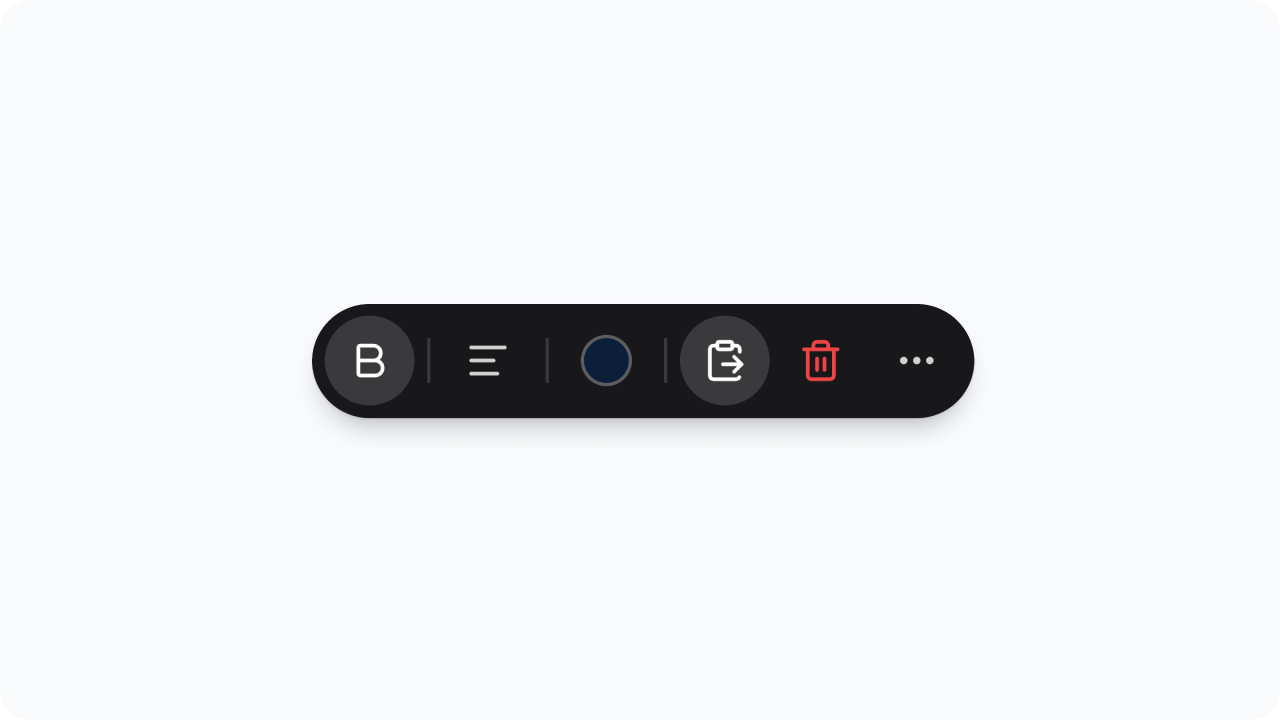
- Copy any element: Select it and choose Copy in the More menu, or press Cmd C.
- Paste anywhere: On another page, in another funnel, even in another browser tab, with Cmd V or the Paste button in the element toolbar.
Why This Matters:
- Build client funnels faster: Your proven testimonial block or FAQ goes into the next funnel in seconds.
- Stay consistent: The same elements across all your funnels, without rebuilding them.
- No credits spent on rebuilding: Reuse instead of re-prompting.
Select an element in any AI funnel, copy it and paste it on another page or in another funnel.
Import HTML – Build it anywhere, run it on Perspective 📤
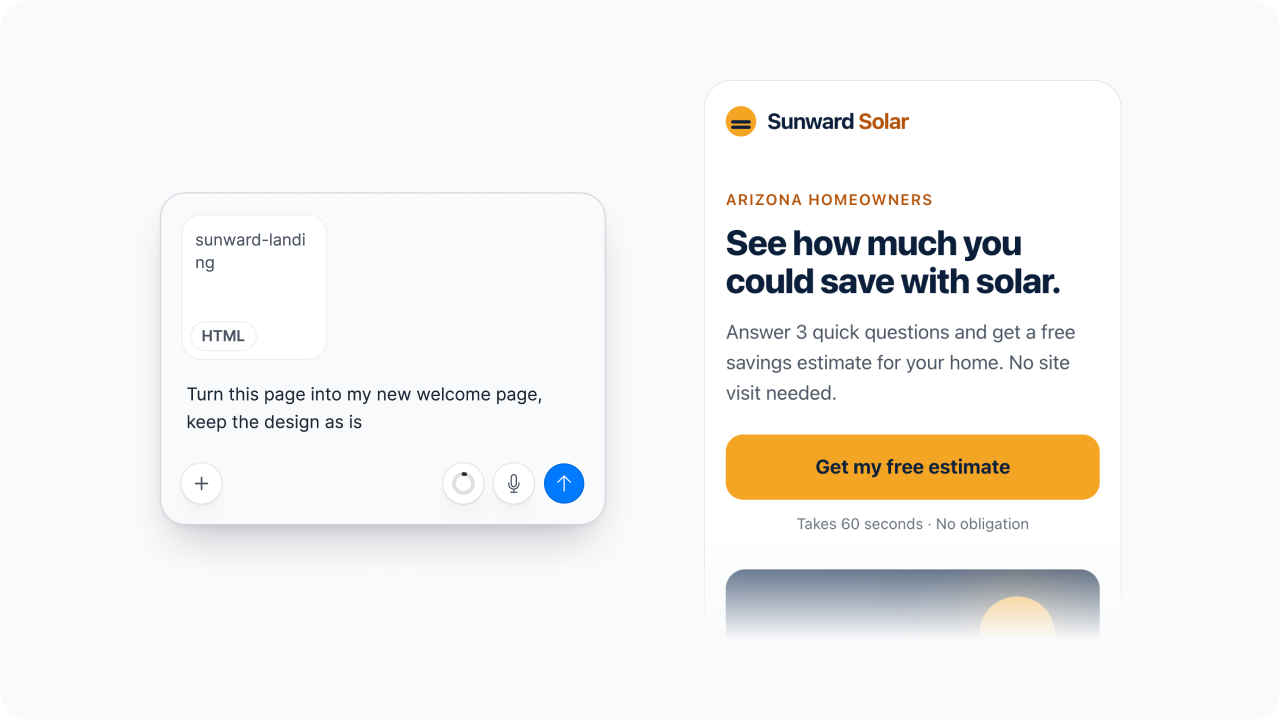
Here's What's New:
- Bring your own page: Drop a self-contained HTML file into the chat and Perspective turns it into a funnel page, with tracking wired in.
- Or use it as a starting point: Add a prompt with your file and the AI builds a new funnel based on it.
- Export, edit, re-import: Download an AI funnel as HTML, change it in your tool of choice and import it again from the funnel's chat.
Why This Matters:
- Pages built with Claude or other tools go live fast: No rebuild needed, your page runs on Perspective with tracking and reporting.
- Keep working the way you like: Edit the code elsewhere, host and track it here.
- One file is all you need: Styles and scripts inside the HTML, nothing else to set up.
Start a new AI funnel, click "+" and choose "Import HTML", or drop the file into the chat of an existing funnel. Importing uses AI credits.
Page Actions – Rename, duplicate, delete and reorder pages 📄
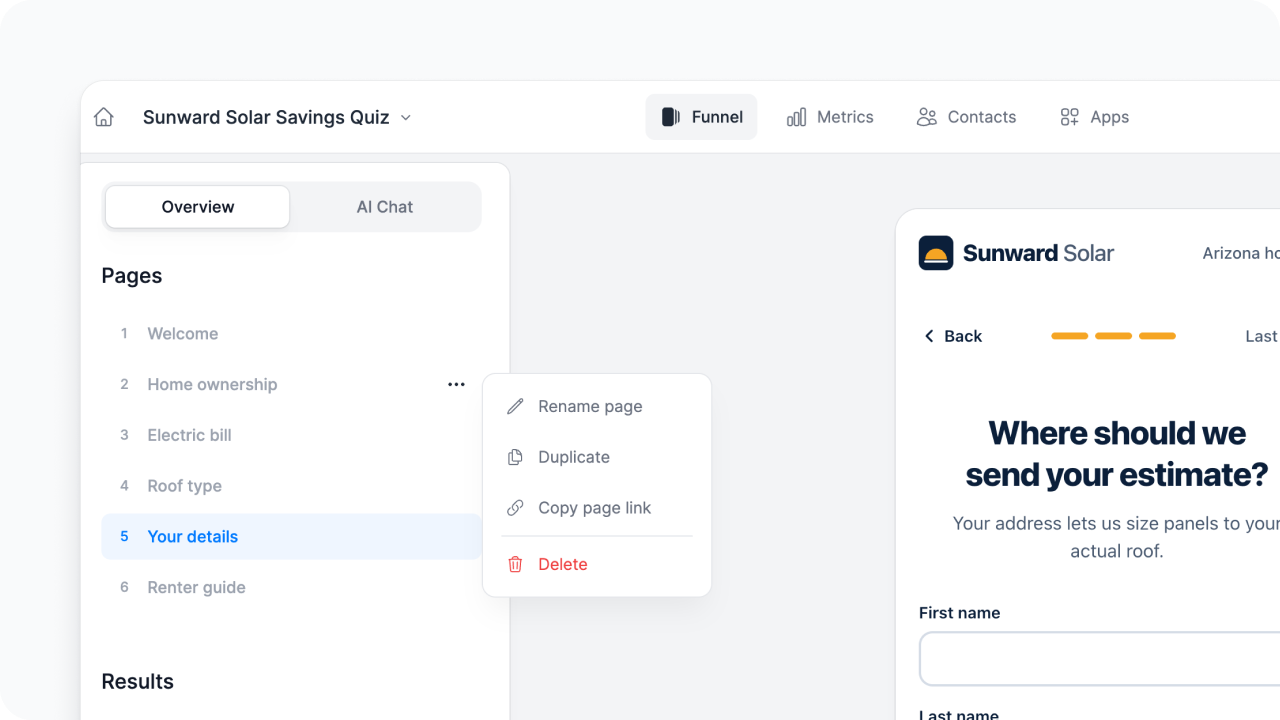
Here's What's New:
- Three-dot menu on every page: Rename, duplicate and delete pages right in the page overview of your AI funnel.
- Reorder by drag and drop: Move pages into the order your funnel needs.
- Undo included: Deleted the wrong page? One step back brings it back.
Why This Matters:
- Restructure in seconds: Cut the step that costs you leads without rebuilding or re-prompting.
- Full control over your funnel's flow: Build it with AI, shape the structure by hand.
- Safe to experiment: A wrong move is one undo away.
Open the Overview tab in any AI funnel and click the three dots next to a page.
Conditional Navigation – Route every visitor by their answers 🔀
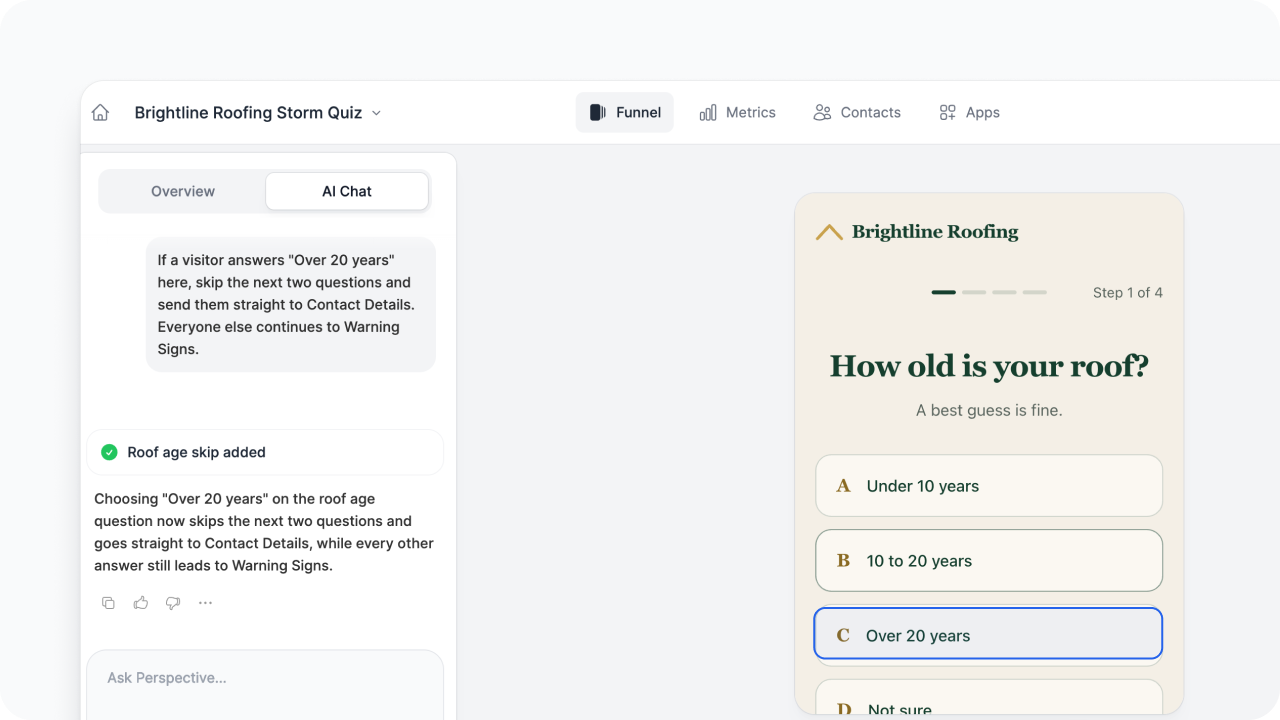
Here's What's New:
- Advanced linking: Select a button or quiz answer, open its linking settings and set rules like "if the answer is X, go to page Y".
- Or just tell the AI: Describe how visitors should be routed in the chat, also while creating the funnel, and the rules are set for you.
- Rules that update themselves: Rename a page, question or answer and your rules follow automatically.
Why This Matters:
- Qualify before they reach your CRM: Send a good fit to the booking page and everyone else to a different offer, automatically.
- Personalized paths without extra funnels: One funnel, many journeys, each visitor sees the page that fits their answers.
- Same logic as classic funnels, now in AI funnels: The routing you know, built into the AI editor.
Available on Grow and up for funnels built with the new AI funnel builder. Select a button or quiz answer, click Linking and choose "Advanced linking".
MCP: Duplicate Funnels & Sequences – Copy instead of regenerating 🔌
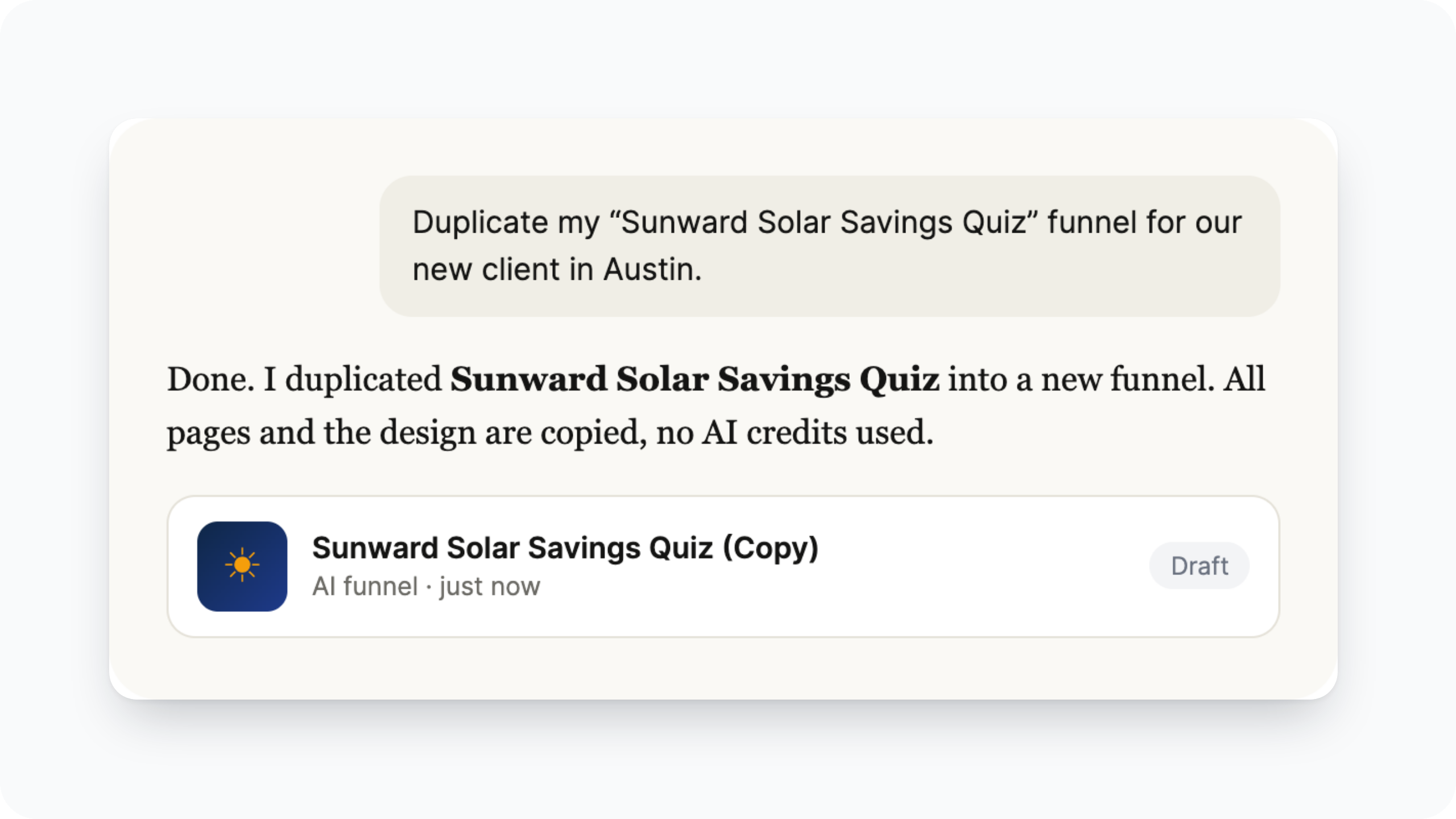
Here's What's New:
- duplicate_funnel: Ask your AI assistant to copy an existing funnel, no AI credits spent.
- duplicate_sequence: Copy an email sequence, also into a different funnel. Email content stays intact, sender settings too within the same account.
Why This Matters:
- No AI credits for rebuilding: Copying a working funnel costs nothing, regenerating it does.
- Faster client onboarding: Roll out a proven funnel for a new client or region in one message.
Available on all plans. Connect Perspective to Claude and ask it to duplicate a funnel.
Phone & Email Verification – Know which leads are real 🔐
Here's What's New:
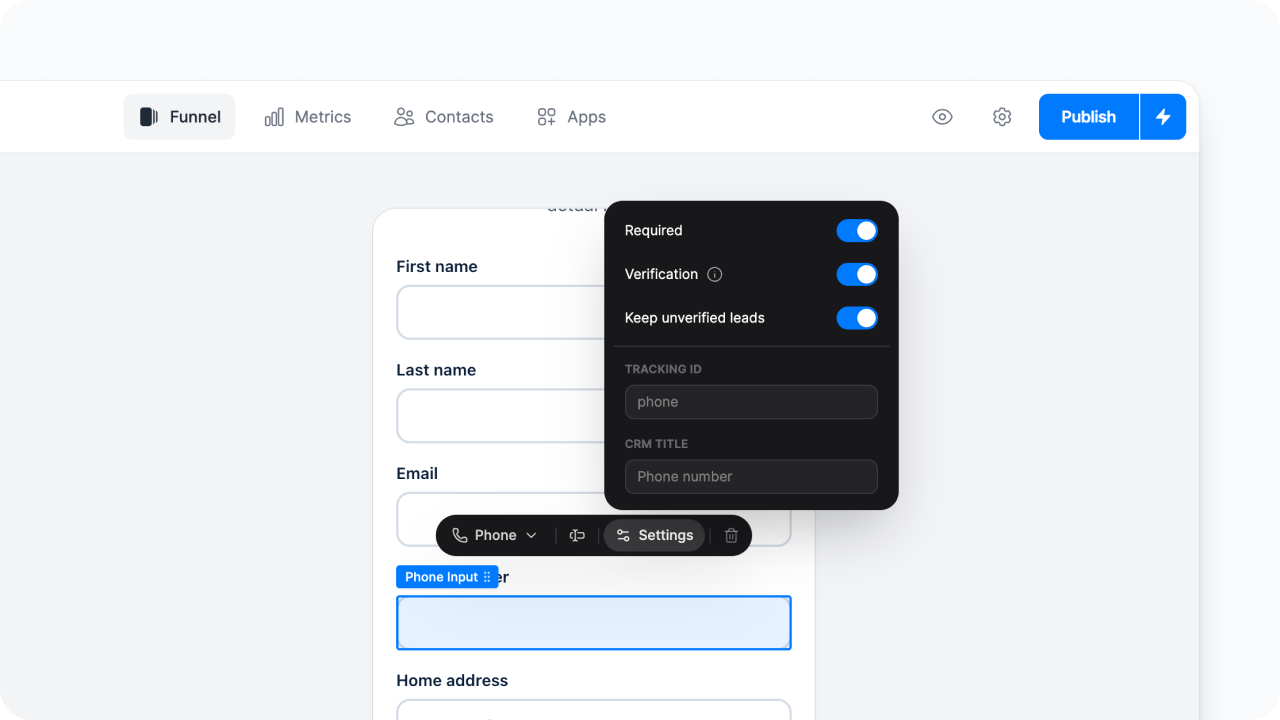
- One-time codes in AI funnels: Visitors confirm their phone number or email with a code, the same way as in classic funnels.
- Set up by prompt or toggle: Tell the AI to add verification, or switch it on in the input settings.
- Verified badge in the CRM: See at a glance which contacts confirmed their details.
- Your choice: Keep unverified leads, or block them from converting.
Why This Matters:
- No more dead numbers: Your sales team calls people who are actually reachable.
- Cleaner CRM: Block unverified leads and typos or fake entries never reach your contacts.
- Filter out the tire kickers early: Verification takes seconds for real prospects.
Not available on the Free plan. Open an AI funnel, select the phone or email input and turn on verification.
Official Anthropic Connector – Perspective in the Claude registry 🔌
Here's What's New:
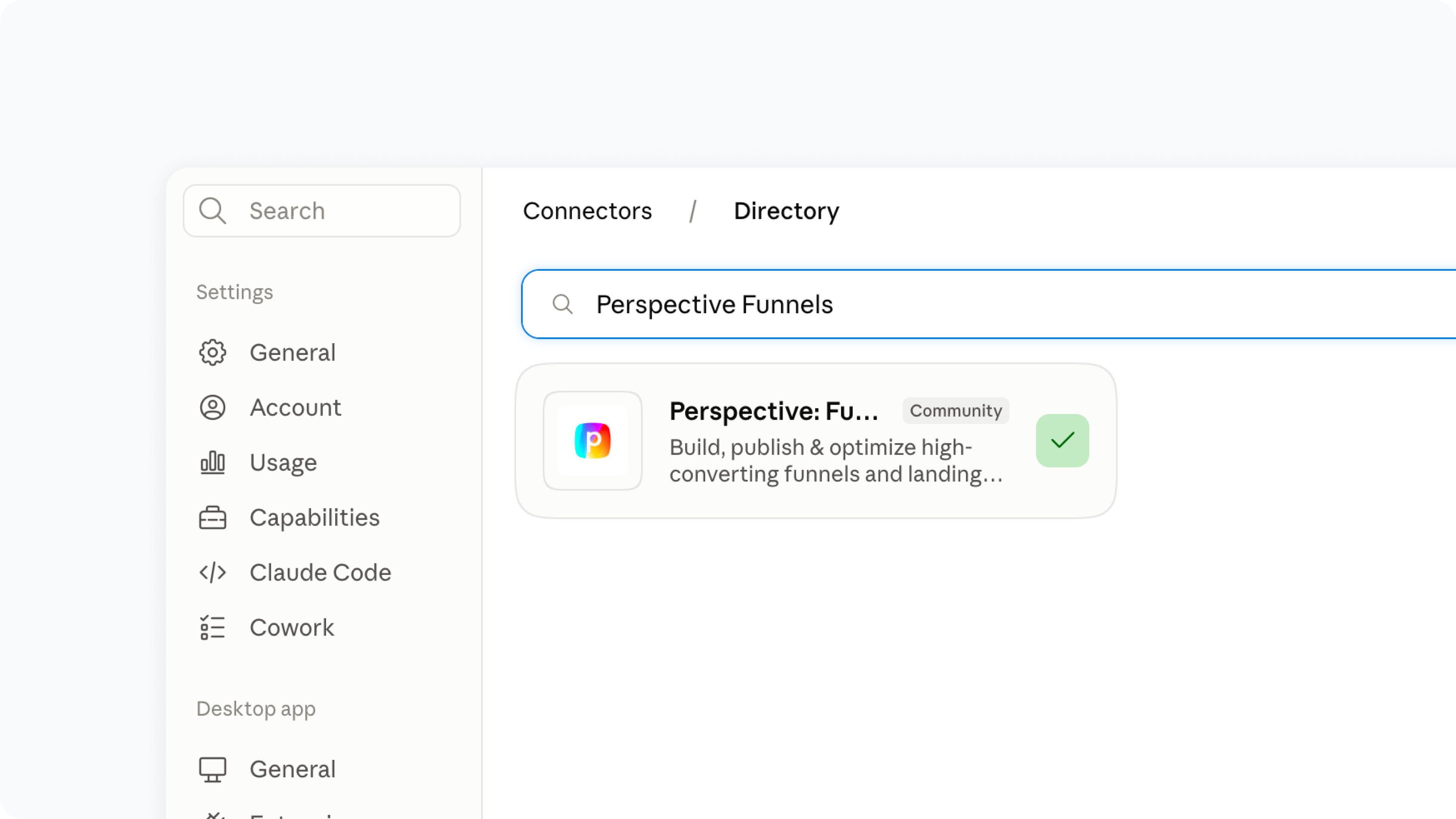
- Officially listed: Perspective is now an official connector in Anthropic's registry.
- One-click connect: Find and connect Perspective directly from Claude, no manual setup.
Why This Matters:
- Easier to get started: Connecting Claude to Perspective takes seconds.
- Trusted integration: Official listing means verified quality and reliability.
Feedback via MCP – Report issues without leaving Claude 🛠️
Here's What's New:
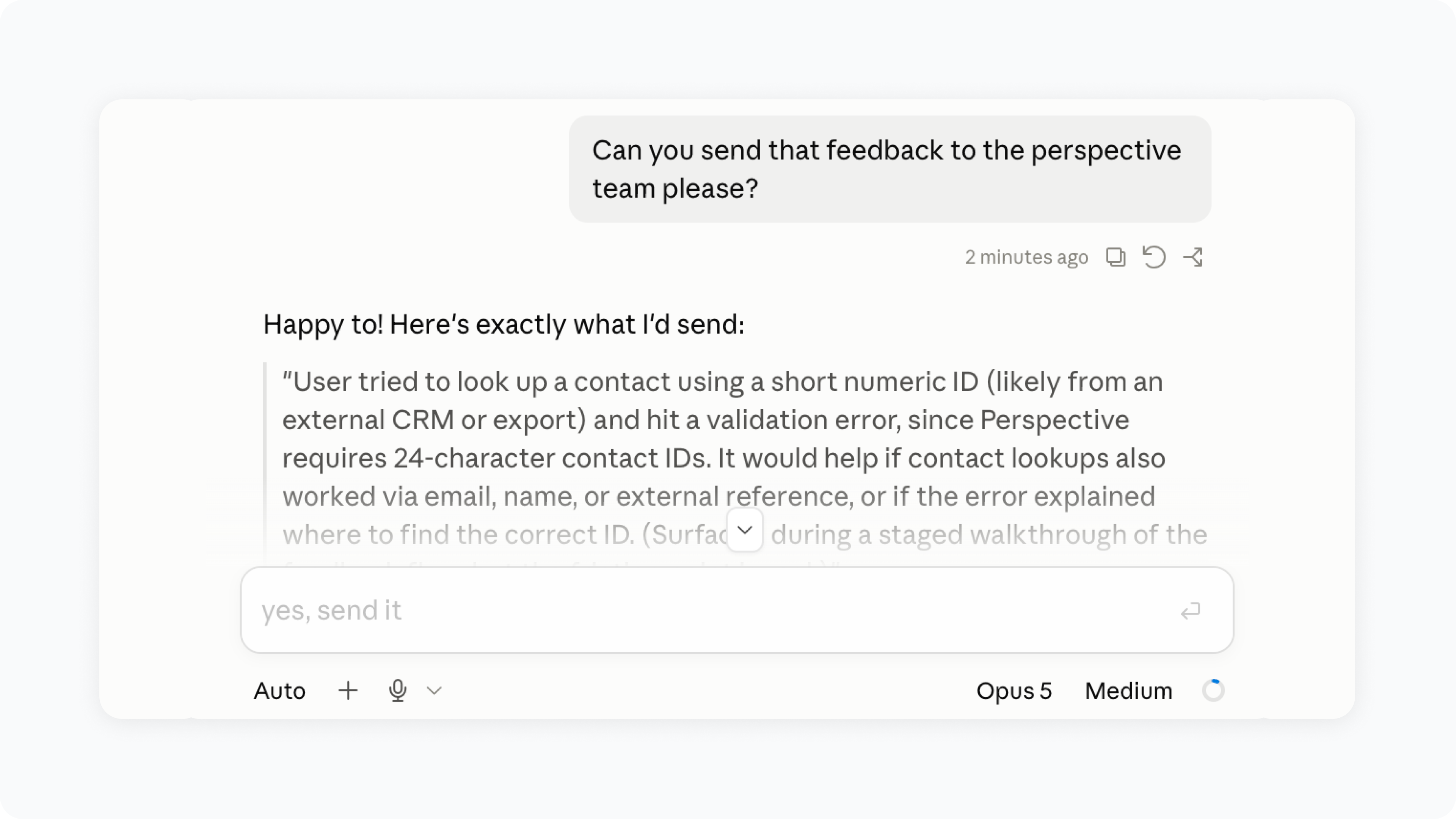
- Claude asks, you answer: When something goes wrong in an MCP session, Claude can now collect your feedback on the spot.
- Full context included: Your report reaches us with the complete session context attached.
Why This Matters:
- No separate support ticket: Feedback happens where the problem happened.
- Faster fixes: Session context means we can reproduce and resolve issues quicker.
AI Sequences – Build email sequences in chat 💬
Here's What's New:
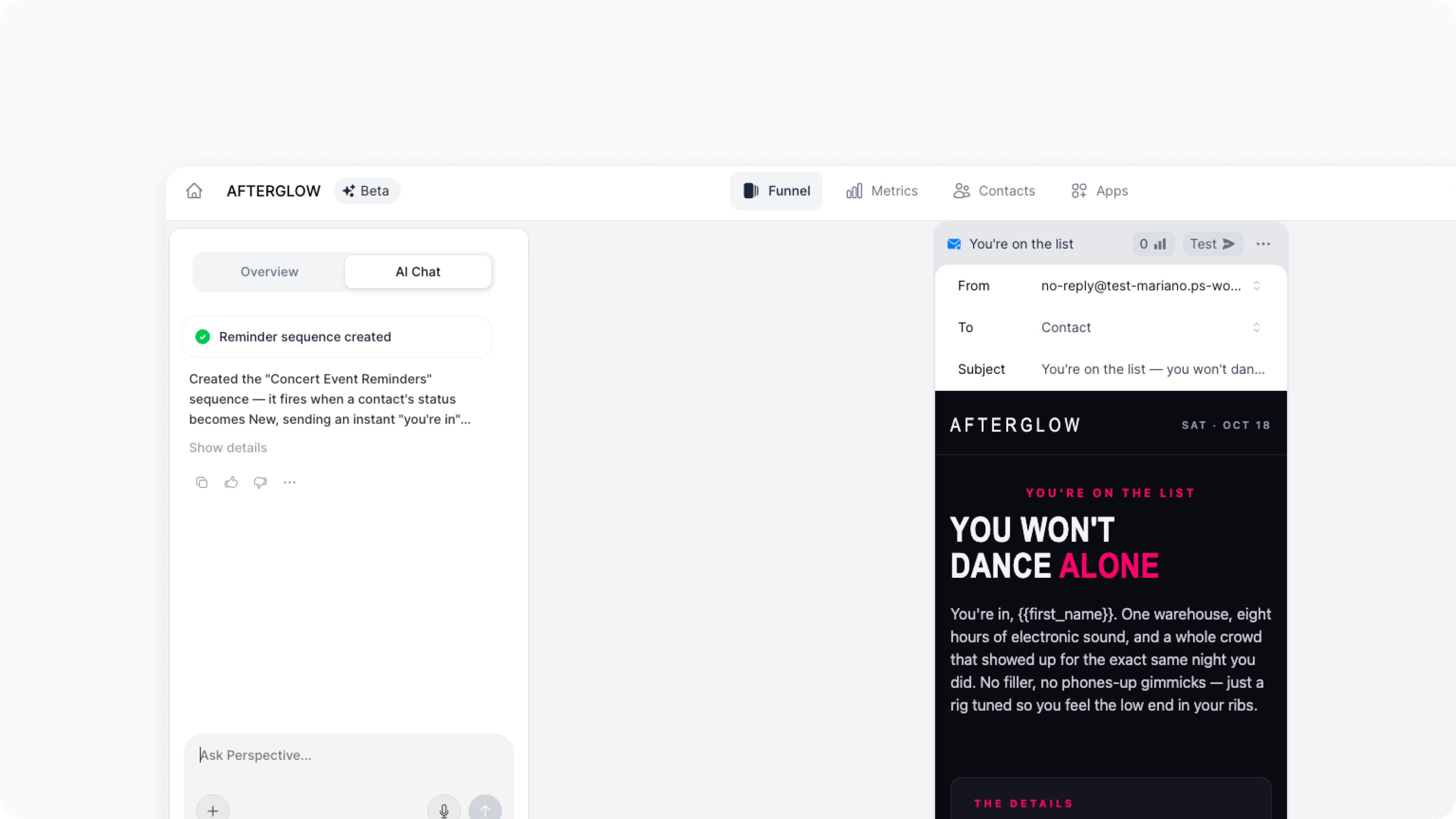
- Sequences by prompt: Write "follow up with my leads" in the Perspective chat and the sequence exists.
- Edit in the same chat: Adjust timing, copy, and steps conversationally, like editing a funnel.
- MCP sequences included: Sequences created via Claude are editable in the chat too.
Why This Matters:
- The last manual piece is gone: Funnels, pages, and now follow-up, all built by prompt.
- Every lead gets a follow-up: Setting up nurture is no longer the step that gets skipped.
Improved Error State – Clear errors, one-click retry 🔄
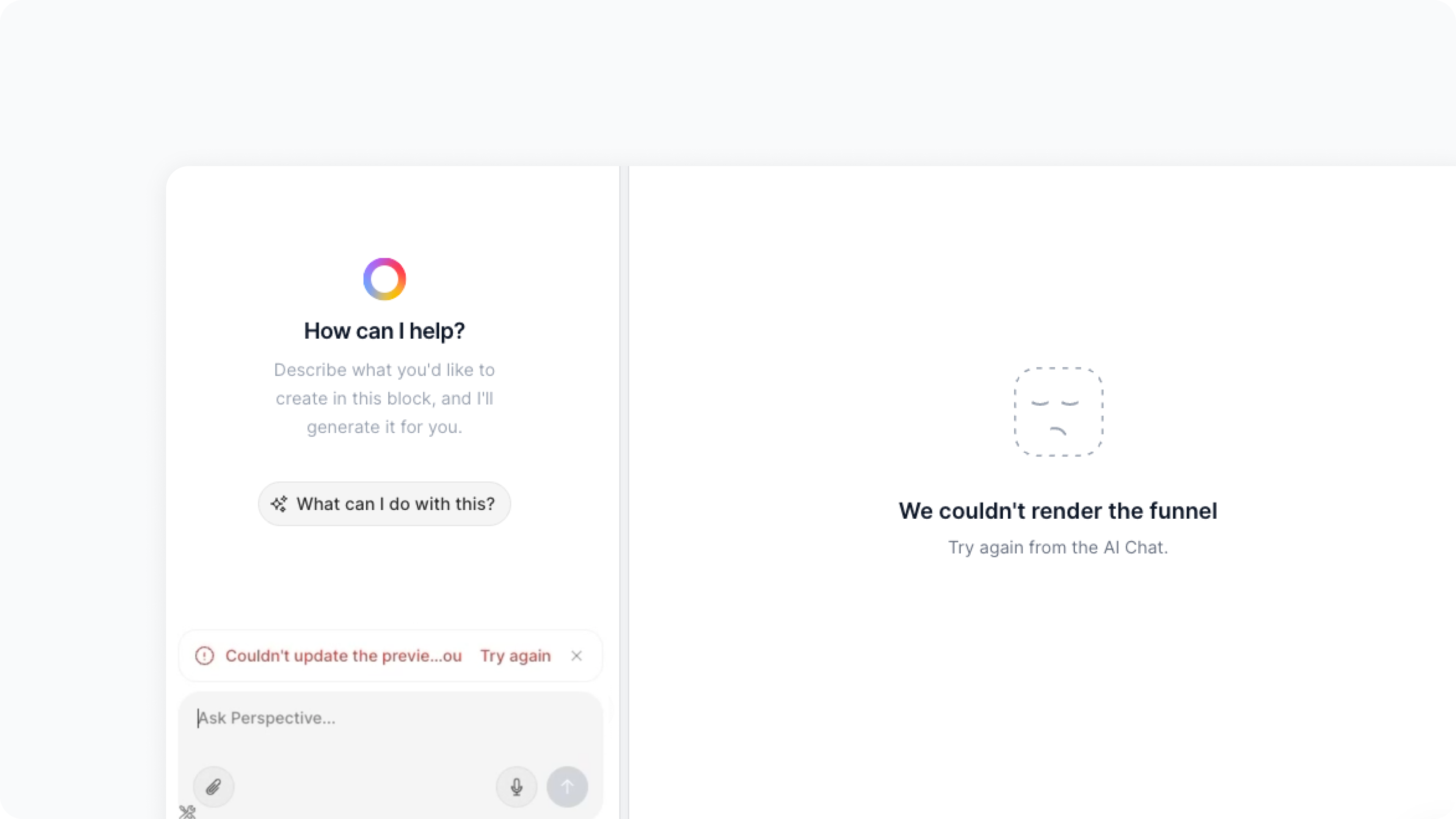
Here's What's New:
- Proper error screen: If a generation fails, you now see a clear message instead of an empty page.
- Retry button: Start the generation again with one click.
Why This Matters:
- No dead ends: You always know what happened and what to do next.
- Faster recovery: One click and you're back on track.
Funnel Quality Improvements – More reliable AI edits ✅
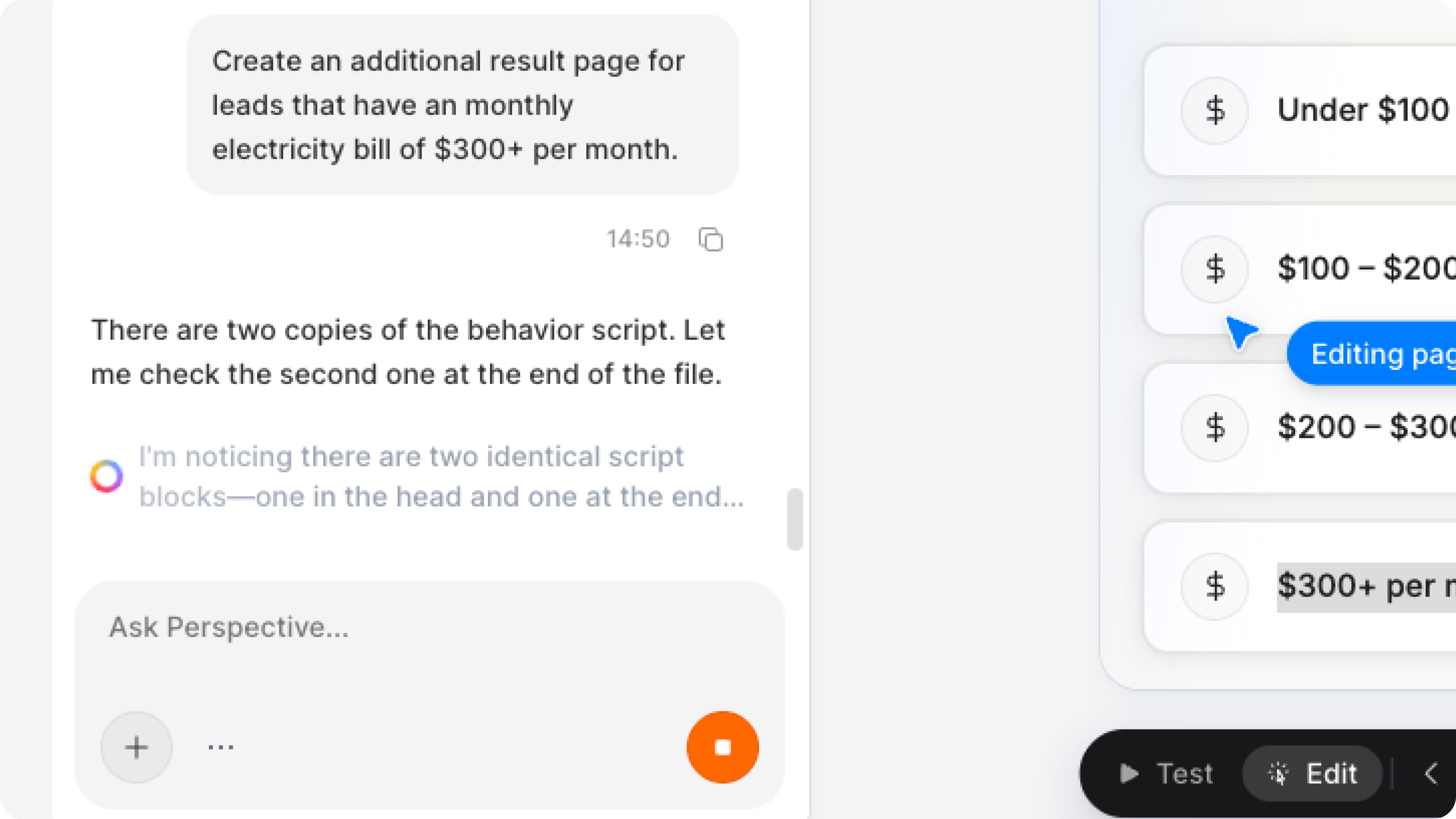
Here's What's New:
- More reliable text edits: Small edits now always run on a more capable model.
- Pages stay intact: Fixed the cases where editing one page could affect another.
Why This Matters:
- Trust every edit: Manual downvotes on edits dropped by 80%.
- Less double-checking: The change you asked for is the change you get.
Chat Feedback – Tell the AI how it did 👍
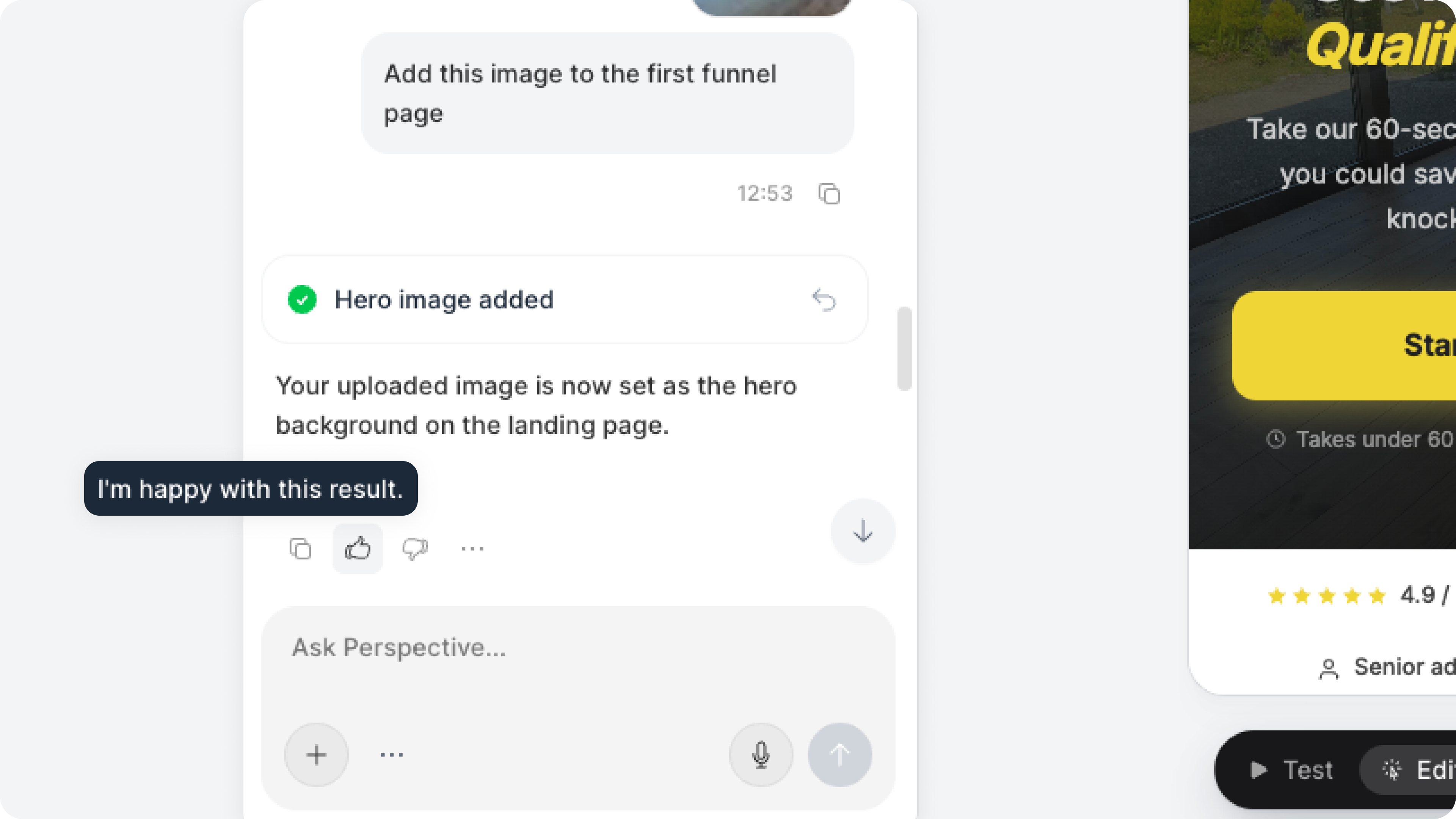
Here's What's New:
- Rate responses: Thumbs up or down on any AI message in the editor.
- We act on it: Negative ratings feed directly into improving edit quality.
Why This Matters:
- Your feedback shapes the product: Flagged issues reach the team with full context.
- Measurably better edits: Negative-toned responses have already dropped by more than half.
Motion Skill – Micro animations, built in ✨
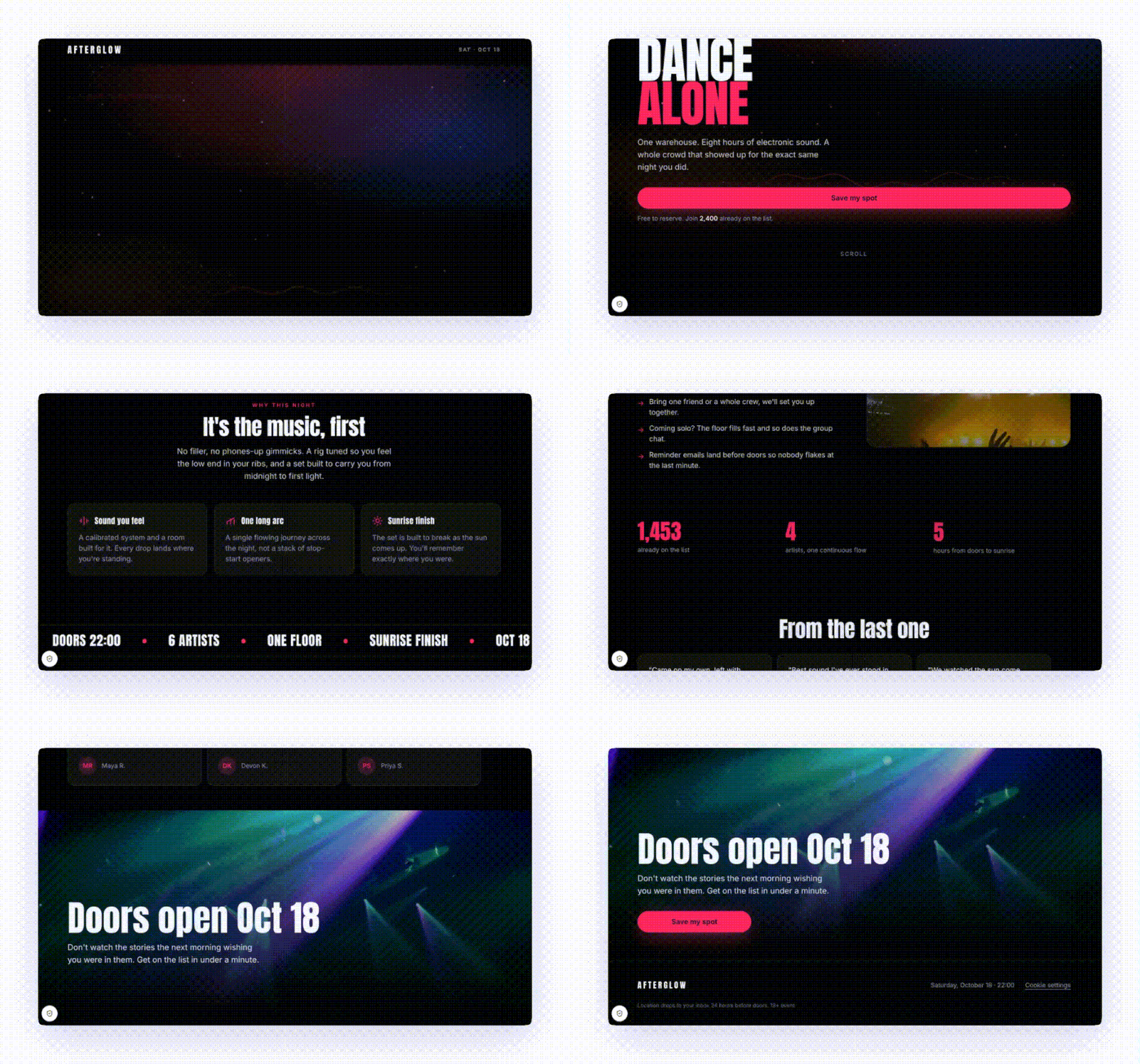
Here's What's New:
- Subtle animations: Elements fade in on page load and on key interactions.
- Applied automatically: Generated funnels come with motion baked in.
Why This Matters:
- Pages feel premium: Small movements make funnels feel designed, not generated.
- Higher perceived quality: Polish that usually takes a designer now ships by default.
Image Uploads in Chat – Drop images straight into edits 🖼️
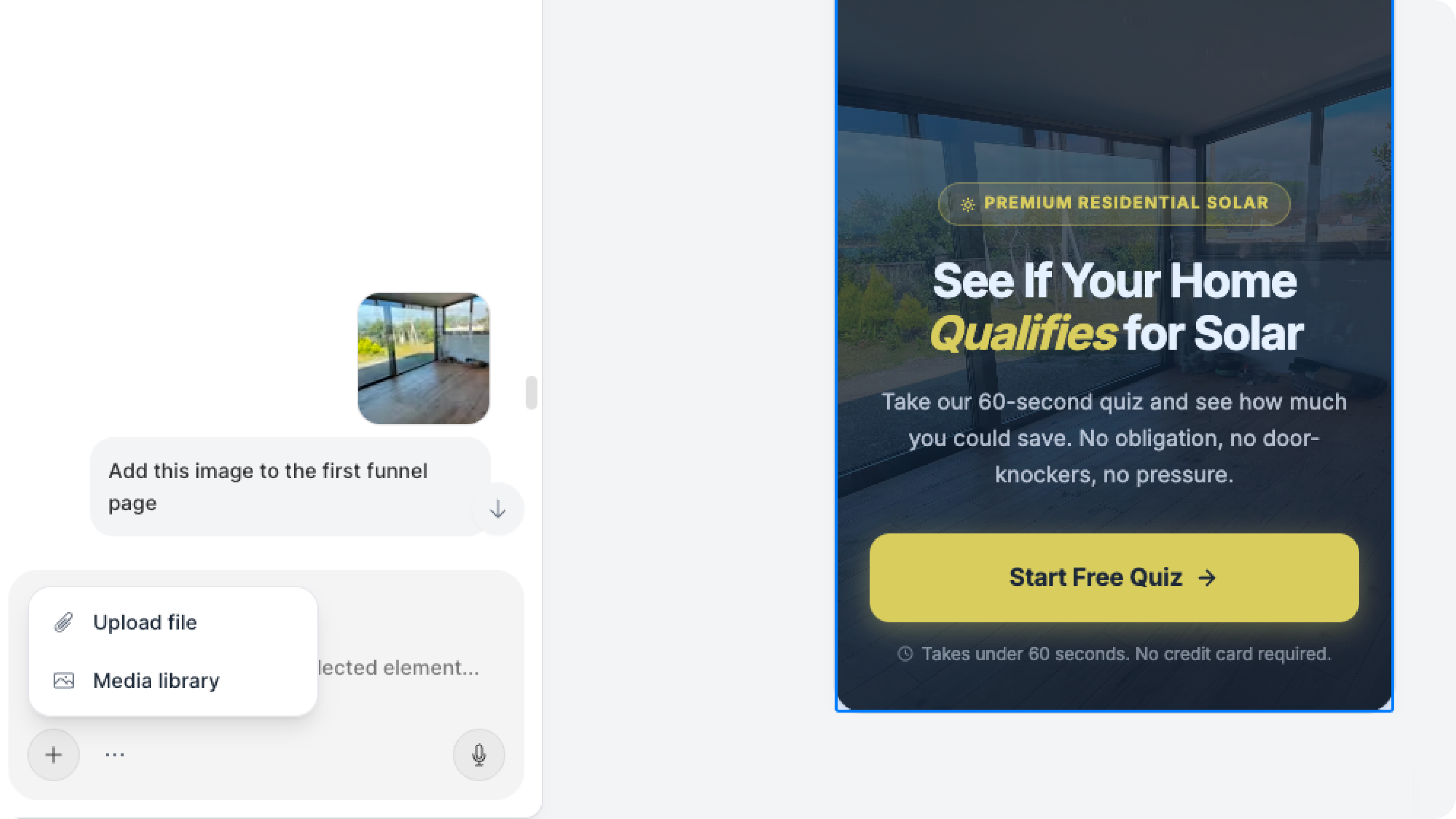
Here's What's New:
- Upload in the chat: Add images while editing, several at once.
- Use your archive: Pull existing images from your library directly into the conversation.
Why This Matters:
- Real assets, not placeholders: Get your actual product shots and team photos onto the page in one step.
- Faster iterations: "Use this image here" is now a drag, not a detour.
Dynamic Brand Fetch – Your brand, always applied 🎨
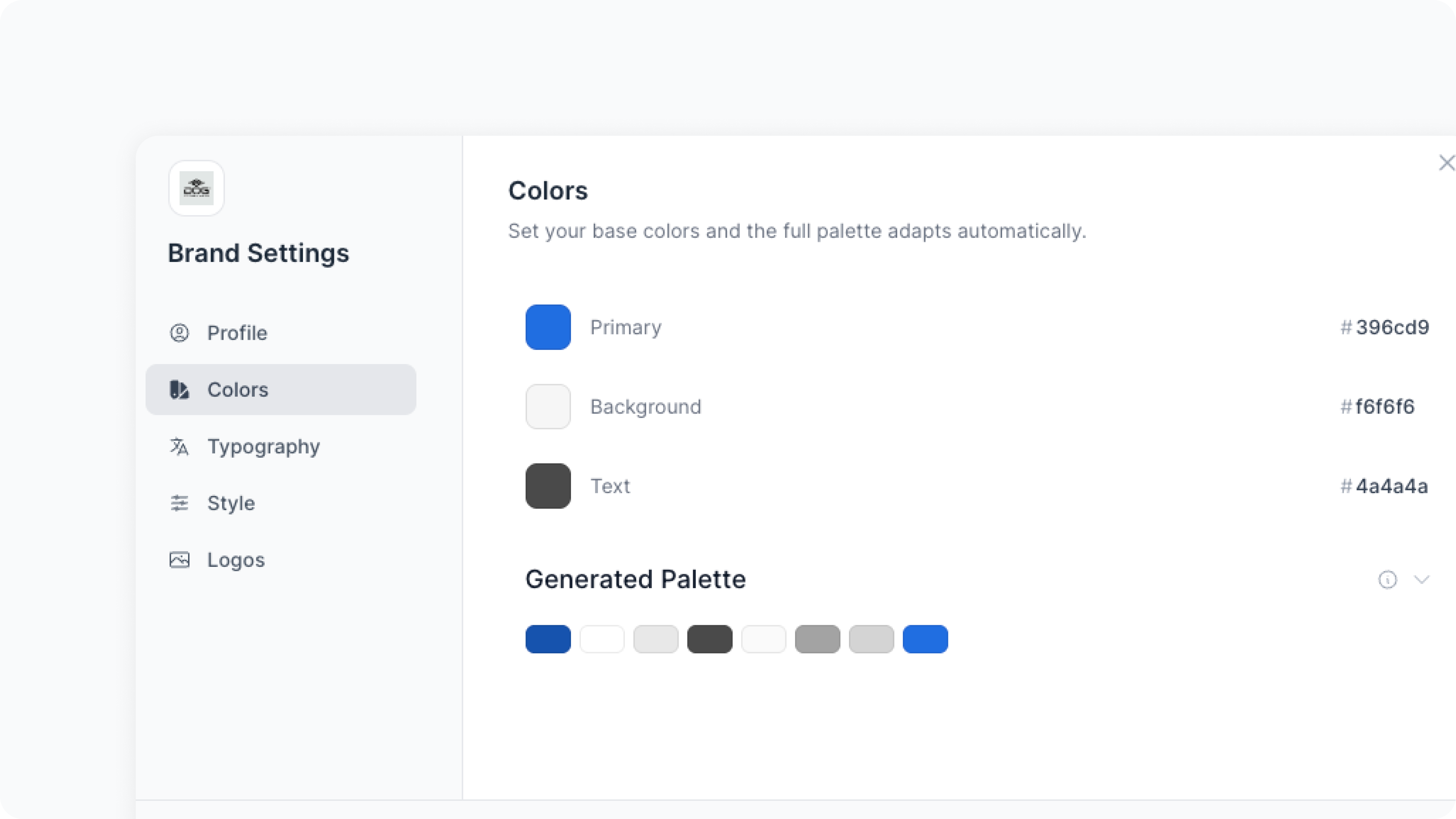
Here's What's New:
- Full brand in every chat: The AI now works with your complete, current brand.
- Auto-refresh: Update your brand and every new edit uses the new version, no re-setup.
Why This Matters:
- On-brand by default: Generated pages match your colors, fonts, and style without reminders.
- One source of truth: Change the brand once, and the AI keeps up.
Versioning via Chat – Roll back to any state 🕘
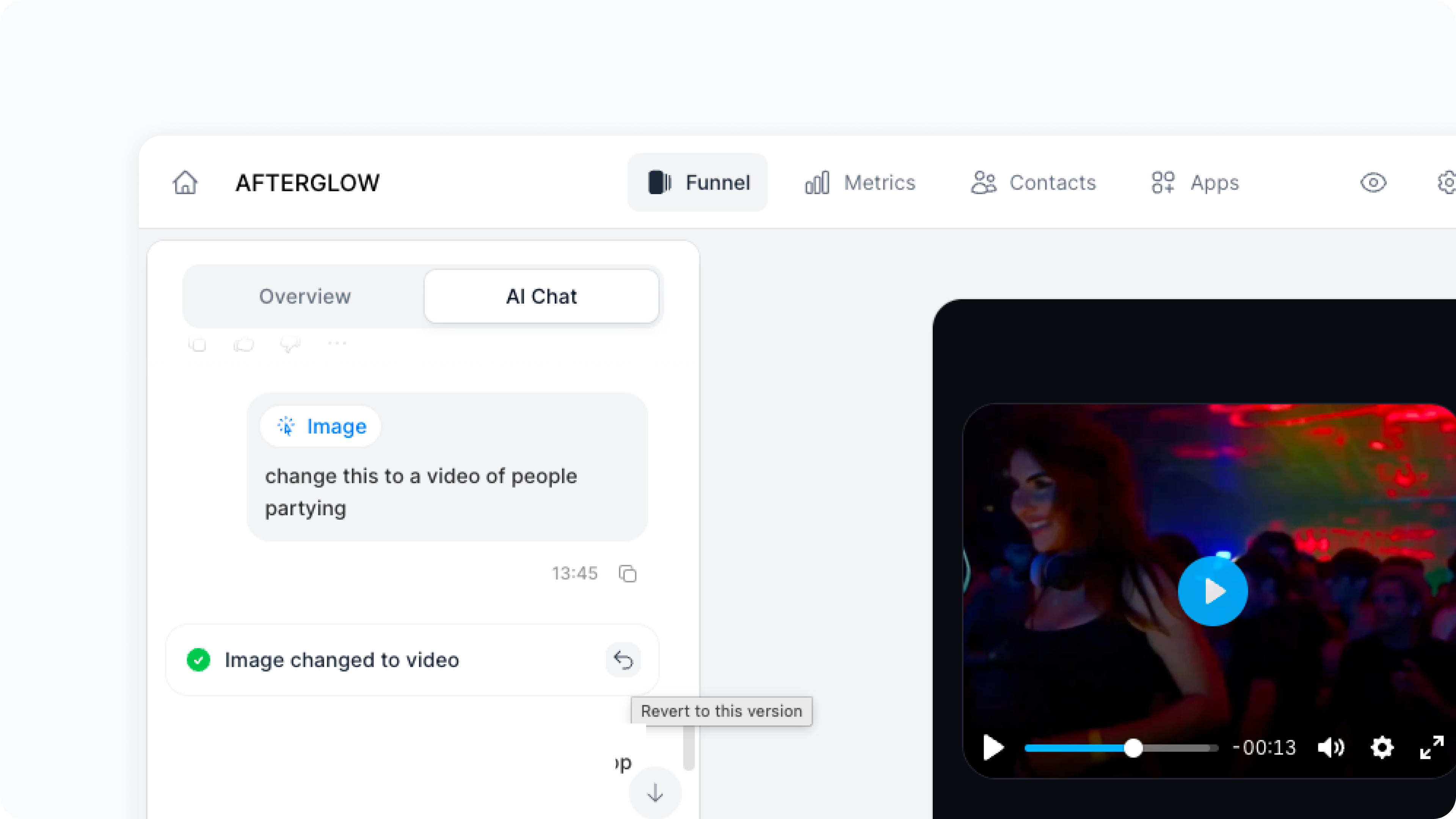
Here's What's New:
- Restore any version: Arrows in the editor take your funnel back to the state of any earlier chat message.
- Same engine as Undo/Redo: Every AI edit is a checkpoint you can return to.
Why This Matters:
- Experiment freely: Let the AI try a bold redesign. If you liked yesterday's version better, it's one click away.
- Nothing is ever lost: Every state of your funnel stays recoverable.
Available on all paid plans.
Video Editing – Swap videos on any page 🎬
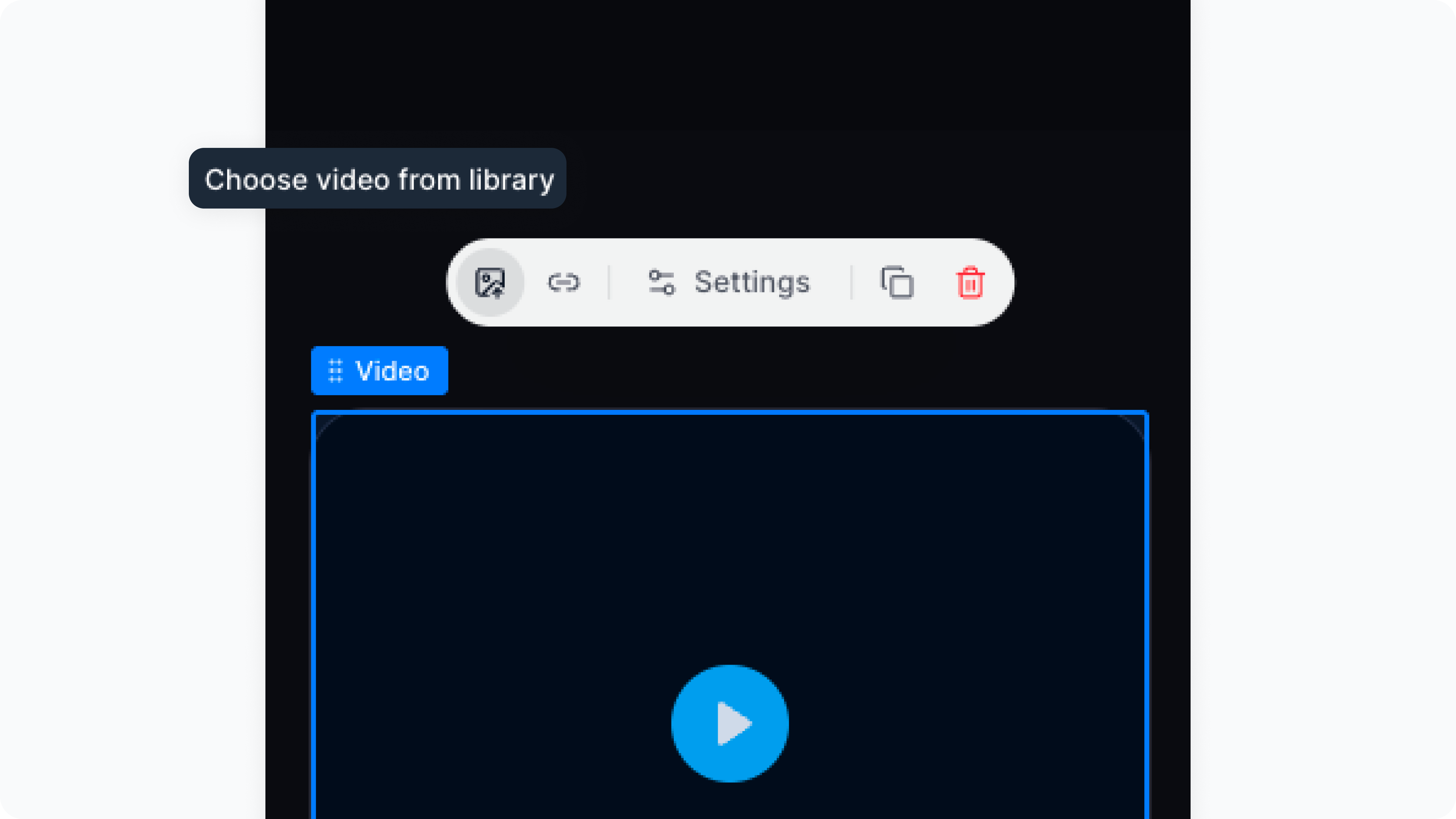
Here's What's New:
- Replace any video: Swap a video on your page by pasting a new embed link or picking one from your media library.
- Major platforms supported: Vimeo, YouTube, and Wistia work out of the box.
Why This Matters:
- Keep pages current: New VSL, new testimonial, new demo, swapped in seconds.
- No workarounds: Updating a video used to mean regenerating the section. Now it's one click.
Input Editing – Control your form inputs 📋
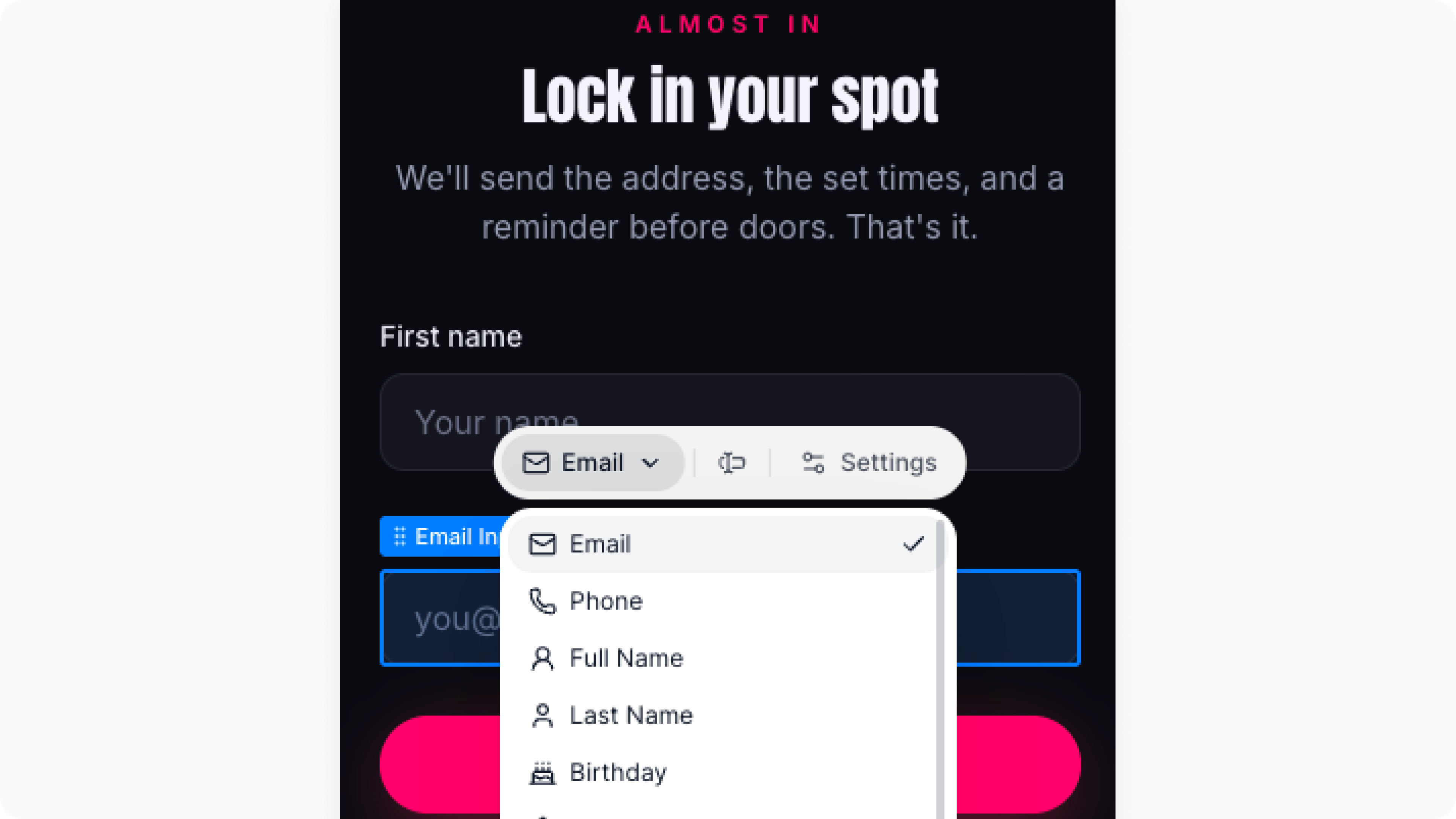
Here's What's New:
- Change input types: Switch a field between email, phone, dropdown, and select.
- Basic validation: Make sure the data your forms collect is the data you need.
Why This Matters:
- Better lead quality: The right input types mean clean, usable data in your CRM.
- Adjust without rebuilding: Update a form after launch without touching anything else.
Button Editing – Point buttons anywhere 🔗
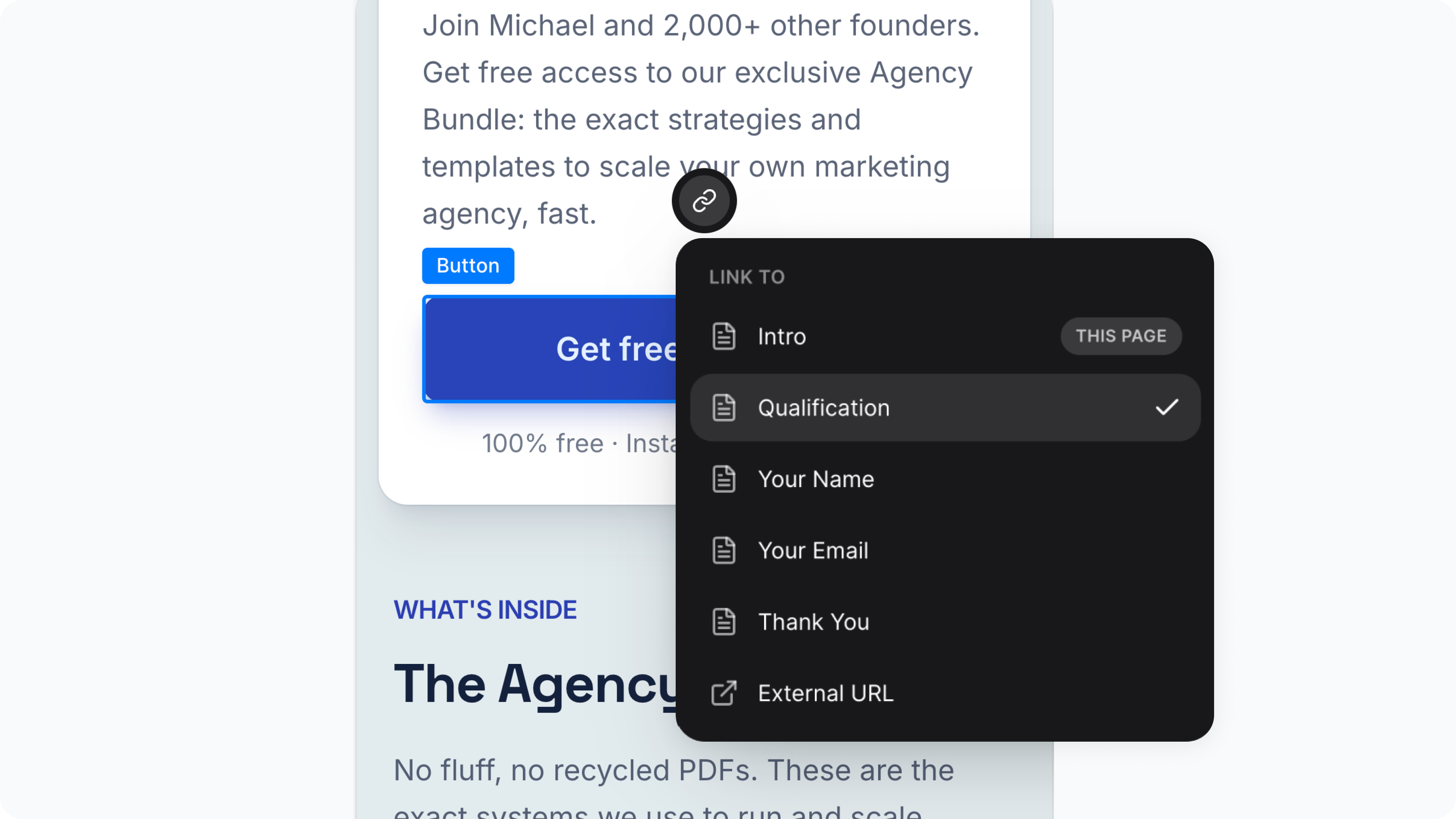
Here's What's New:
- Edit button links: Point navigation buttons to any page in your funnel, picked from a list, or to an external URL.
- Quiz elements too: Change where quiz and choice answers lead.
Why This Matters:
- Fix flows in seconds: Rerouting a step no longer needs a rebuild or a prompt.
- Precise funnels: Every click leads exactly where you planned.
Delete & Duplicate Elements – Remove or copy anything in one click 🗑️
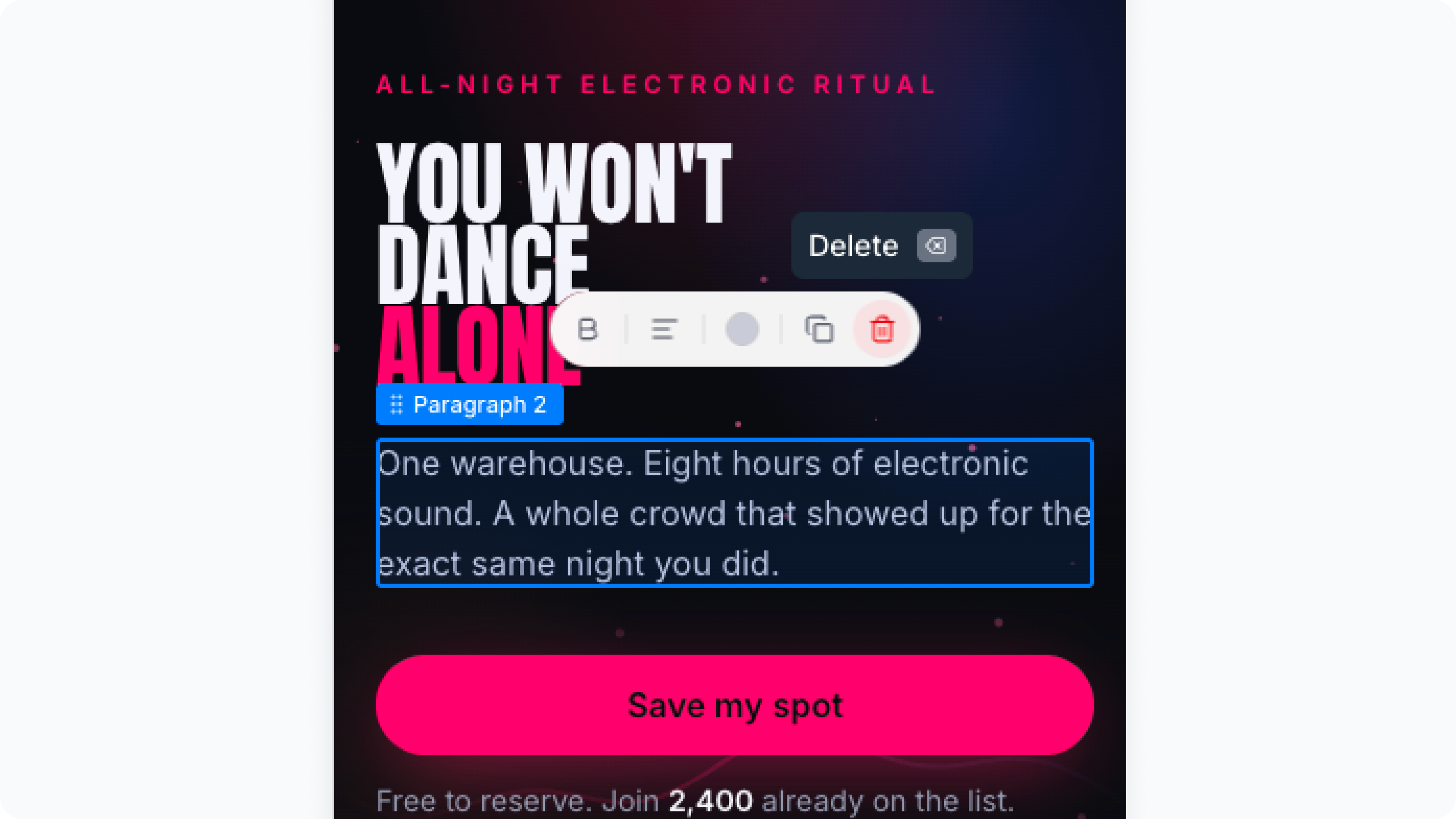
Here's What's New:
- Delete button on every block: Remove any selectable element directly on the page.
- Duplicate right next to it: One click creates an exact copy below the original, selected and ready to edit. ⌘D or Ctrl+D works too.
- Combined with Undo: Deleted or duplicated too much? One click restores it.
Why This Matters:
- Cleaner pages, faster: Strip AI-generated sections you don't need without a prompt.
- Build repetition fast: Three testimonials, five FAQs, a second CTA. Make one, duplicate it, swap the copy.
- Full control & no AI slug: Your page contains exactly what you want, nothing else.
Undo / Redo – Step through every change ↩️
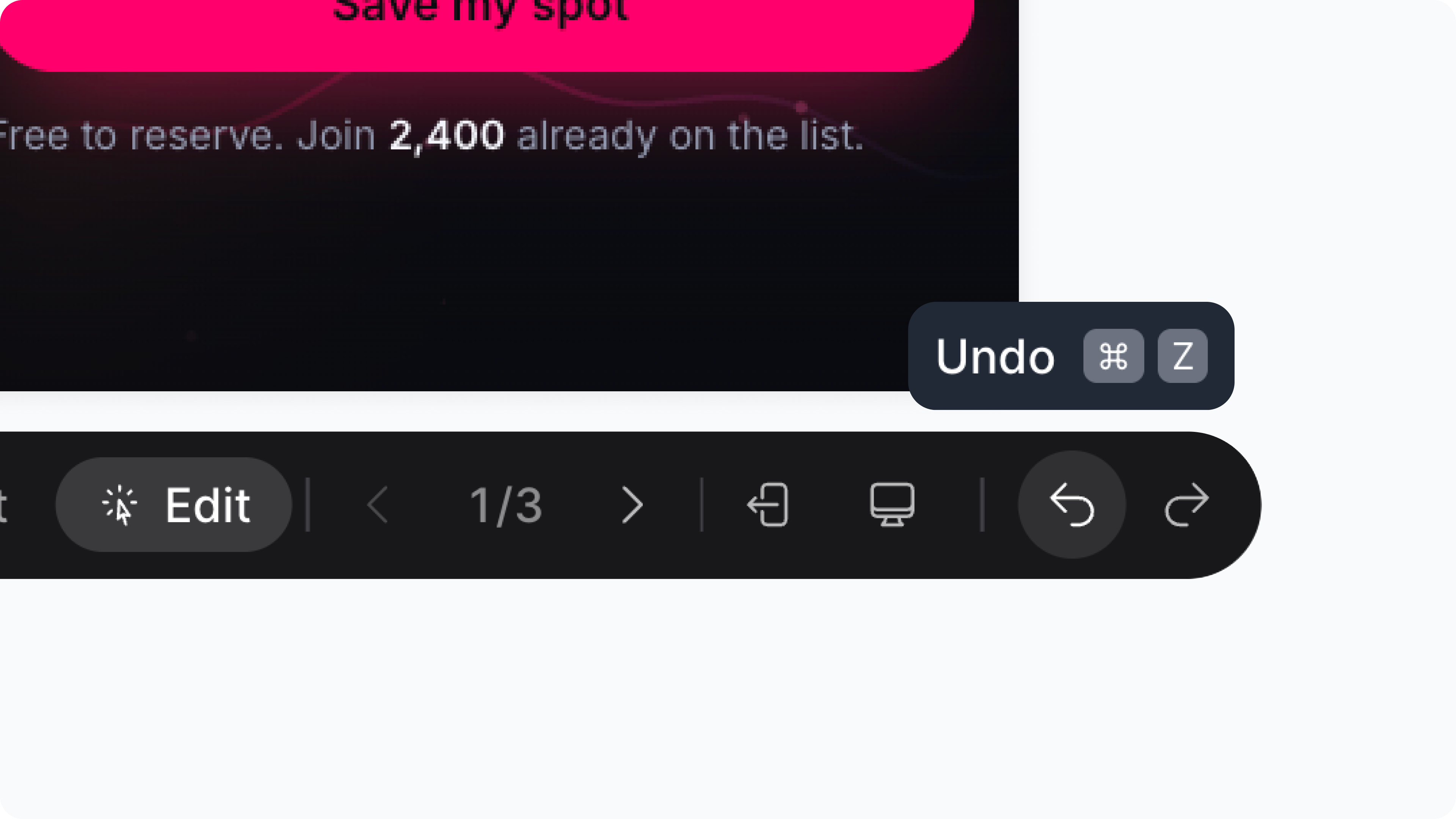
Here's What's New:
- Undo and redo everything: Manual edits and AI chat edits, step by step.
- Works everywhere: Available in both the desktop and the mobile editor.
Why This Matters:
- Edit without fear: Try bold changes knowing one click brings the old state back.
- No more rebuilding: A wrong edit is a step back, not a redo of your afternoon.
Drag & Drop – Rearrange pages by hand 🧲
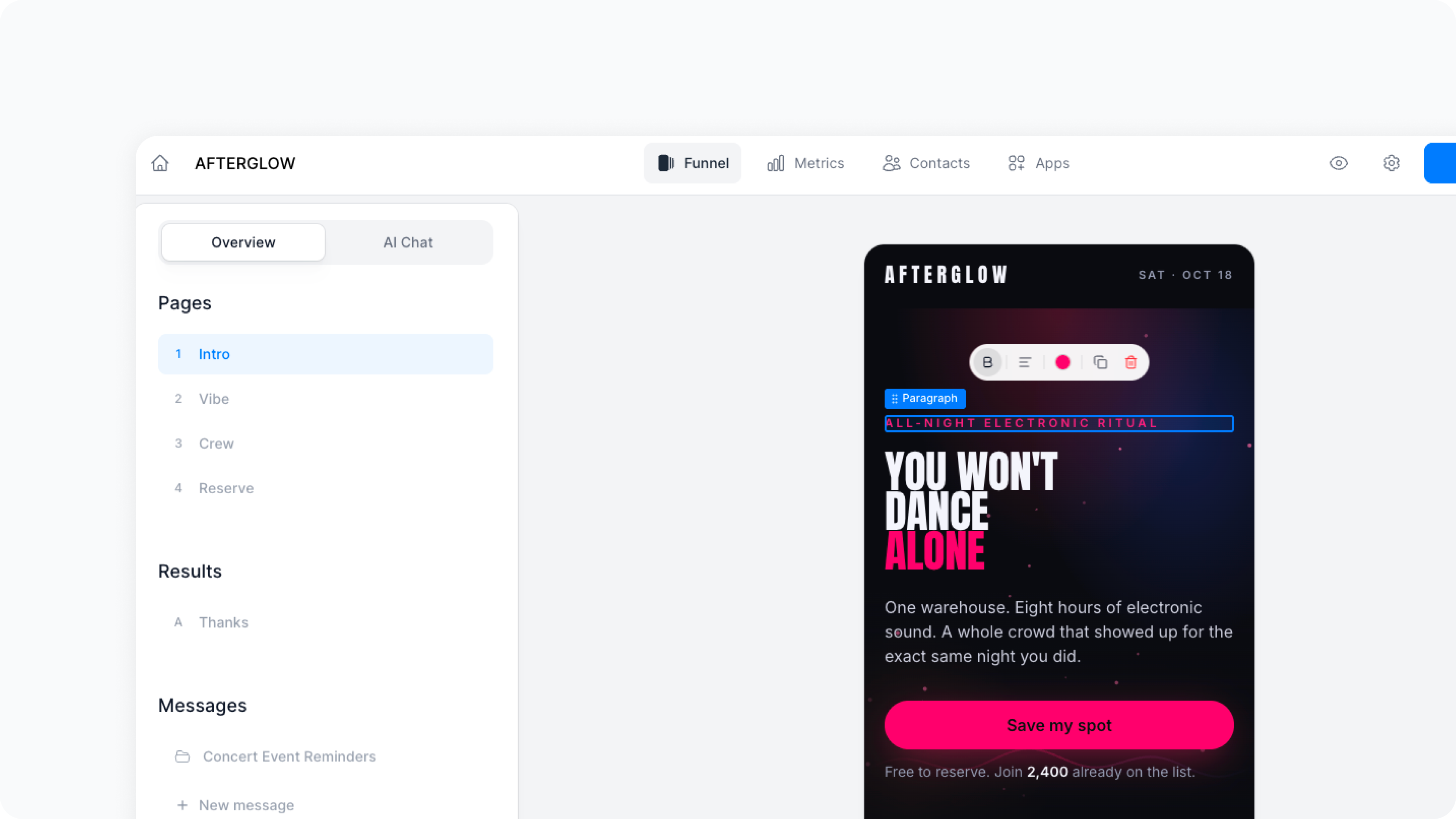
Here's What's New:
- Move elements: Reorder any element within its section, right on the artboard.
- Move whole sections: Reorder entire sections the same way.
- Smart guardrails: Form inputs stay inside their form, so nothing breaks mid-drag.
Why This Matters:
- No re-prompting for layout changes: Want the testimonials above the form? Drag them there.
- Faster fine-tuning: Layout iterations take seconds instead of another AI round-trip.
Mobile Editor – Edit & Publish a funnel from your phone 📱
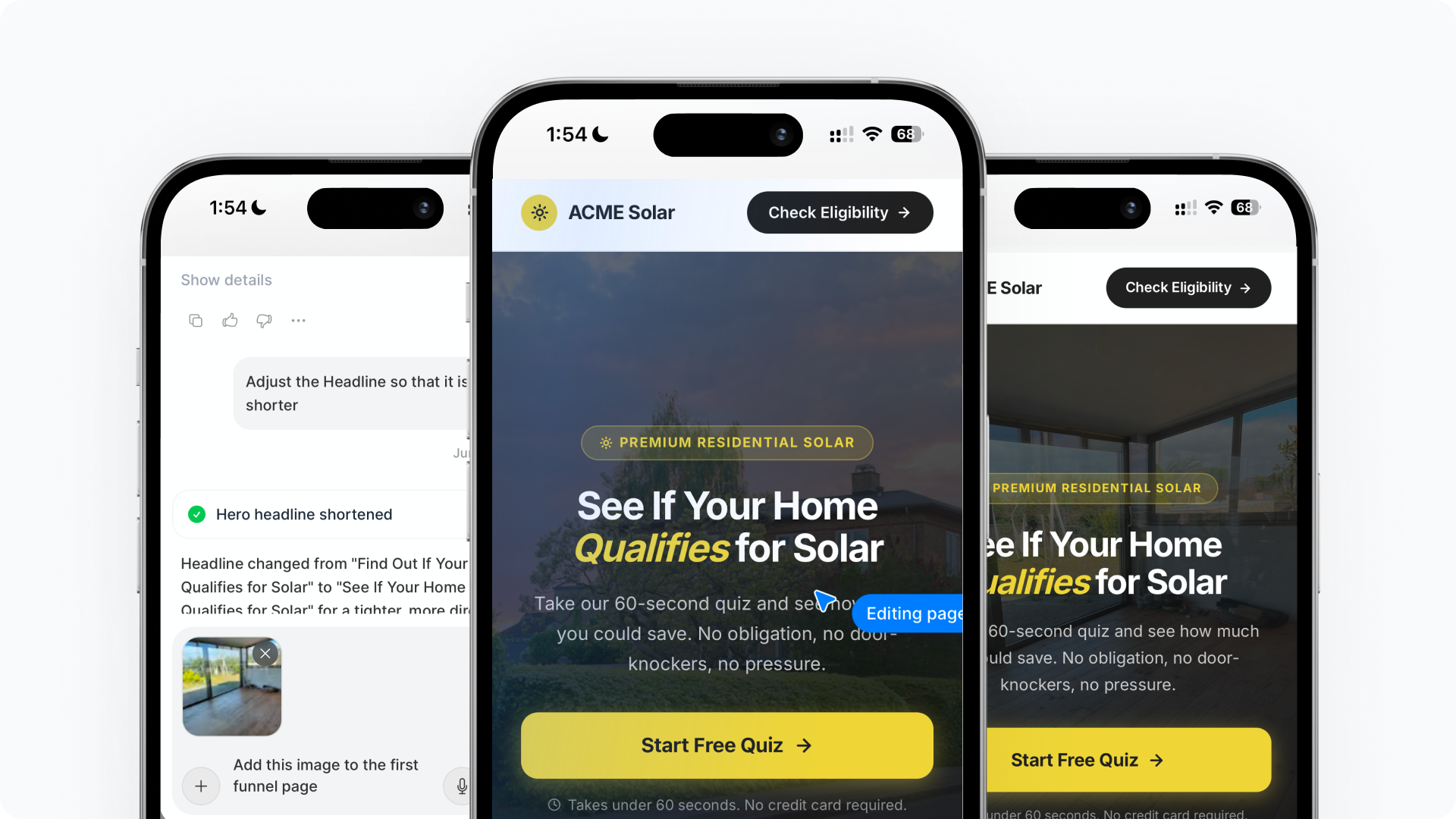
Here's What's New:
- Edit on mobile: Open any AI funnel in your phone browser and edit it through the AI chat.
- Publish anywhere: Push changes live and update funnel settings without opening your laptop.
- Undo included: Step back through changes on mobile just like on desktop.
Why This Matters:
- Fix live pages instantly: A client spots a typo while you're out? It's corrected before you're back.
- No more "when I'm at my desk": Build, tweak, and ship from wherever your day takes you.
AI Credit Top-Ups – Keep building when you run out 🪙

Here's What's New:
- Top up on the spot: Pick a credit pack or enter a custom amount. Credits are available immediately, no plan change needed.
- Plan credits first, top-ups after: Your monthly credits are used first. Unused top-up credits roll over until you use them.
- All plans: Works on every plan, including Free and legacy plans.
Why This Matters:
- Never get stuck mid-build: Running out of credits no longer means waiting until next month.
- Pay only for what you need: Top up when a project needs it, not as a subscription.
- Full transparency: Your top-up balance shows right next to your plan usage.
Open the profile menu and click "Add Credits".
AI Funnel Creation & Chat Editing
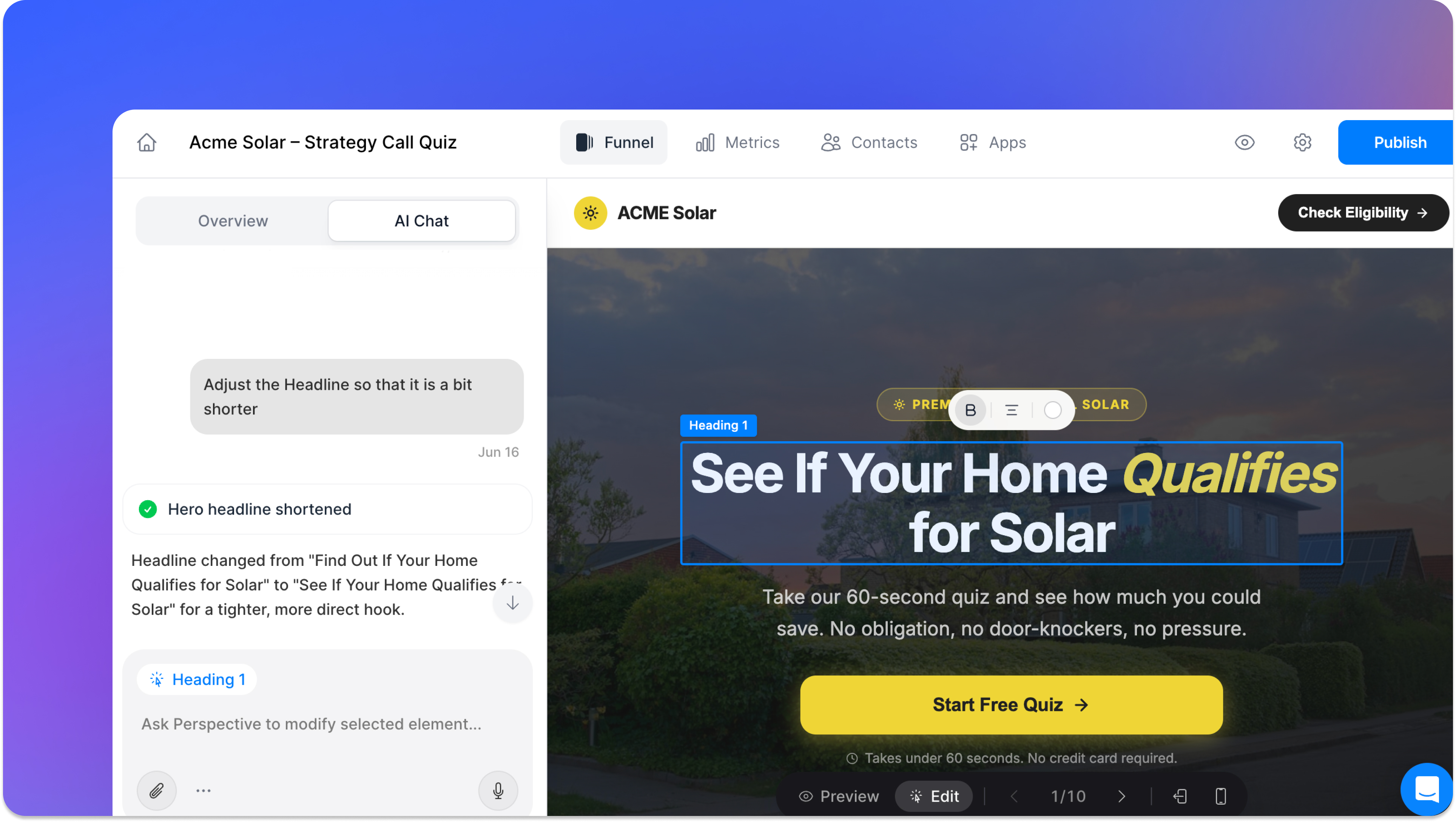
Here's What's New:
- Funnels from scratch: AI now builds a complete funnel from a single prompt, fully independent of any template. Describe your offer and it generates the structure, copy, and design for you.
- Built on your brand: Select your brand profile and the funnel comes out in your colors, fonts, and style from the very first draft.
- Add as much context as you want: Attach text documents, brand guidelines, or screenshots of competitor funnels. The AI uses them to build and edit closer to what you have in mind.
- Everything wired up: Hosting, tracking, CRM, and email sequences are connected automatically. No setup across separate tools.
- Edit by chat: Open the AI Funnel Editor and change anything by describing it. Say "shorten the headline" or "add a button below," and the AI applies it live. Or click an element and edit it yourself.
Why This Matters:
- From idea to live funnel in minutes: No design skills, no dev work, no jumping between tools to get a funnel ready to convert.
- Changes without the menus: Just say what you want. Edit by chat, or click an element and adjust it directly.
- Launch more, faster: Spin up and refine a funnel for every offer or client in a fraction of the time it used to take.
Click New funnel, describe what you want, and watch it come together. Available on all plans.
Perspective MCP - Build & Optimize funnels with Claude
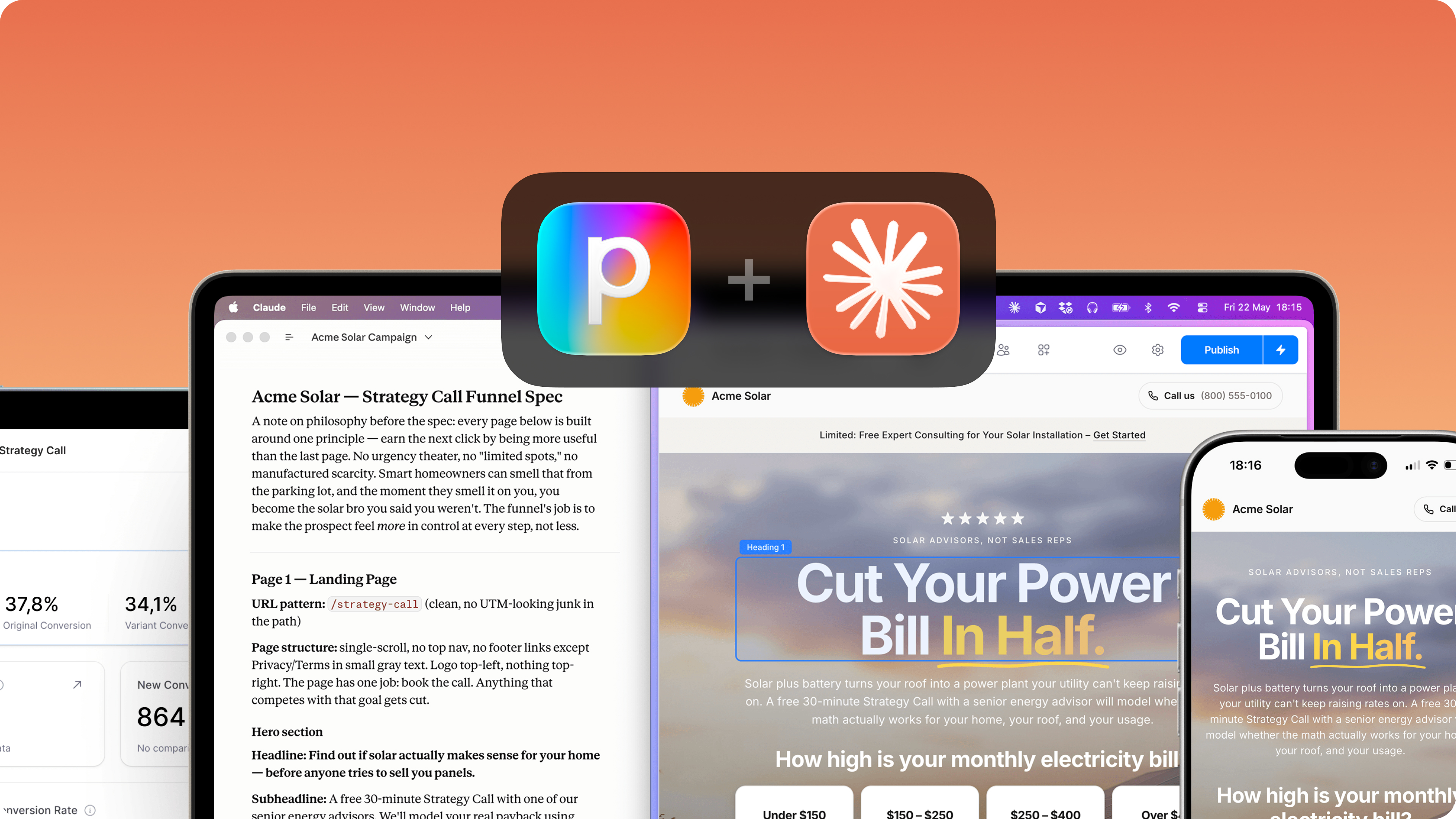
Here's What's New:
- Prompt to funnel, in Claude or in-app: Describe the funnel you want and watch it get built. Use the MCP in Claude or the AI builder inside Perspective, whichever you prefer.
- Flexible HTML funnels: Every funnel is now built as HTML, giving you far more freedom over design and structure.
- A full production stack behind every funnel: The moment your funnel goes live, Perspective runs the infrastructure behind it, hosting, tracking, lead capture, email nurture, A/B testing, and CRM integrations.
- Plan with your data, not guesses: Brief Claude on your past funnels, your competitors, and any data source you connect, and it builds your campaign plan on real numbers.
- Optimize and report on your terms: Ask Claude where your funnel is leaking and it ships the fix in the same chat. Put it on a schedule, and it pushes the top improvements or sends your recap for you.
Why This Matters:
- From idea to live funnel in minutes: Skip the blank canvas and the backend setup. Describe what you want, and Claude ships it.
- Built on your numbers, not a blank page: Claude can read your real performance, so your funnels and fixes start sharper.
- Production-grade, not a draft: Your funnel goes live on real infrastructure, ready for paid traffic from the first visit. No Zapier, no middleware.
Build your first funnel with the Perspective MCP today.
ℹ️ Learn how to connect the MCP
Any block, built from a prompt. ✨
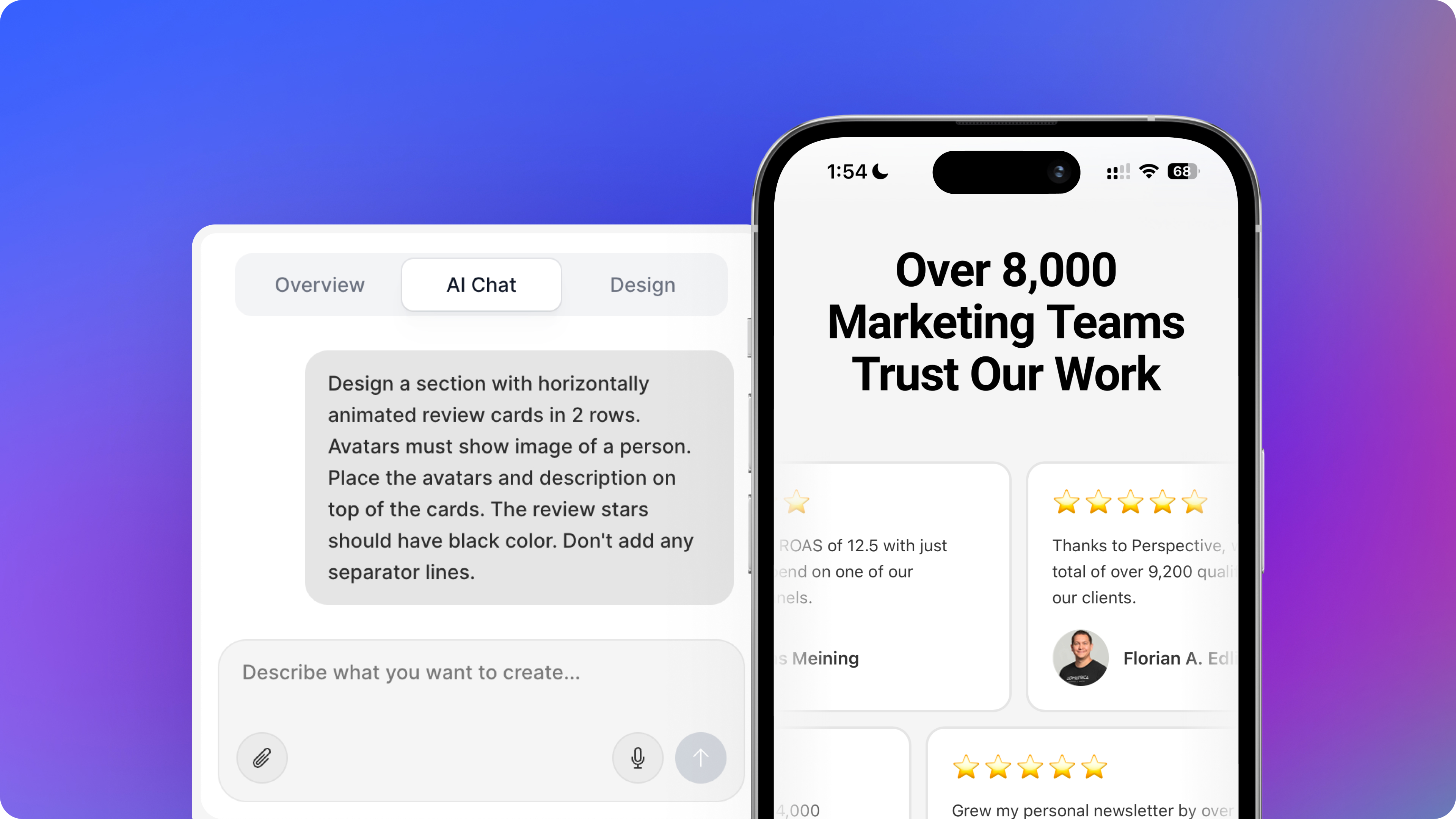
Here's What's New:
- Prompt-to-Block: Describe the block you want in plain English. AI generates a fully styled, ready-to-use block right inside your funnel.
- Screenshot References: Attach a reference design and AI matches the look. Better prompts in, better blocks out.
- Available on Every Plan: Included on Start, Base, Grow, and Scale.
Why This Matters:
- No Code Required: Calculators, sliders, countdown timers, custom layouts. No HTML, no CSS, no JavaScript.
- Hours Back per Client: Skip the custom-coding work. Ship one-off blocks in minutes instead of hours.
- Break the Standard Look: Add ROI tools, urgency banners, and branded sections that pull weight on conversions.
Open any funnel, hit "+", pick the AI Block, and describe what you want to build.
ℹ️ Learn more here
iClosed – Now a native provider in your appointment block 📅
Here's What's New:
- iClosed support: Connect iClosed directly in the appointment block, alongside Calendly, Cal.com, HubSpot, and GoHighLevel. No HTML embed workaround needed.
- Automatic prefill: Name, email, first and last name, and phone carry over from earlier funnel steps, so visitors don't enter their details twice.
- Full UTM tracking: Pass utm_source, utm_medium, utm_campaign, utm_term, and utm_content to see exactly where your bookings come from.
Why This Matters:
- Use the tool you already chose: Switched to iClosed for its filtering and options? Now it works natively in your funnels, with proper lead capture.
- Cleaner data, fewer drop-offs: Prefilled fields mean less typing for your leads and fewer abandoned bookings.
- Map custom fields too: With a quick setup, prefill company, notes, message, and description as well.
Add an appointment block and select iClosed to get started.
Live Sequence Editing – Fix and improve without losing a single send ✏️
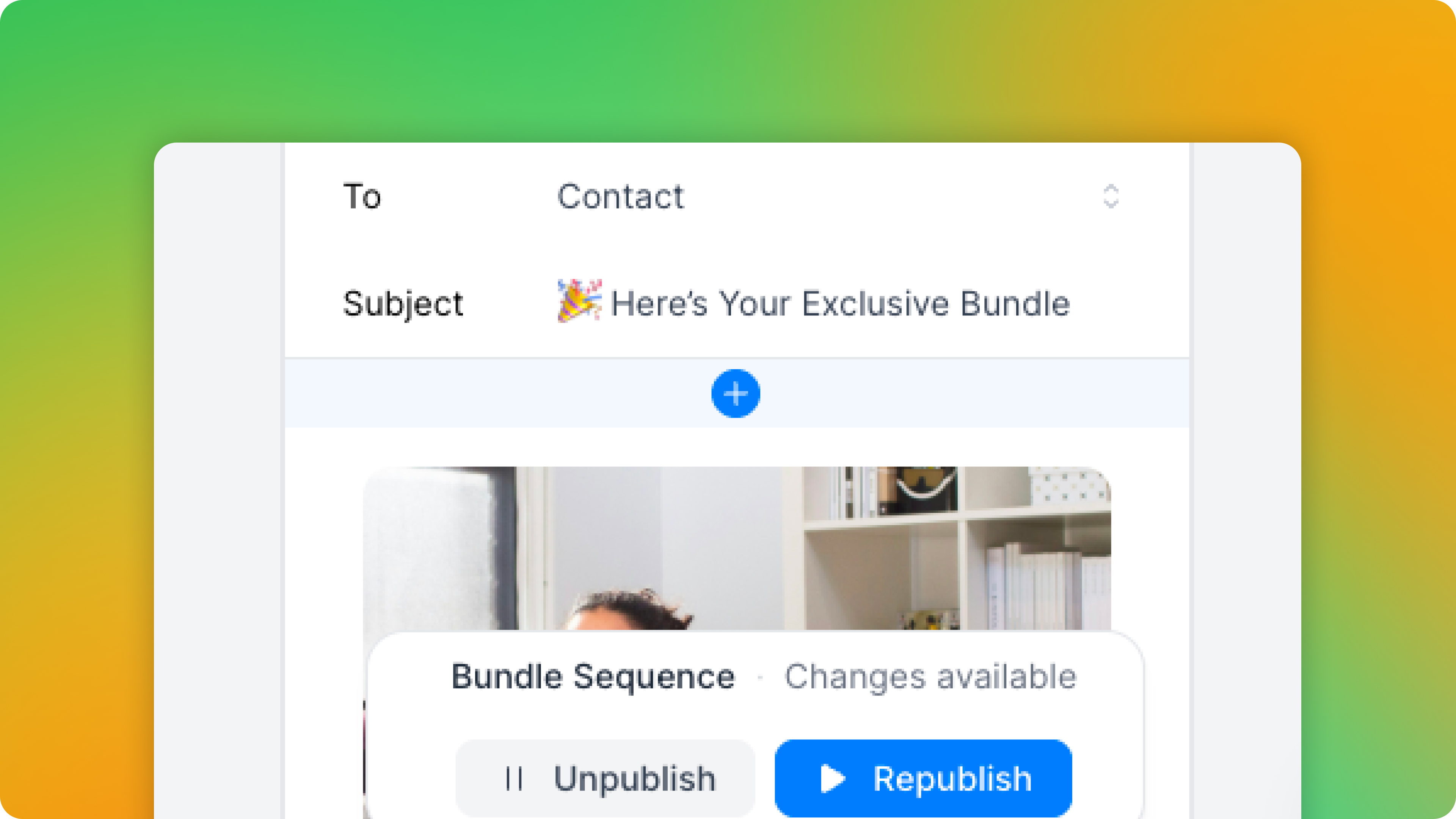
Here's What's New:
- Edit while it's live: Change copy, adjust delays, add or remove messages in a running sequence, just like in the funnel editor. Hit Republish when you're ready.
- Scheduled messages update too: Contacts waiting at a delay get the new version of their next message, not the old one.
- No one gets restarted: Every contact continues from exactly where they are. If a change affects where someone fits, we show you who before you confirm.
Why This Matters:
- Fix mistakes instantly: Spotted a broken link in a follow-up? Correct it and republish, without pausing or losing pending sends.
- Improve as you go: Sharpen your copy and timing based on real performance, while leads are still moving through.
- Stay in control: Nothing changes for your contacts without your say-so, even in edge cases.
Open a sequence, make your changes, and hit Republish.
ℹ️ Learn more here
Message Analytics – See how your emails perform 📊
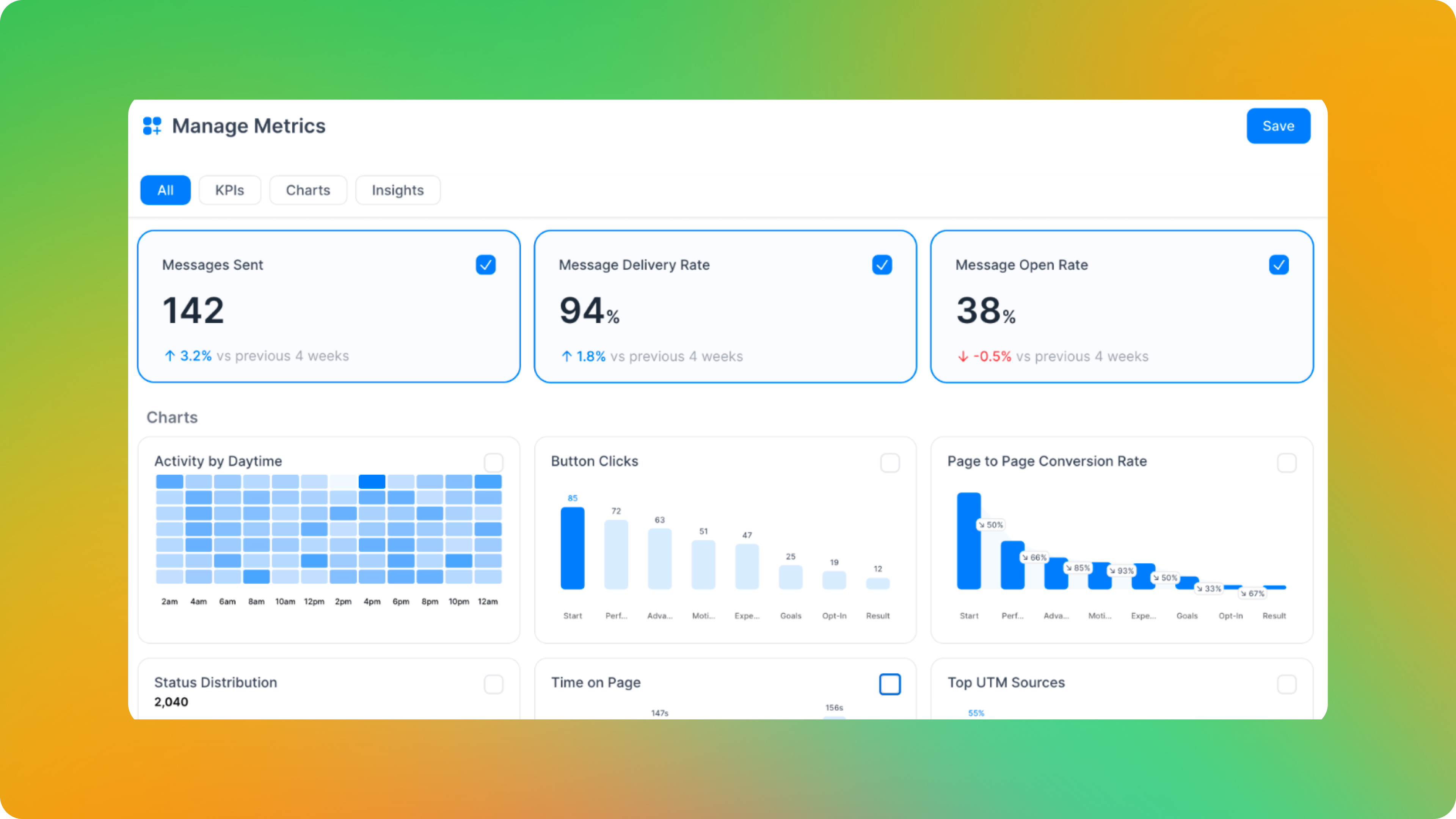
Here's What's New:
- Delivery & open rates: Every email sequence now shows how many emails were sent, delivered, and opened, right inside the editor.
- Per-message dashboards: Click the "Sent · Scheduled" badge under any message to open its own analytics view.
- Lead-level tracking: Search by email address, preview the exact email a lead received, and jump straight to their contact details.
Why This Matters:
- No more sending blind: You finally see what happens after you hit send, no external tools needed.
- Catch delivery issues early: Bounces and problems are flagged so you can fix them before they cost you leads.
- Improve with real data: Open rates tell you what's working, so you can sharpen your content and sequences.
ℹ️ Learn more here
Shared Meta Pixel Accounts – Set it up once, use it everywhere 🔗
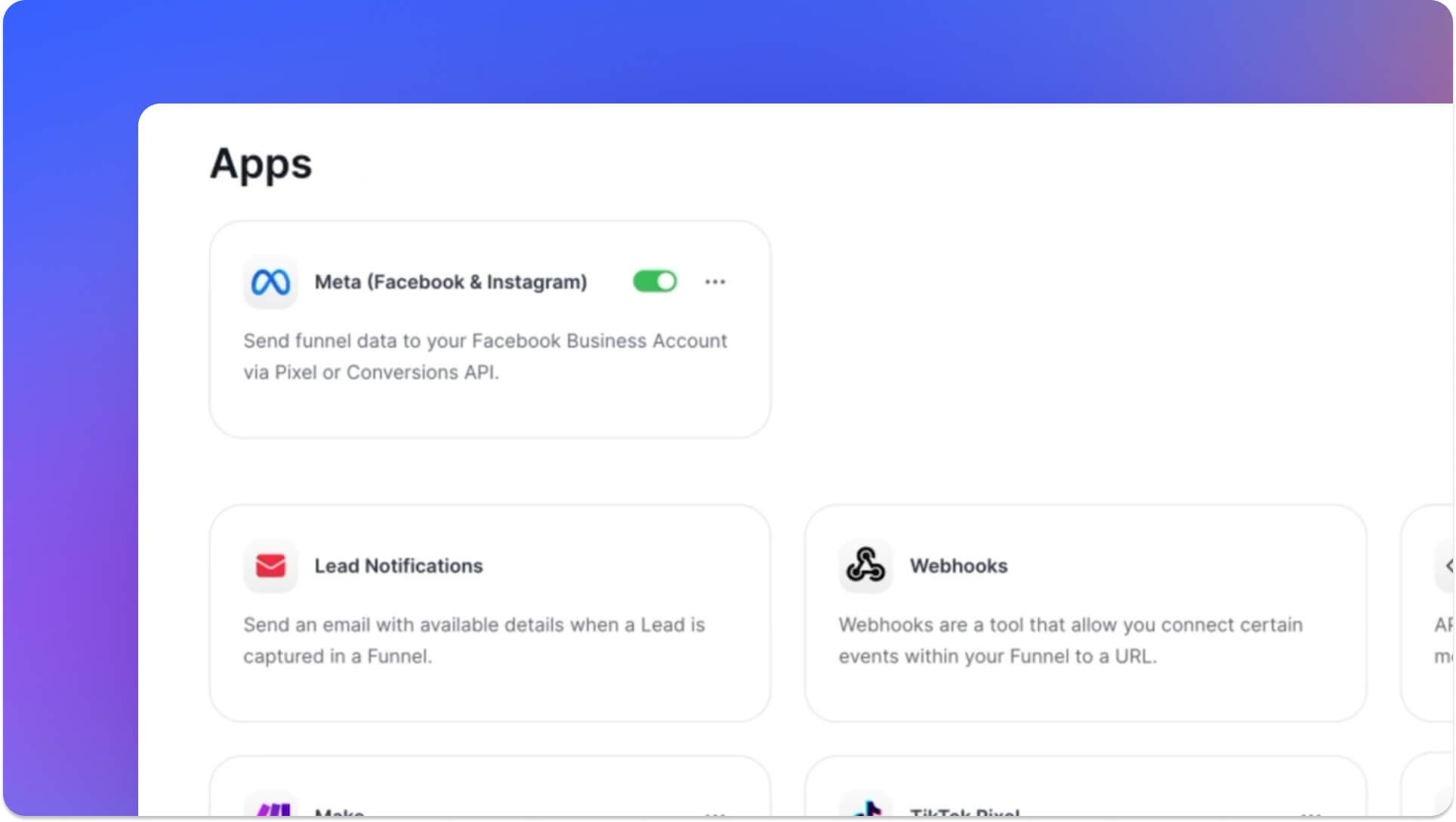
Here's What's New:
- Named accounts, reused anywhere: Create a Meta Pixel account once with your pixel ID, access token, and test event code, then select it in any funnel. No more re-entering credentials funnel by funnel.
- Update in one place: Rotate a token or swap a pixel ID by editing the account once. Every linked funnel picks up the change, and we show you which ones need republishing.
- Built for multiple clients: Accounts live inside each workspace. Move a funnel to another workspace and its account comes along automatically, so nothing breaks.
Why This Matters:
- Less setup, fewer mistakes: Stop copy-pasting the same pixel details into every funnel. One account covers them all.
- Safe to change: Credential updates and account deletions show you exactly which funnels are affected before anything happens.
- Nothing breaks: Your existing integrations keep working as-is. The new flow only appears when you set up a fresh one. Event mapping stays funnel-specific, so you keep full control per funnel.
Set up a new Meta Pixel integration to create your first shared account.
Generated Leads – Simpler Billing, More Room to Scale 📊
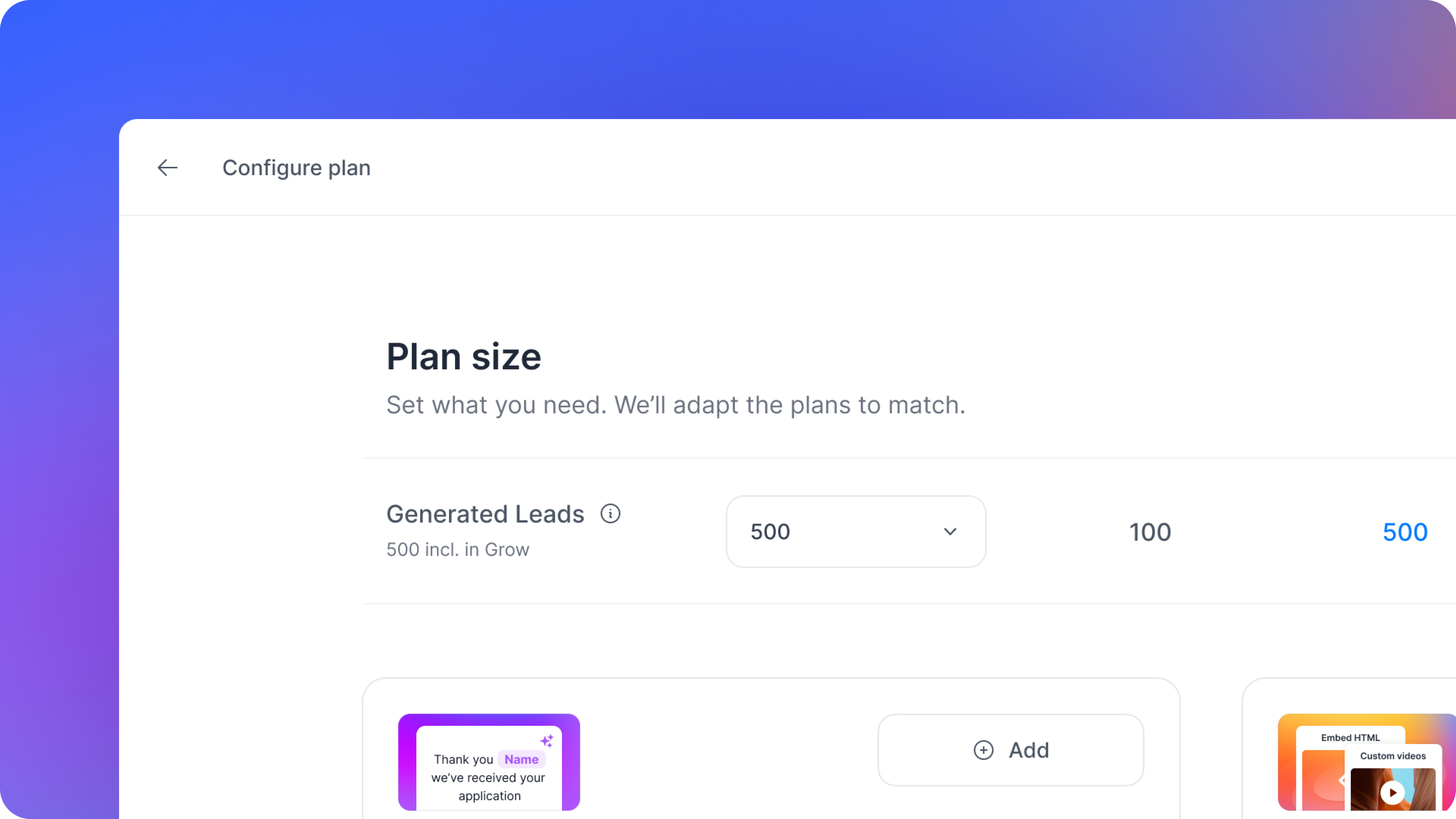
Here's What's New:
- New billing metric – Generated Leads: Your plan capacity is now measured by Generated Leads instead of Active Contacts. A lead is counted when someone submits their contact details (email or phone number) through your funnel.
- Higher included capacity: Start/Base plans now include 100 leads/month (+50), Grow includes 500 (+250), and Expand includes 1,000 (+500).
- CRM activity no longer affects billing: Notes, status changes, messages, bulk actions – none of it counts toward your plan anymore.
Why This Matters:
- Predictable billing: You only get charged for actual leads coming through your funnels. No more guessing what counts.
- More room to grow: With doubled capacity on most plans, you can scale your lead generation without hitting your cap as quickly.
- Use your CRM freely: Work your pipeline without worrying about billing impact.
All Active Contacts usage for this month has been reset. Your counter starts at zero. If you purchased additional Active Contacts, they've been automatically transferred to Generated Leads capacity.
Company Email Filter & Conversion Control - Full control over lead quality

Here's What's New:
- Company Emails Only: A new toggle on email inputs that rejects consumer providers like Gmail, Yahoo, and Outlook. Only business email addresses can submit.
- Prevent Conversion: A new toggle for funnels with advanced email or phone validation. When enabled, contacts that fail OTP verification are not created in your CRM.
Why This Matters:
- B2B-only lead lists: Consumer addresses get rejected at the funnel level, before they ever reach your CRM.
- Verification, your way: A toggle lets you decide whether contacts that fail email or phone verification reach your CRM or not.
- Less noise, more signal: Spend less time filtering junk leads and more time on the ones that matter.
Both settings are available on all plans in your email and phone input block settings.
API Updates: Full Contact Data & Workspaces Endpoint
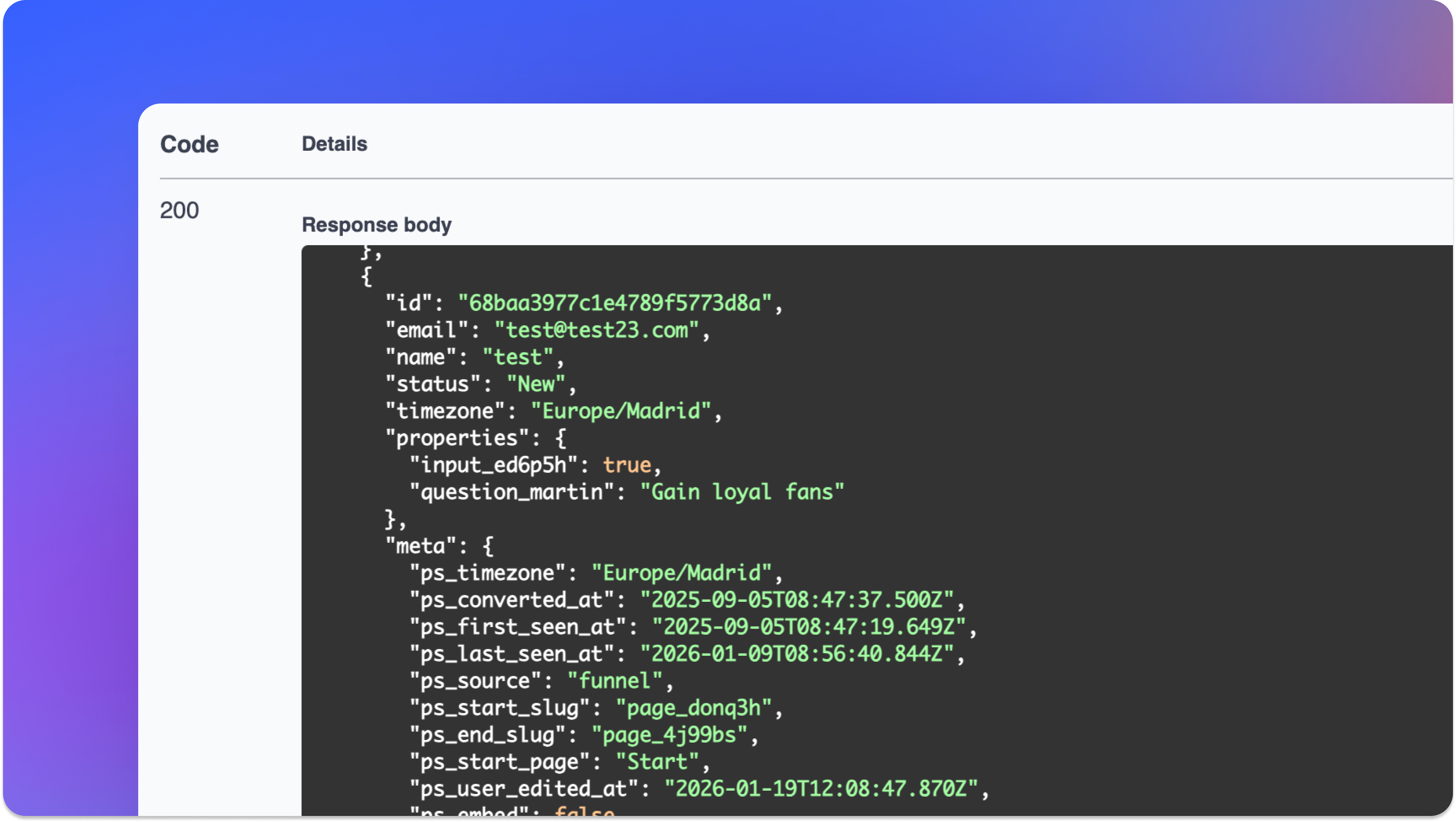
Here's What's New:
- Full Contact Profiles via API: The contacts endpoint now returns the complete contact profile. Core fields, UTM parameters, meta data, and all custom properties like quiz answers and scores.
- New Workspaces Endpoint: A single GET request to
/v1/workspacesreturns all workspaces with their funnel and campaign IDs. No more copying IDs from the UI one by one.
Why This Matters:
- Complete data, one call: Every contact field you need for reporting, syncing, or automation is available directly from the API. No workarounds required.
- Faster integration setup: Pull all workspace and funnel IDs programmatically instead of manually copying them from the Perspective dashboard.
- UTM attribution built in: Access utm_source, utm_medium, utm_campaign, utm_term, and utm_content directly on each contact. Connect ad spend to lead quality without extra tooling.
Check the API docs and start building.
Editor Performance Improvements – The editor just got a lot snappier. ⚡
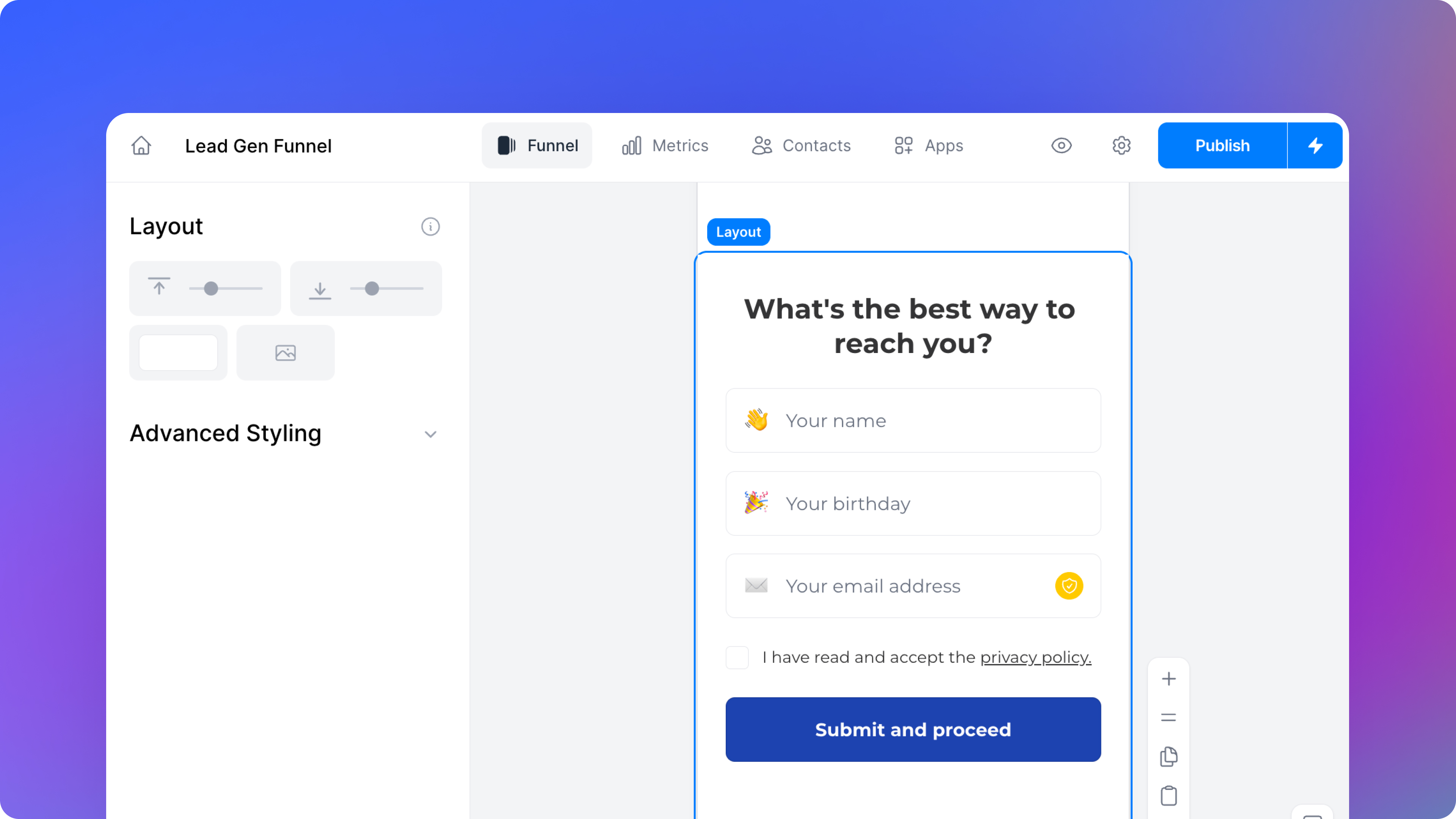
Here's What's New:
- Improved overall editor interaction performance: Editor feels snappier and more responsive, especially in funnels with a lot of blocks on a page
- Up to 80% Faster Actions: Operations like duplicating a complex layout block dropped from ~1.8s to ~340ms.
Why This Matters:
- Less Waiting: A faster editor keeps you in flow. No more pausing mid-edit for the interface to catch up.
Open your editor and feel the difference ⚡
Full Address Block – One Input, cleaner data, better conversion.
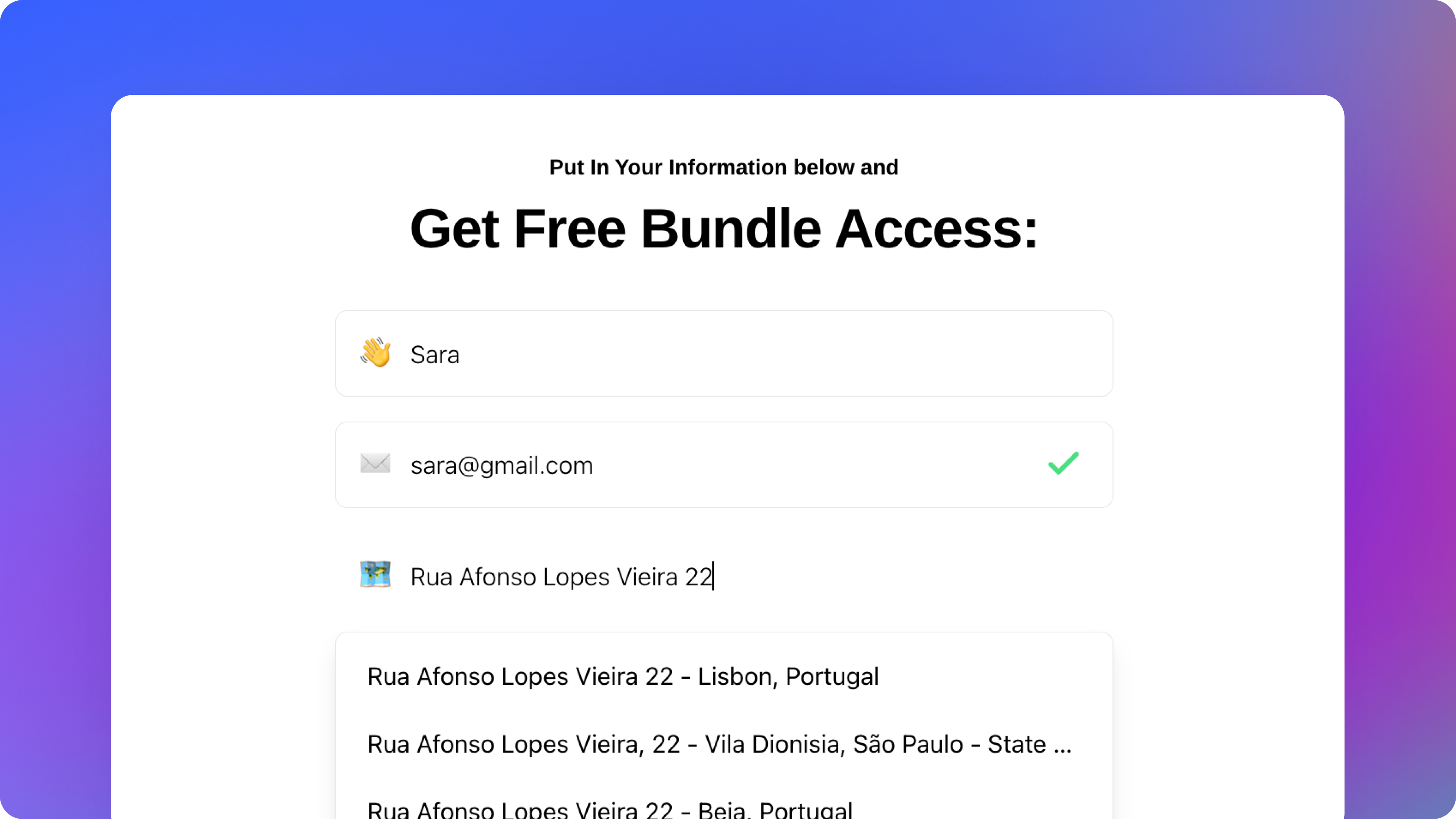
Here’s What’s New:
- Single “Full Address” Field – Replace separate street, city, ZIP, and country fields with one clean input.
- Google Places Autocomplete – Addresses are suggested automatically and selected with one tap.
- Automatic CRM Structuring – The selected address is split into street, city, ZIP, and country while also storing the full raw string.
Why This Matters:
- Lower Drop-Off Rates – Fewer fields mean faster completion and less friction in your funnels.
- Higher Data Accuracy – Standardized, structured address data reduces errors and improves lead quality.
- Seamless Integrations – All CRM exports and integrations (including HubSpot) continue working without any changes.
Make your lead forms faster, cleaner, and more conversion-friendly with the new Full Address block 🚀
CRM Tracking Improvements 📊
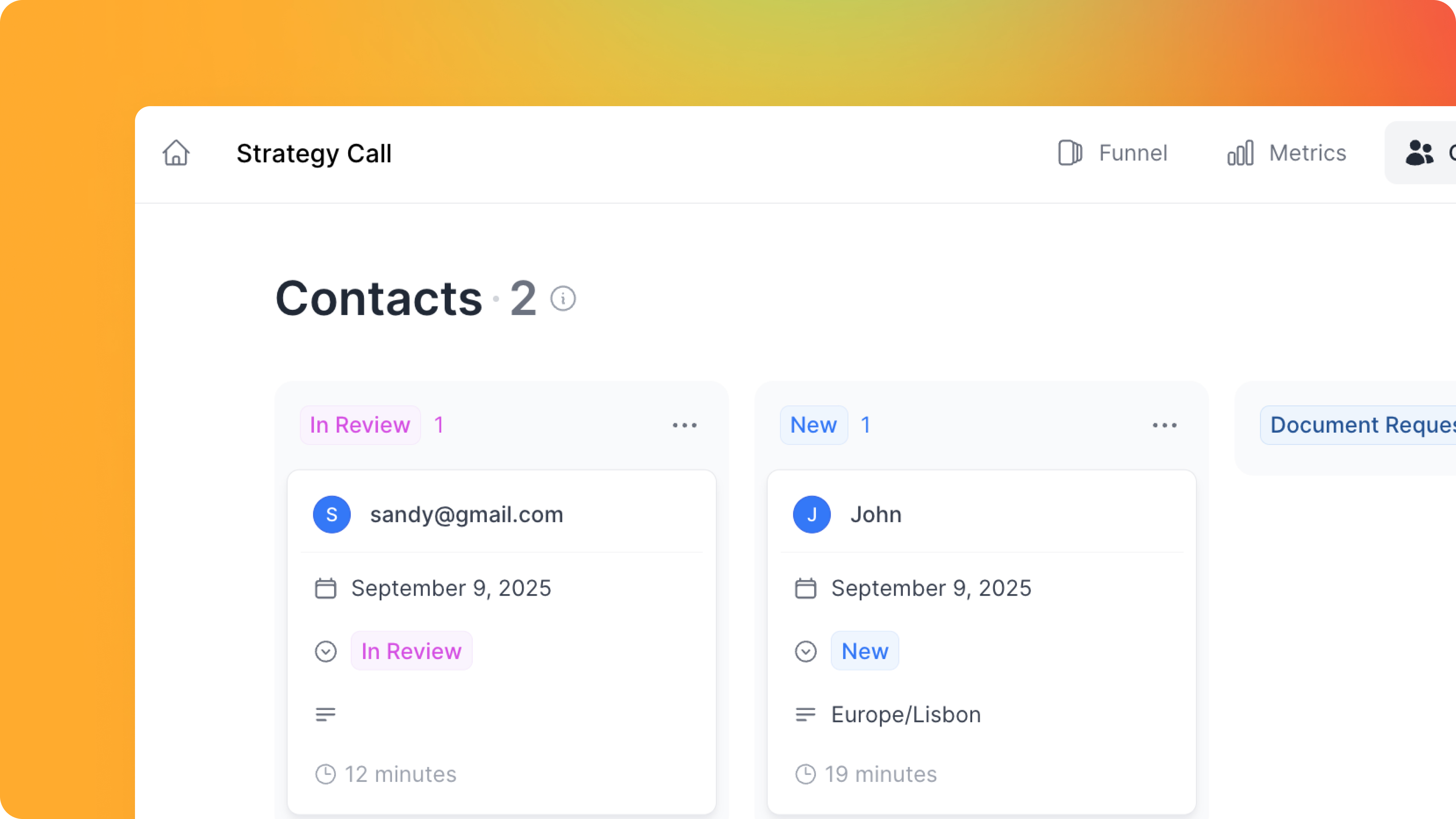
Here’s What’s New:
- Configurable CRM Property Tracking IDs – Define tracking IDs during property creation or edit them directly from the CRM table column header.
- Session Persistence on Page Reload – Session IDs now persist when reloading the page or navigating via browser back/forward.
- Intentional Session Reset Logic – A new session is only created when a visitor starts the funnel again from the first page.
- Session-Based Contact Grouping – Contacts are now grouped not only by device but also by session, representing a single funnel run-through.
Why This Matters:
- More Control in the CRM – Managing tracking IDs is now faster and easier, right where you work with your data.
- Complete & Coherent Lead Data – Answers from a single funnel run-through stay together, even if the page is reloaded.
- Clearer Contacts & Metrics – Each funnel walkthrough is tracked more accurately, matching how visitors actually move through your funnel.
- Better Testing & QA Workflows – When you restart a funnel multiple times for testing, each run now appears as a separate entry in the CRM.
Your CRM data now reflects funnel journeys even more clearly and consistently! 🙌
Re-trigger Automations on Late Data
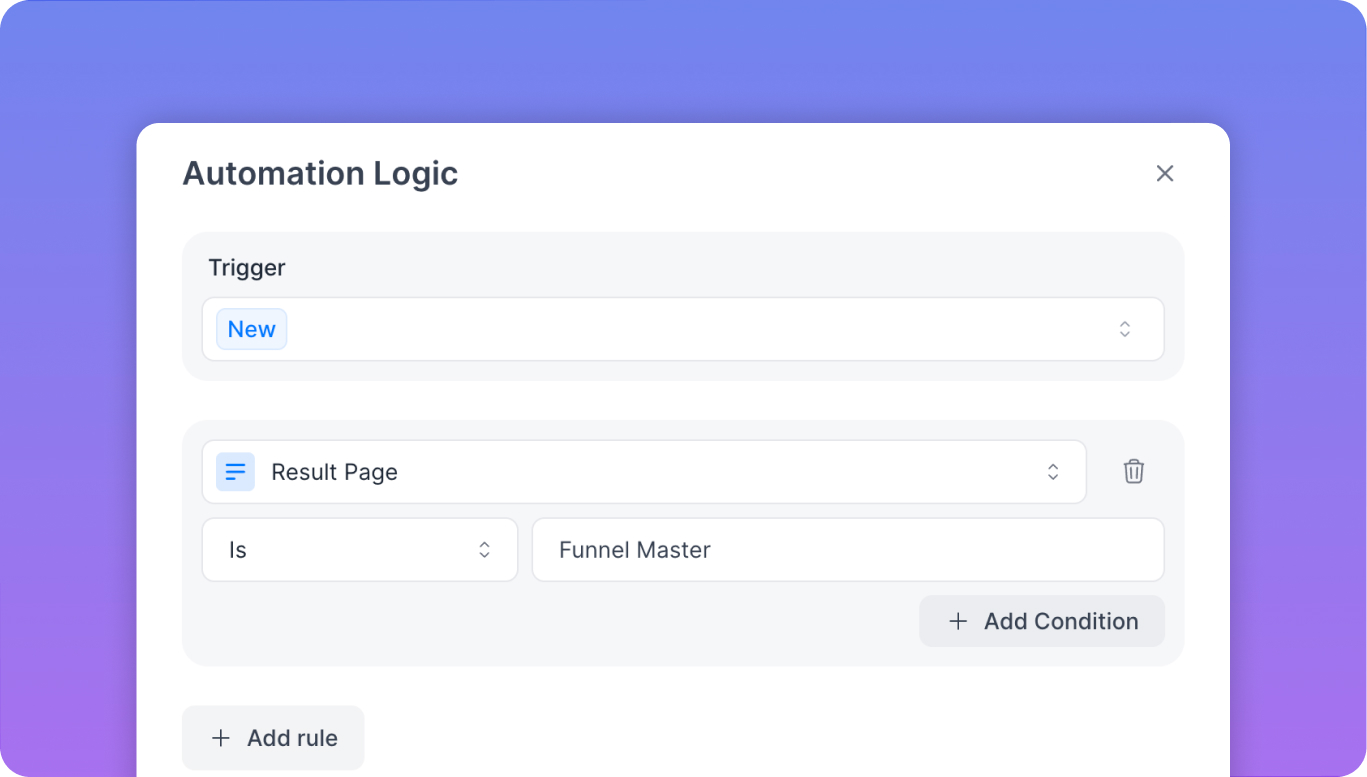
Here’s What’s New:
- Re-evaluate Sequences on Field Updates – Automations are now checked not only on status changes, but also whenever relevant contact fields are updated through the funnel.
- Supports Result Page Data – Sequences that rely on data collected after lead capture (e.g. result pages) now trigger as soon as that data becomes available.
- More Flexible Trigger Logic – Sequences are evaluated as soon as all required information is present, even if the lead status hasn’t changed.
Why This Matters:
- No Missed Automations – Your sequences fire the moment all necessary data exists.
- Ideal for Quiz & Multi-Step Funnels – Especially powerful when important inputs are collected later in the funnel.
This finally enables you to build automations that depend on data collected later in the funnel! 💪
External Links in New Tabs – More Control Over Button Redirects 🔗
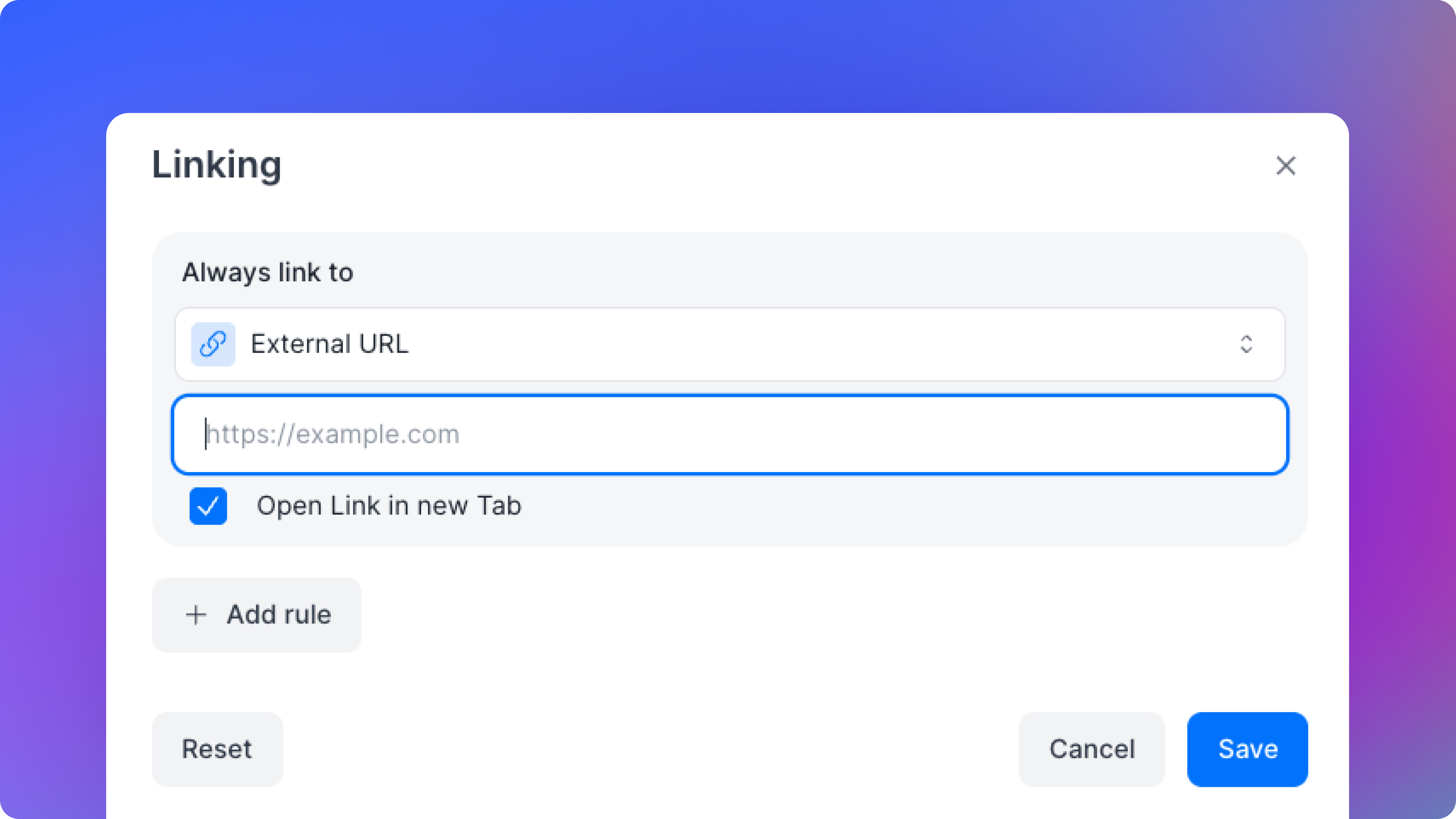
Here’s What’s New:
- Open External Links in New Tabs – Choose whether external links open in the same tab or a new one.
- Available on All Interaction Buttons – Works across all buttons that link to external pages.
Why This Matters:
- Protect Funnel Progress – Link to external resources like terms, documentation, or support pages without losing users.
- Better Mobile Experiences – Ideal for click-to-call actions or external mobile interactions.
- Cleaner Tracking & Analytics – Keep UTMs and tracking intact while routing visitors through button redirects.
Set up smarter redirects and keep full control over your funnel experience 🚀
AI Brand Profiles – Funnels Written in Your Brand Voice 🤖
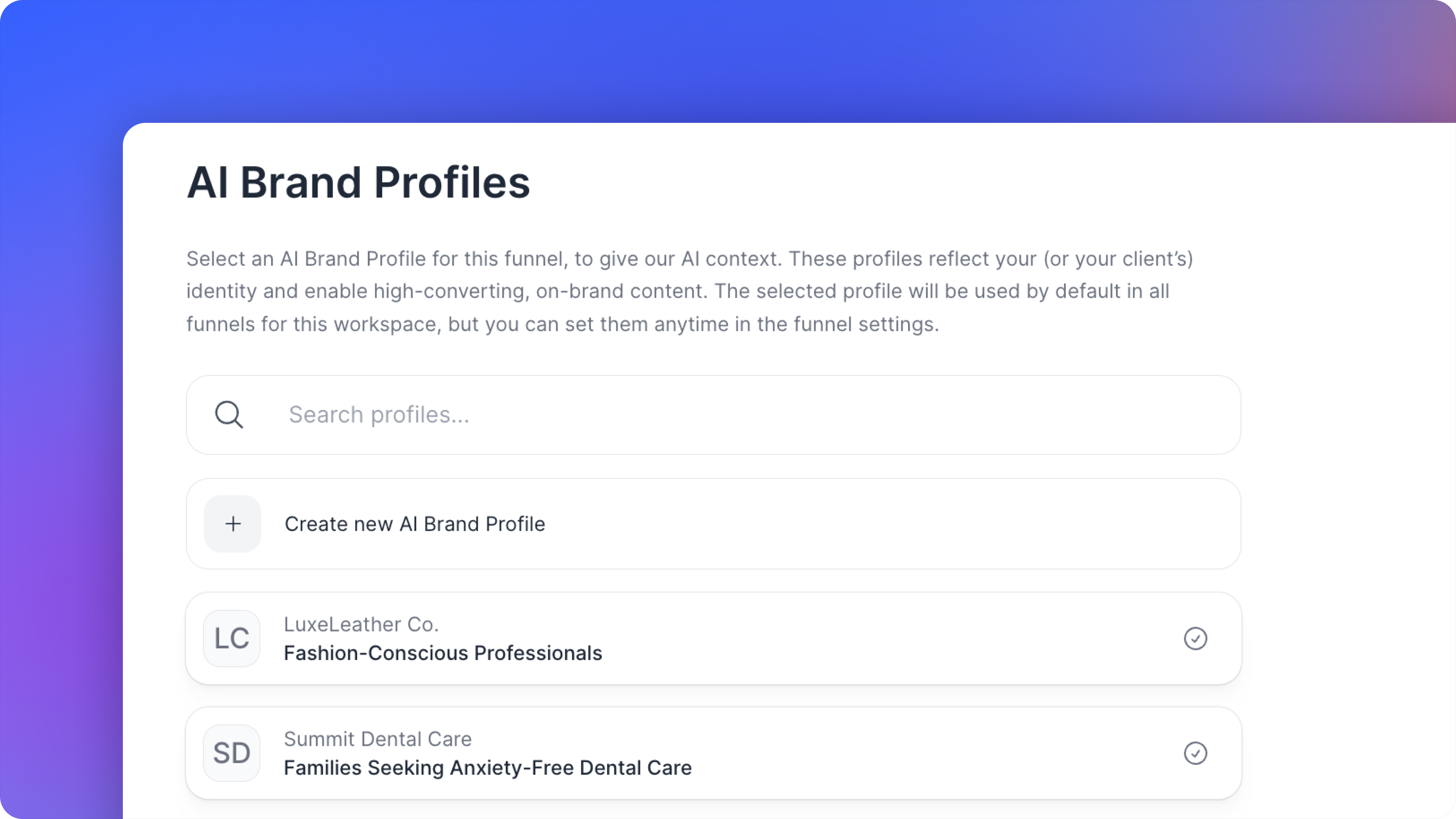
Here’s What’s New:
- AI Brand Profiles – Create multiple Brand Profiles per account. Each profile is generated by AI based on your brand and audience, and can be manually adjusted anytime.
- AI Template Personalization – Instantly personalize any template to the selected Brand Profile with one click.
- AI Funnel Duplication – Duplicate existing funnels and let AI adapt them to a different brand or persona automatically.
- Multi-Brand & Multi-Persona Setups – Switch between Brand Profiles to ensure every funnel matches the right brand voice and target audience.
Why This Matters:
- On-Brand Messaging Every Time – Every funnel automatically matches your tone and speaks directly to your ICP.
- Massive Time Savings – Reuse templates and winning funnels without reworking copy or structure.
- Higher Conversion Quality – Funnels are personalized to the right persona instead of relying on generic AI copy.
Create once, adjust when needed, and scale funnels across brands and personas with ease. 🚀
ℹ️ Learn more about AI Brand Profiles here.
Funnel Preview Improvements – Test & Review Funnels More Comfortably 👀
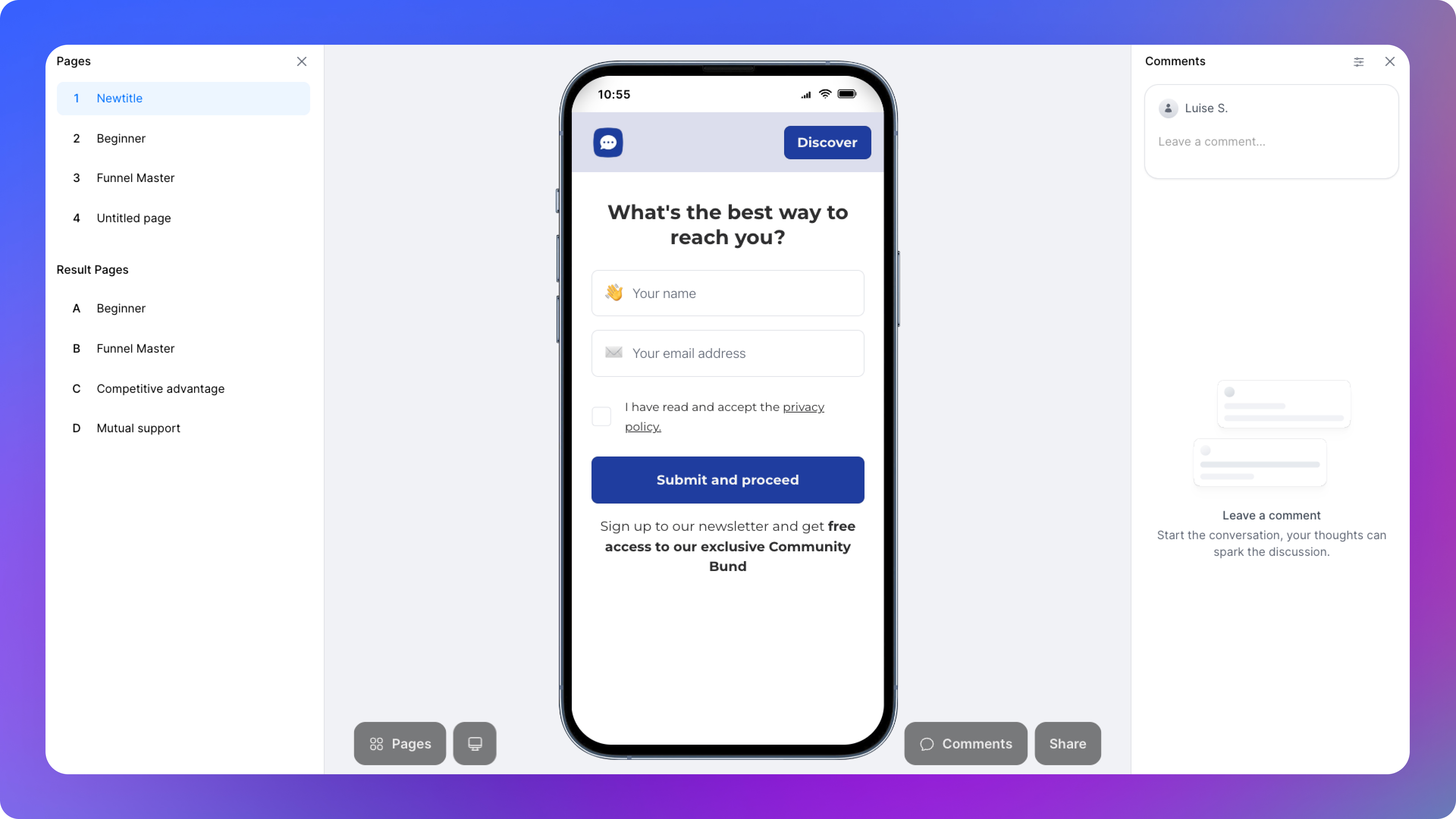
Here’s What’s New:
- Mobile Phone Frame Preview – See your funnel inside a realistic phone frame, including drag-to-scroll, for a true mobile-first feel.
- Page Navigation – Jump directly to any page in your funnel without clicking through step by step.
- Comment Filters – Filter preview comments to focus on the feedback that matters most.
Why This Matters:
- More Realistic Testing – The mobile phone frame helps you better judge spacing, flow, and usability on real devices.
- Faster Reviews & Iterations – Page navigation lets you instantly check specific funnel steps, saving time during QA.
- Cleaner Feedback Process – Hidden comments by default and new filters keep the preview uncluttered and easy to review.
Preview your funnel, gather focused feedback, and go live with confidence – faster than ever 🚀
Domain Setup Improvements
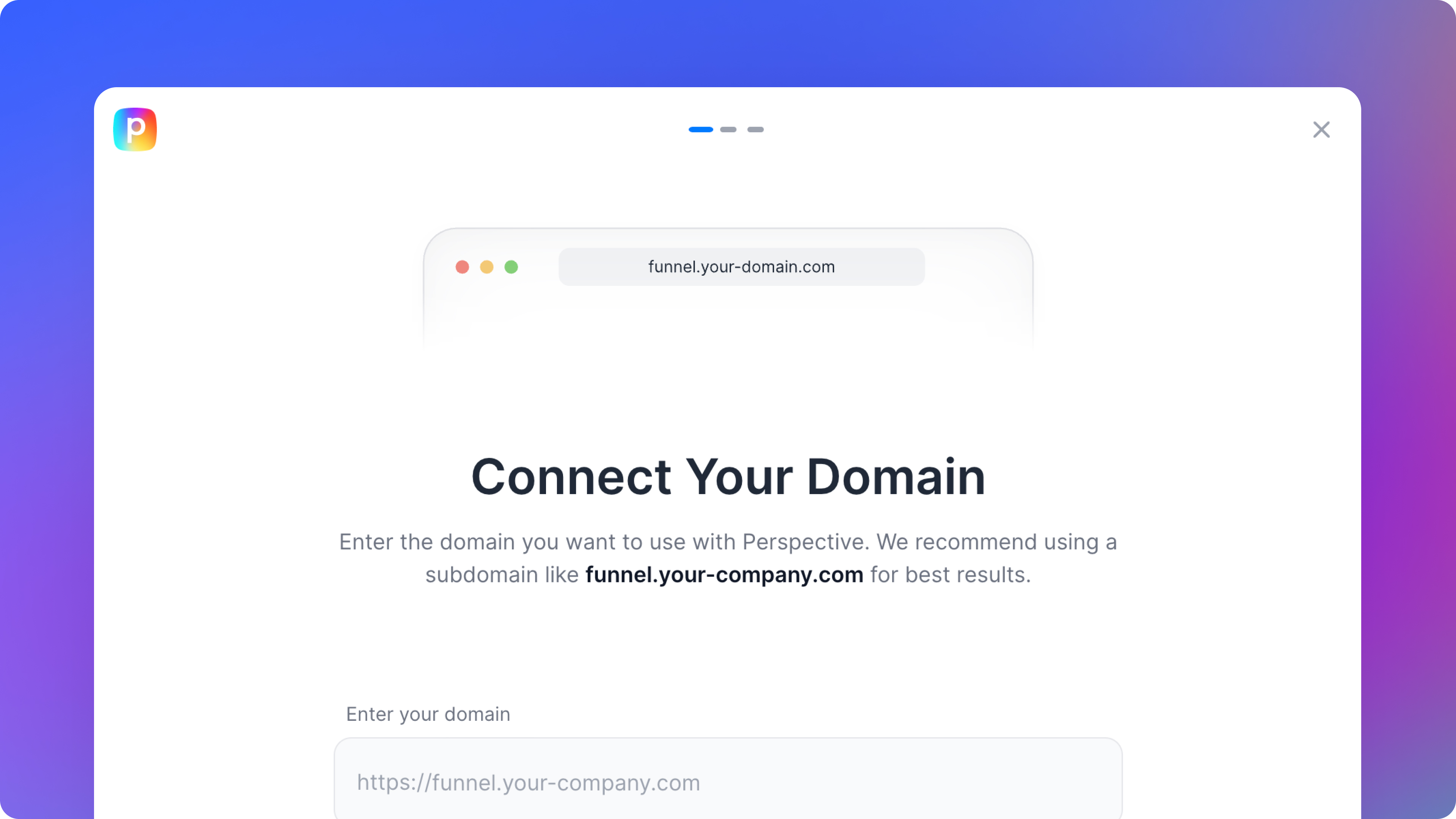
Here’s What’s New:
- Decluttered Start Screen – A cleaner first step with clearer copy
- Smart Domain Detection – We detect full (root) domains and recommend switching to a subdomain to protect the main website and avoid risky DNS changes, while still allowing root domains for advanced users.
- Provider-Specific Instructions – Automatic detection of popular domain providers (like GoDaddy) with tailored setup steps and direct links to their dashboards.
- Clear Success Feedback – confirmation step when the domain setup is completed that explains what to expect next.
Why This Matters:
- Fewer Setup Errors – Clear recommendations and early warnings help prevent risky or unsupported DNS configurations.
- Faster Time to Launch – Provider-specific guidance removes guesswork and speeds up domain setup.
- More Confidence for All Skill Levels – Beginners get safe defaults, while advanced users keep full control.
Connect your domain faster and safer with the improved domain setup flow 🚀
Integration Logs & New Apps Dashboard
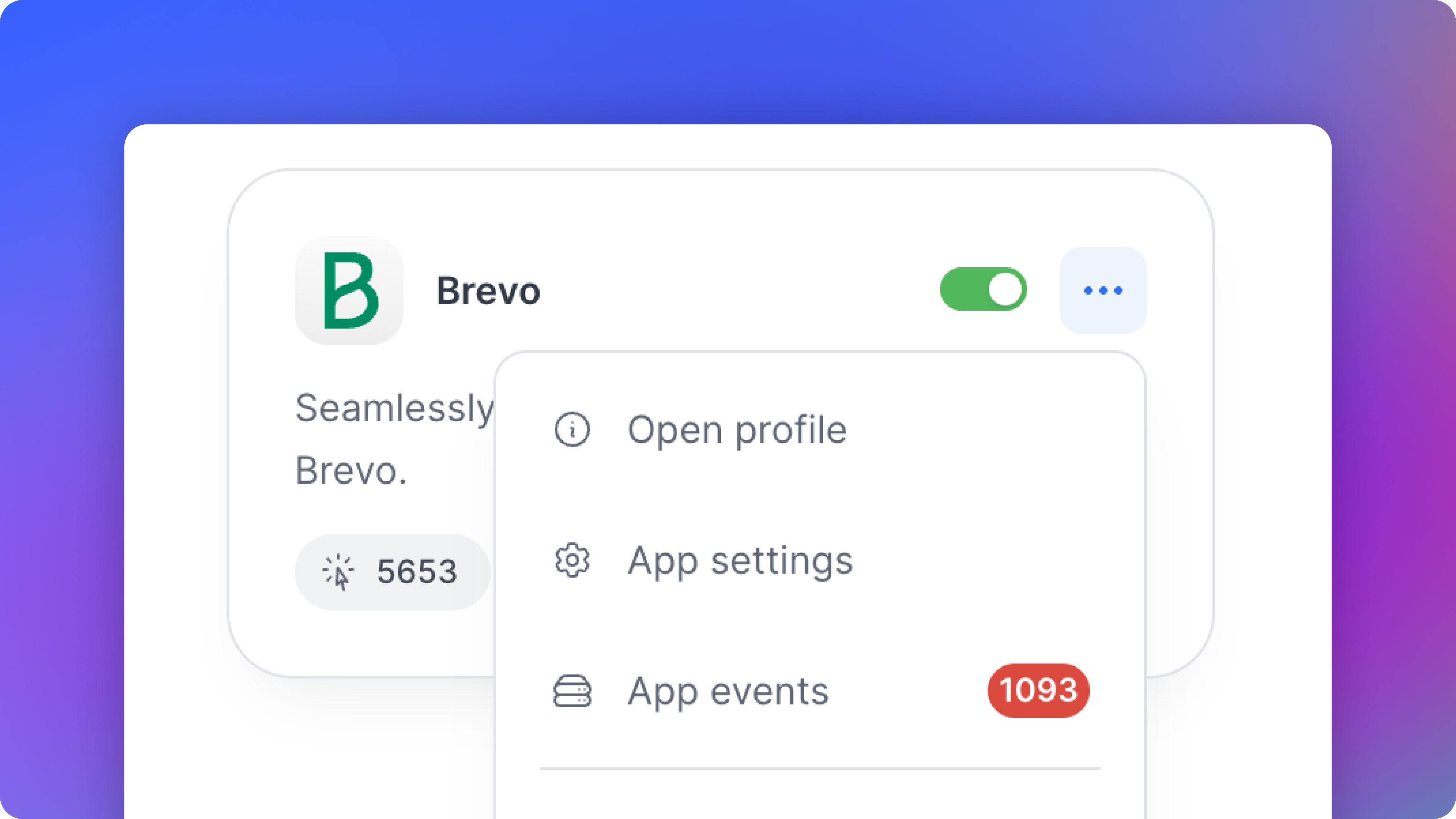
Here’s What’s New:
- Connected Apps Overview – See all connected apps instantly at the top of the Apps Dashboard.
- Event & Error Counters – View total events and new error counts per app.*
- Integration Logs – View and filter app event history to investigate activity.*
- Error Tracking – Instantly see when events fail and what caused the issue.*
* Available for most integrations, event log timeframe last 31 days.
Why This Matters:
- Instant Clarity – Immediately know which apps are connected and actively sending events.
- Faster Troubleshooting – Identify and resolve integration issues before they affect your funnels.
- More Confidence in Your Data – No more guessing if integrations are working as expected.
Get full visibility and control over your integrations with the new Apps Dashboard and Integration Logs. 🚀
Video Embed – Support for Vertical & Square Videos 📹
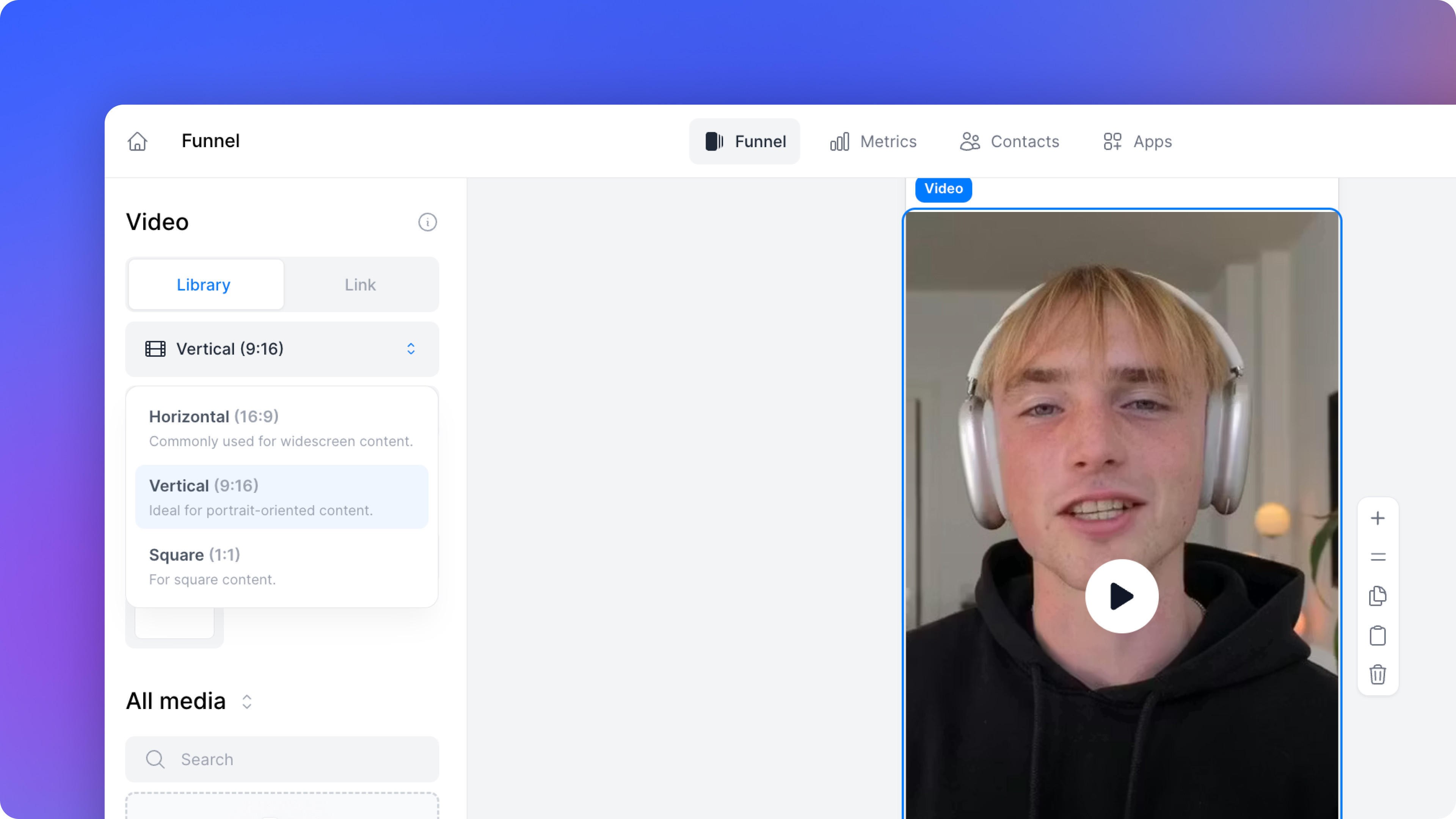
Here’s What’s New:
- Vertical Video Embeds (9:16) – Embed vertical videos seamlessly, perfect for mobile-first funnels.
- Square Video Embeds (1:1) – Add square videos without cropping or layout issues.
Why This Matters:
- Mobile-First Experience – Vertical and square videos feel natural on mobile, where most funnel traffic happens.
- More Creative Freedom – Use videos directly from TikTok, Instagram, or other platforms without reformatting.
- Higher Engagement – Native-looking video formats keep visitors focused and increase watch time.
Upgrade your funnels with vertical and square video embeds to create more engaging, mobile-optimized funnel experiences 🚀
CRM + Metrics Improvements
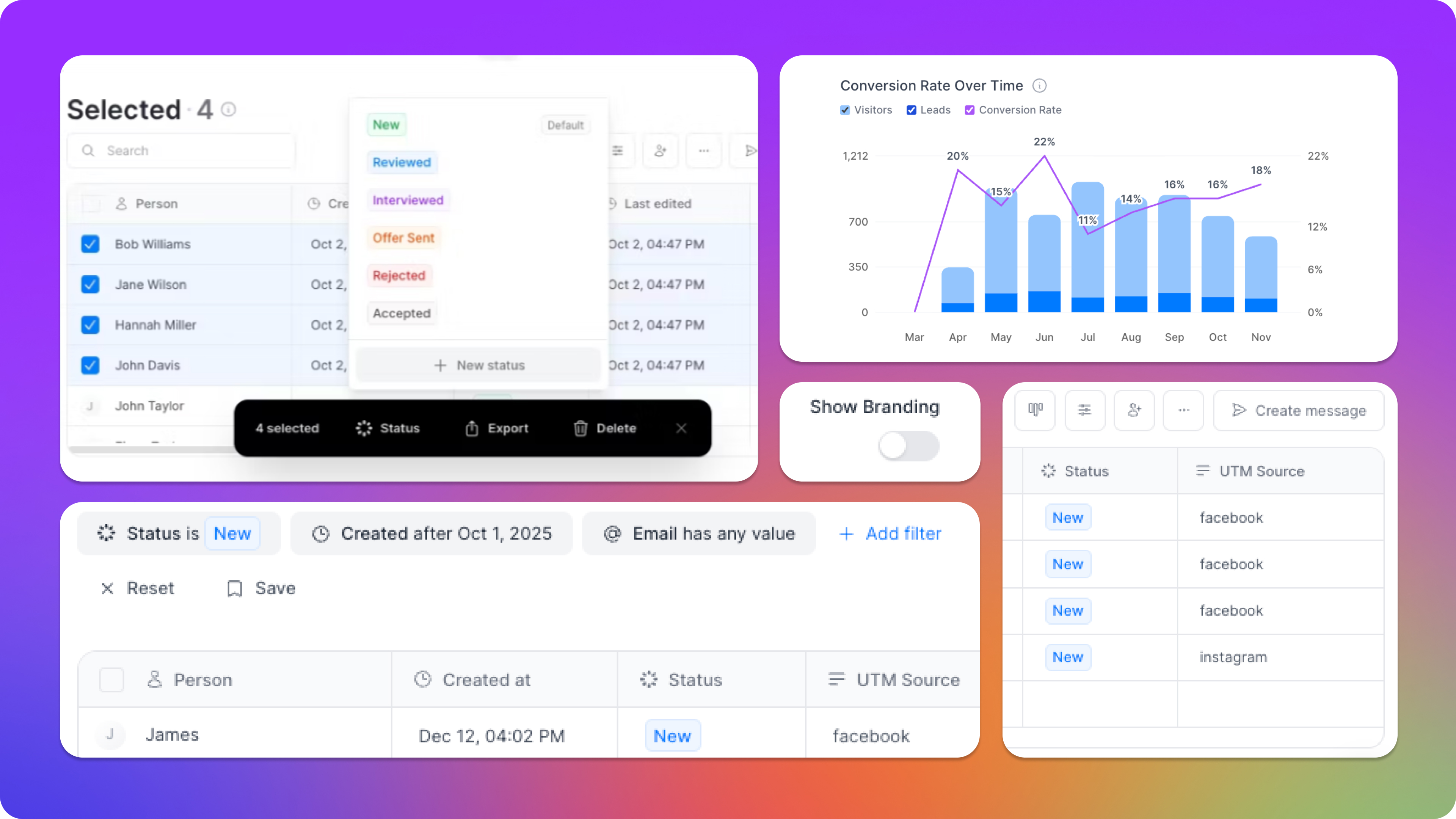
Here’s What’s New:
CRM Improvements
- Filter every lead detail
You told us that you need this, so we built it: You can now filter your CRM by every funnel field and property including custom fields, quiz answers, UTMs and more. You can also save your filters as Custom Views and switch between different those views anytime.
- Search across all lead data
Search now works across all fields, not just name or email — so you can instantly find exactly the leads you’re looking for.
- UTM data, visible by default
UTM parameters are now shown directly as properties in your CRM table and sidebar. No setup needed, just instant clarity on where your leads really come from.
- Context menus for CRM table view
Hover over any column header to access sorting, hiding, or property options. Small update, simplifying your daily workflow.
- Bulk-edit contacts and message them at scale
You can now update the status of multiple contacts at once.
This way you can also instantly trigger messages or message sequences for everyone selected.
- Improved CRM performance
CRM load times have been significantly improved — in many cases up to 90% faster. This results in a noticeably smoother experience, even with large contact lists.
Metrics Improvements
- Conversion Rate over Time
A brand-new metric that shows how your visitors, leads, and conversion rate evolve over time.
Toggle each line to focus on exactly what matters to you and your clients to spot trends early and optimize with confidence
- More accurate tracking with unique visitors
Metrics are now based on unique devices instead of sessions, eliminating double-counting from returning visitors.
Your metrics now match your CRM data exactly.
- Whitelabel metric exports
You asked for it. We made it happen. If you’re using the Whitelabel Suite, you can now export metrics as images with or without Perspective branding. Result: Client-ready reports that look 100% like your own.
Scroll to Block – Scroll on Click for Better Funnel Navigation ⚓
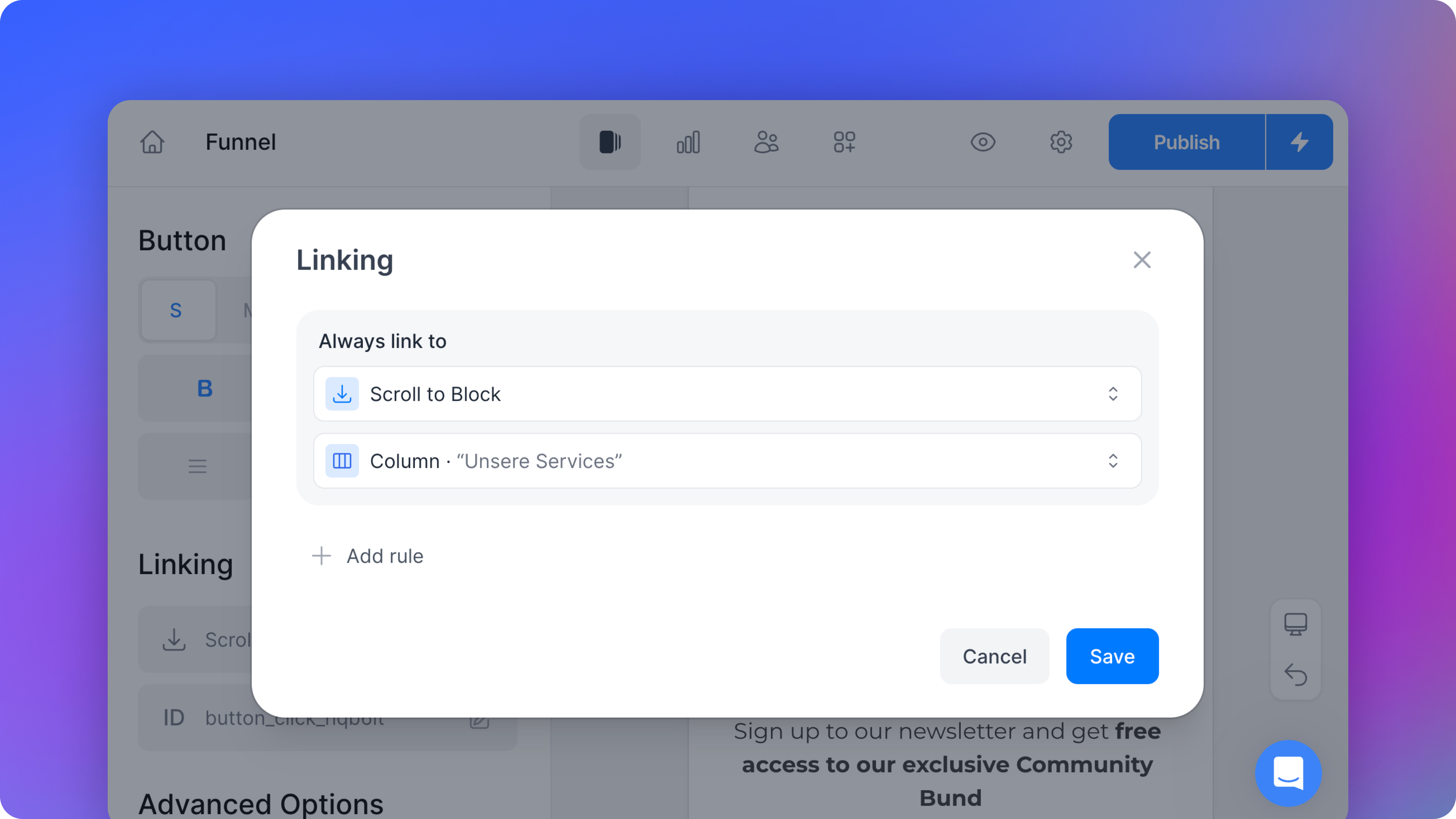
Here’s What’s New:
- Scroll to Block (Anchor Links) – Send visitors to a specific block when they click a button or element.
- Flexible Navigation – Scroll within the same funnel page or jump to a block on a different page.
- Easy Setup – Available as a new option in the linking menu under "Scroll to block"
Why This Matters:
- Better User Experience – Visitors no longer need to manually scroll through long funnels.
- More Control Over Attention – Guide users directly to key sections like forms, FAQs, or calls to action.
- Higher Engagement & Conversions – Important content is easier to find, helping funnels perform better.
Use Scroll to block to build clearer, smoother funnel journeys and guide visitors exactly where you want them to go. 🚀
New Calendar Embeds – Seamless Scheduling Inside Your Funnels 📅
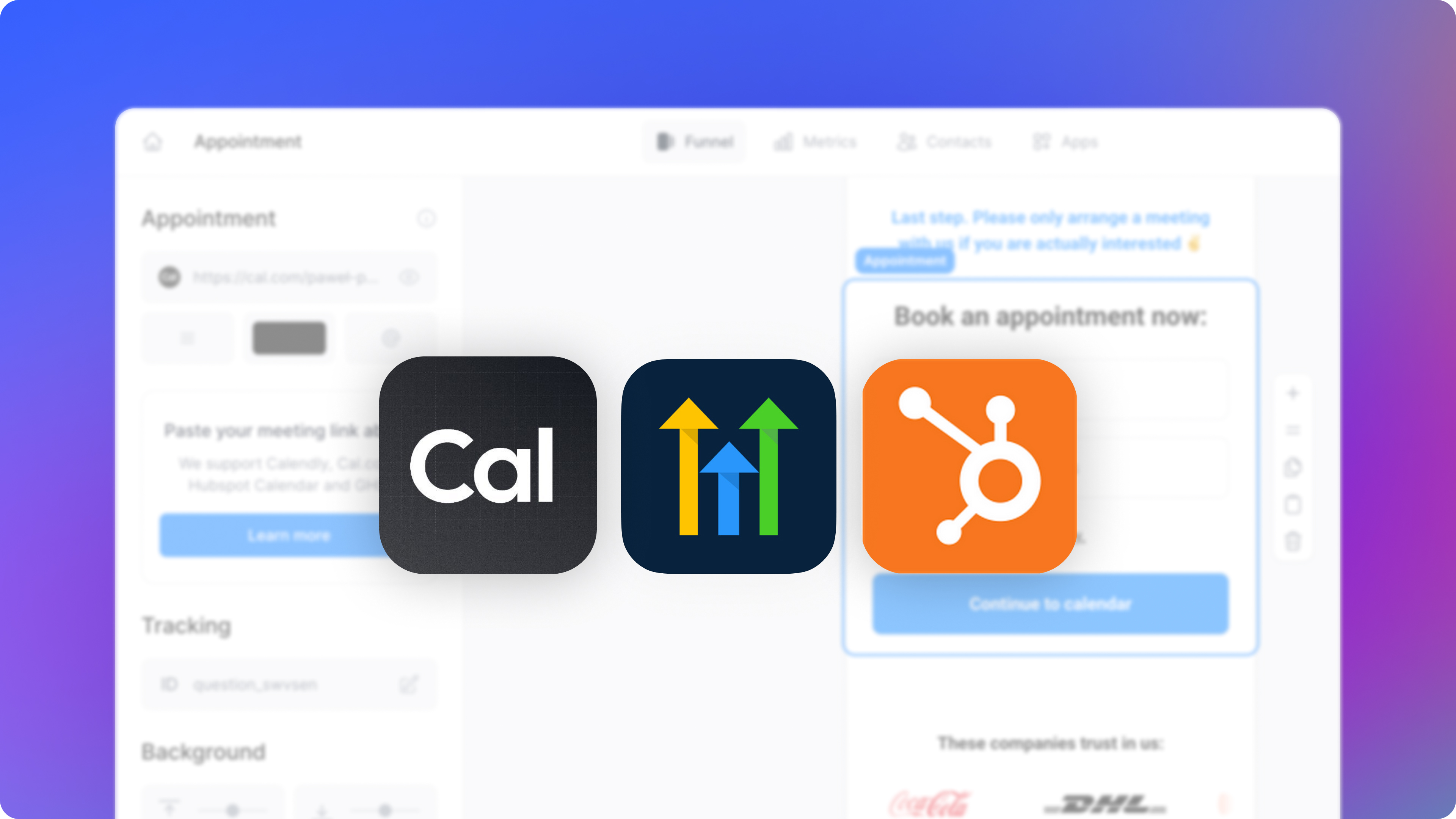
Here’s What’s New:
- More Calendar Options – Embed Cal.com, HubSpot Meetings, and GoHighLevel directly inside your funnels.
- Instant In-Funnel Scheduling – What was previously only possible with Calendly now works with even more tools: let leads book appointments directly inside your funnel without redirects or extra clicks.
- Smart Data Handling – Prefill contact details and pass through UTM parameters for clean, fully trackable bookings (*for all tools that support this functionality).
- Live Embed Preview – See exactly how your calendar looks inside the editor before publishing.
- OTP Verification – Prevent fake bookings and reduce no-shows with email or SMS verification.
Why This Matters:
- Higher Conversions – No redirects = fewer drop-offs and more qualified appointments.
- Cleaner, Faster Workflows – Prefilled data and direct embeds remove friction for visitors and cut manual work for you.
- Full Tracking for Agencies – Automatically capture UTMs so you can link every booking back to the exact ad campaign (*for all tools that support this functionality).
- Reliable Lead Quality – OTP verification protects your calendar and ensures only real prospects book.
Start embedding your favorite calendar tool today and turn more funnel visitors into real, qualified appointments — without ever leaving Perspective. 🚀
ℹ️ Learn more here.
Email Sequences – Plan, Organize & Automate Full Communication Flows
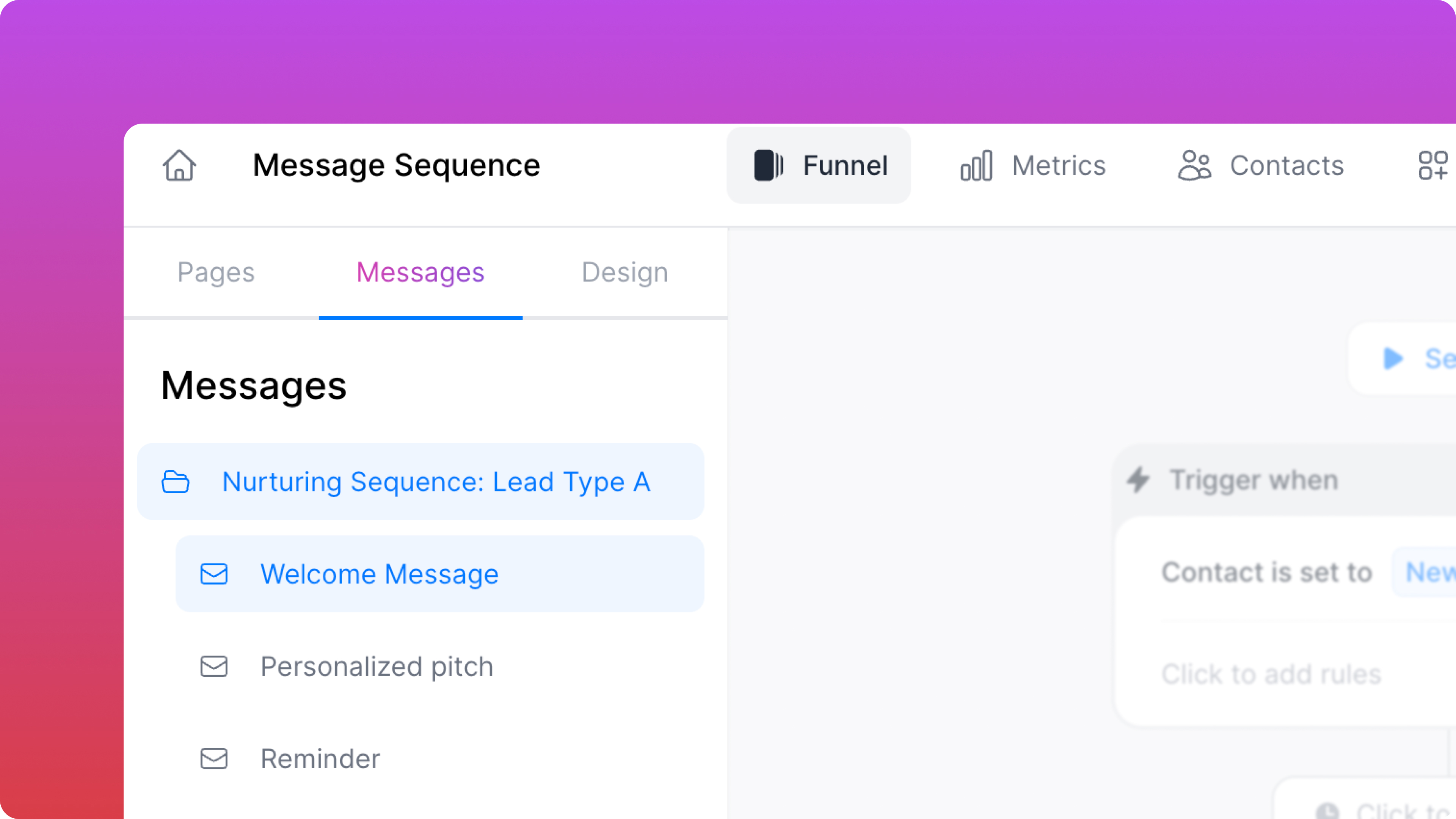
Here’s What’s New:
- Visual Email Sequence Builder – Get a complete overview of your entire automation flow. Add, reorder, or edit emails with drag-and-drop simplicity.
- Manage from Lead View – From any Lead, easily preview sent emails or delete upcoming ones for full transparency and control.
- Clear Flow Overview – See every email in context and understand exactly how your sequence unfolds — all at a glance.
Why This Matters:
- Simplified Lead Nurturing – Create entire follow-up, onboarding, or sales sequences without ever leaving Perspective.
- More Control, Less Chaos – Manage messages directly from the Lead View and adjust your automation anytime.
- Faster Scaling – Clone, adapt, and reuse complete email sequences across funnels and clients effortlessly.
Turn your follow-ups into fully automated journeys that run on autopilot — and convert leads while you sleep.
ℹ️ This feature is available starting from our Grow/Business Plan. Learn more about Email Sequences here.
Advanced Linking Logic – Build Smarter, More Adaptive Funnels
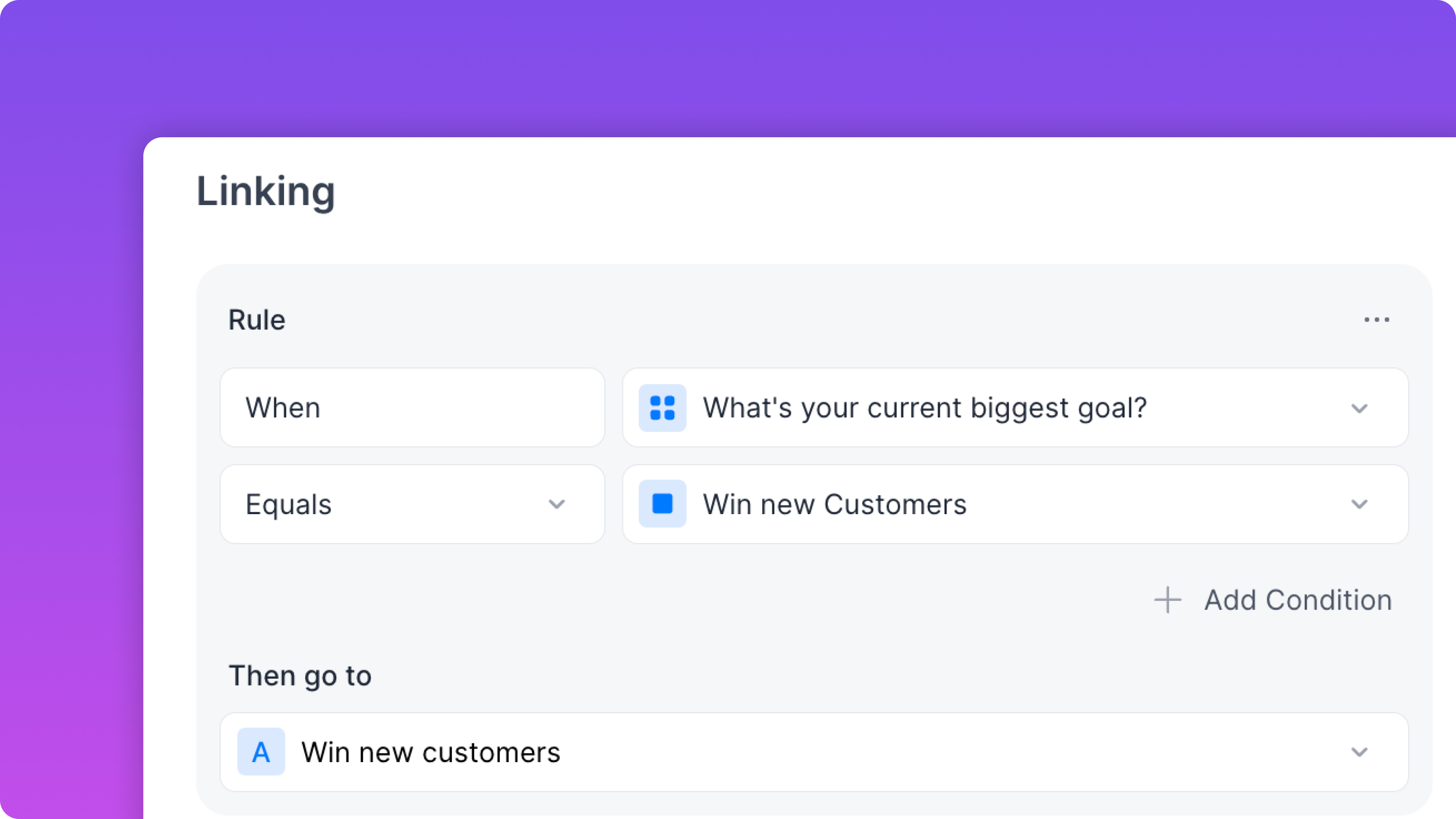
Here’s What’s New:
- Intuitive Rule Builder – Create complex routing flows with a clean, easy-to-use interface. Add, duplicate, delete, or reorder rules effortlessly — no coding needed.
- AND/OR Logic Control – Combine multiple conditions to define exactly when and how visitors move through your funnel. Every rule can contain multiple conditions for full precision.
- Conditional Routing Across Steps – Apply logic not only on the same page but across several funnel steps — route visitors based on earlier answers or interactions.
- Priority-Based Execution – Rules are processed from top to bottom, giving you full control over which condition takes precedence and ensuring consistent behavior.
Why This Matters:
- Advanced Logic, Simple Setup – Build powerful, multi-step logic structures intuitively. Everything is drag-and-drop, so managing complex flows feels effortless.
- Cleaner Lead Qualification – Instantly route high-quality leads to the right follow-up pages or CRM workflows, and send others into nurture paths automatically.
- Dynamic Personalization at Scale – Tailor funnels to each visitor’s answers, goals, or location — all within one template that automatically adapts to every audience.
Smarter logic. Better leads. More conversions. Advanced Linking gives you full control over every funnel journey — powerful, flexible, and easy to use. 🚀
ℹ️ This feature is available starting from our Grow/Business Plan. Learn more about Advanced Linking here.
API App – Connect Perspective with any system 🔗
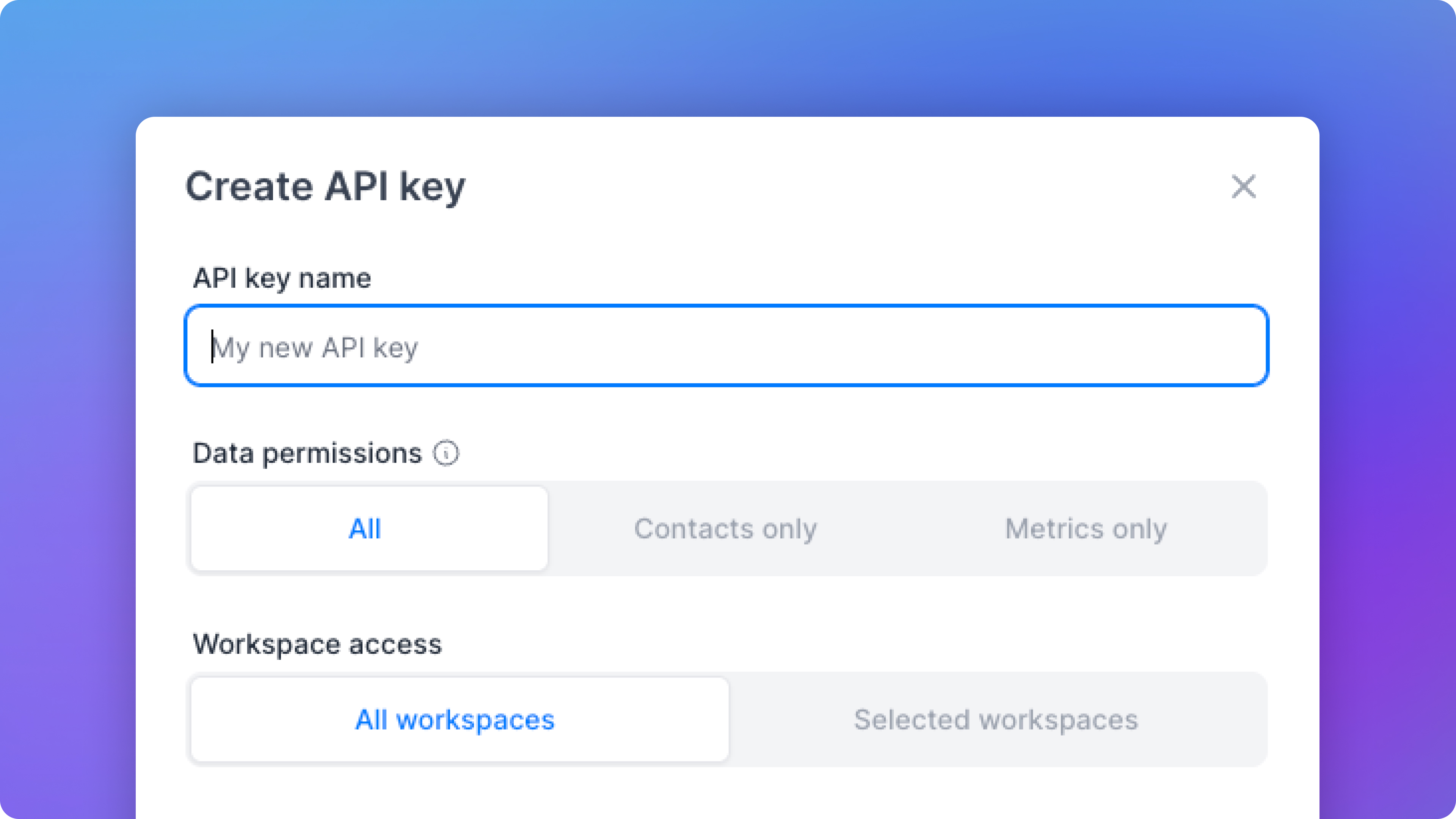
Here’s What’s New:
- Access Contacts & Metrics – Fetch, create, or update contacts and retrieve key funnel performance data directly through the API.
- Flexible Data Connection – Use GET, POST, and PUT requests to connect Perspective to your CRM, BI, or custom systems.
- Custom Integrations – Build your own connections and workflows tailored to your specific needs — no middle tools required.
Why This Matters:
- Seamless Lead Management – Keep your contacts always up to date across systems without switching tools.
- Advanced Reporting – Pull detailed funnel metrics like conversion rates and visitor behavior straight into your dashboards.
- Endless Flexibility – Whether CRM, analytics, or messaging platforms — Perspective now fits perfectly into your existing tool stack.
Start connecting Perspective with your favorite tools using the new API App today! 🚀
ℹ️ This feature is available starting from our Volume/Scale Plan. Learn more about the API app here.
Zoho CRM Integration – Automatic lead sync for your funnels 🔄
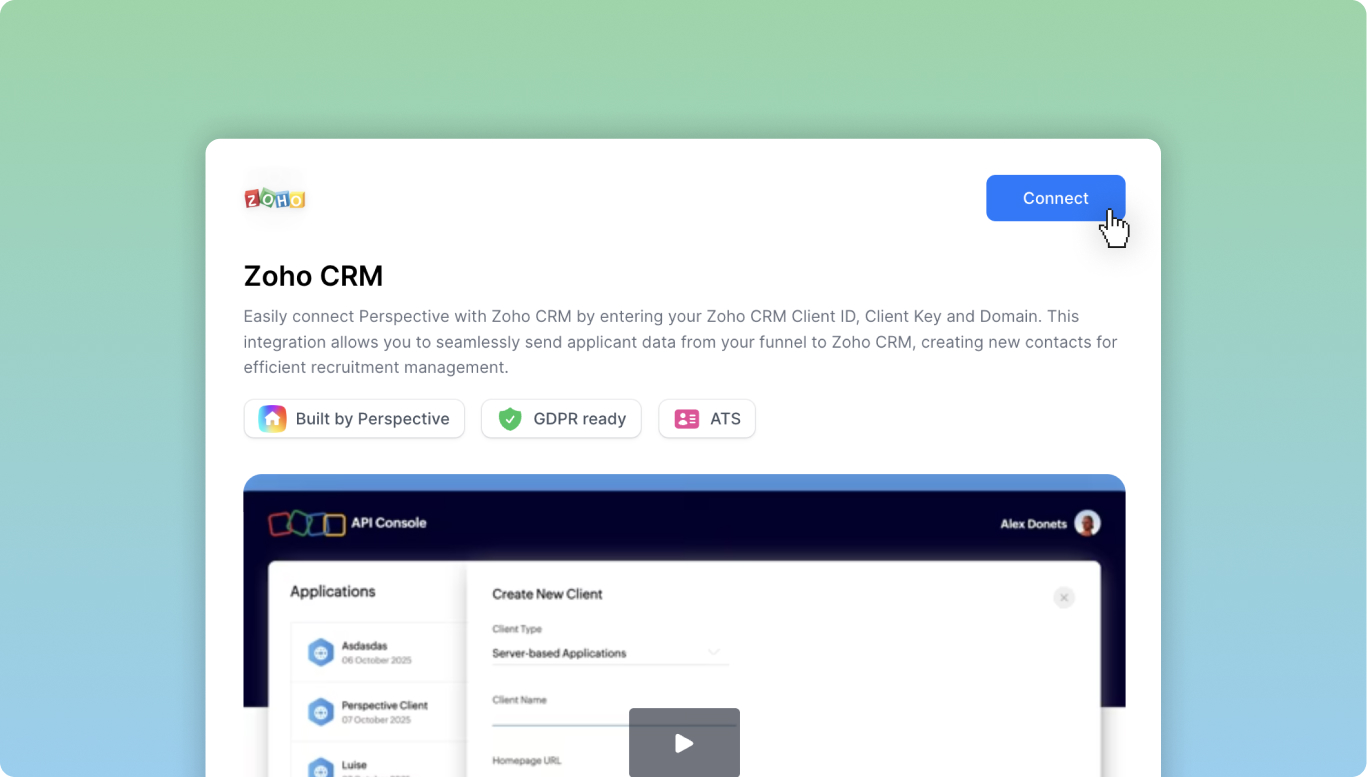
Here’s What’s New:
- Direct Integration with Zoho CRM – Connect your Perspective funnels directly to Zoho CRM — no need for Zapier or manual exports.
- Automatic Lead Transfer – Every new funnel lead is instantly sent to your Zoho CRM, including all custom fields and data points.
- Flexible Field Mapping – Map any funnel variable to your Zoho fields for complete, organized lead profiles.
Why This Matters:
- Save Time & Avoid Errors – No more manual imports or spreadsheet juggling — your leads flow automatically.
- Better Lead Management – Keep your CRM always up to date and ready for follow-ups in real time.
- Quick Setup – Create your Zoho Client once, connect it in Perspective, and start syncing leads in minutes.
Start syncing your funnel leads to Zoho CRM effortlessly and keep your sales process running at full speed! 🚀
ℹ️ Learn how to connect with our new Zoho CRM integration here.
HubSpot API Integration 🔗

Here’s What’s New:
- Simple OAuth Login – Connect HubSpot to your funnels in less than 2 minutes. No API keys, no complex setup – just log in once and you’re ready to go.
- Effortless Field Mapping – Map all your funnel variables directly to HubSpot contact fields inside Perspective.
- Complete Data Transfer – Sync everything: contact details, UTMs, Choice Question answers, file uploads, and more – all sent straight into HubSpot.
Why This Matters:
- Faster Setup, Less Hassle – the new API connection makes setting up your integration much quicker and more intuitive.
- Full Lead Profiles – Every funnel response is transferred, giving you richer data for segmentation, workflows, and reporting.
- Work Smarter in HubSpot – Start campaigns and automations without missing a single data point.
Connect your funnels with the new HubSpot API integration today and enjoy the smoothest HubSpot connection ever! 🚀
ℹ️ Learn how to connect with our new integration here.
Integration Update – Push even more funnel data to your connected tools 📁
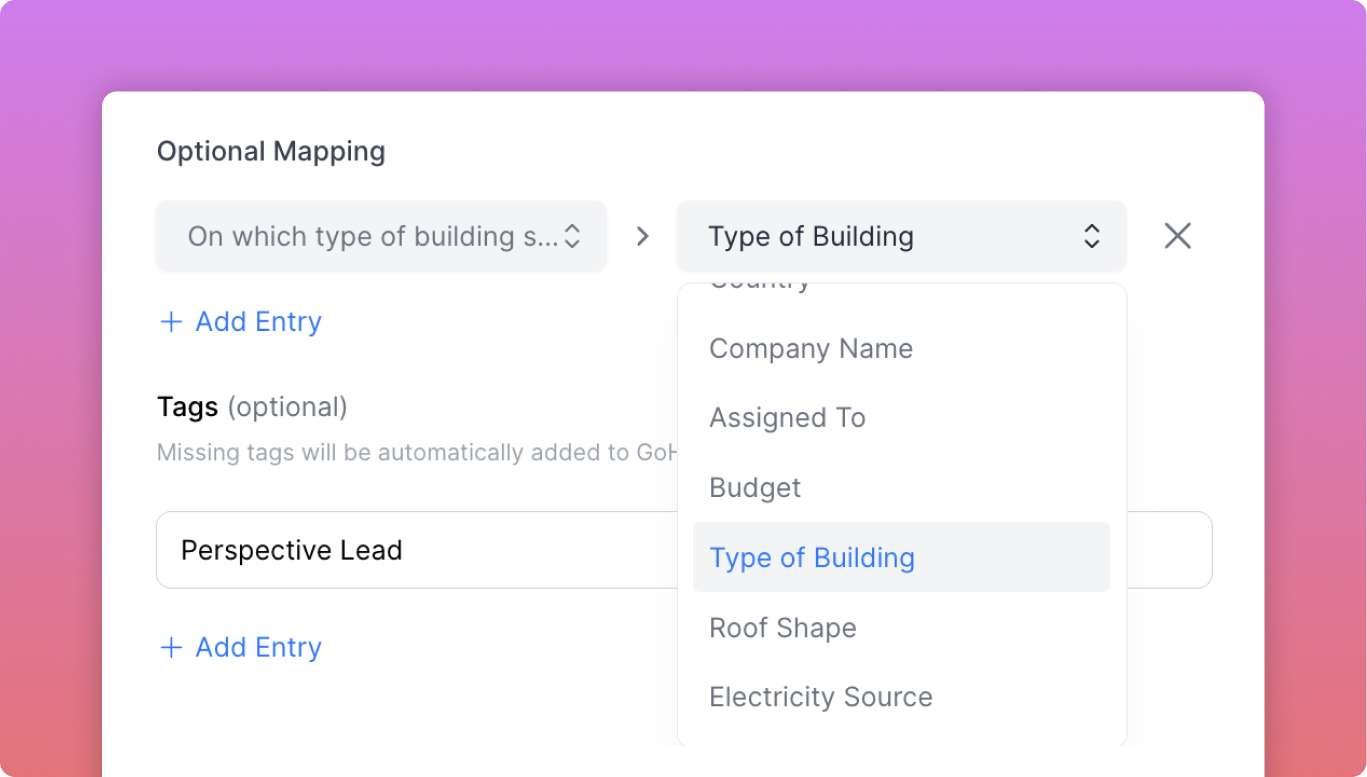
Now available for Brevo, GoHighLevel, ActiveCampaign & HubSpot API
Here’s What’s New:
- Full Data Mapping – Transfer not just contact data, but all funnel information into your connected tools.
- Custom Fields Supported – Map specific details like budget, location, industry, or file uploads to external CRM fields.
- Seamless Setup – Automatically see all fields from your CRM during setup and map them with just a few clicks.
Why This Matters:
- Complete Lead Profiles – No more fragmented data, get the full picture of every lead.
- Smarter Segmentation – Use richer data for targeted campaigns and personalized marketing.
- Time Savings – Skip manual work and keep every dataset clean and accurate.
Start syncing all your funnel insights with Brevo, GoHighLevel, ActiveCampaign, and HubSpot API today! 🚀
Automation Delay - Send messages at the perfect time ⏰

Here’s What’s New:
- Custom Timing for Automations – Decide exactly when your automated emails or WhatsApp messages are sent: immediately, after hours, or even days later.
- Smart Follow-Ups – Schedule delayed follow-ups to stay in touch without sending everything at once.
- Hands-Free Reminders – Automate reminders (e.g. for deadlines or events) without needing to check back manually.
Why This Matters:
- More Relevant Communication – Reach leads and customers exactly when it makes the most impact.
- Less Manual Work – Set up messages once and let them run automatically.
- Higher Conversions – Timely, consistent touchpoints build trust and keep you top of mind.
Start using Automation Delays today to create smarter, more effective message flows that work for you – even while you’re offline. 🚀
ℹ️ Learn more here.
Automation Conditions - Smarter messages based on funnel answers 🎯
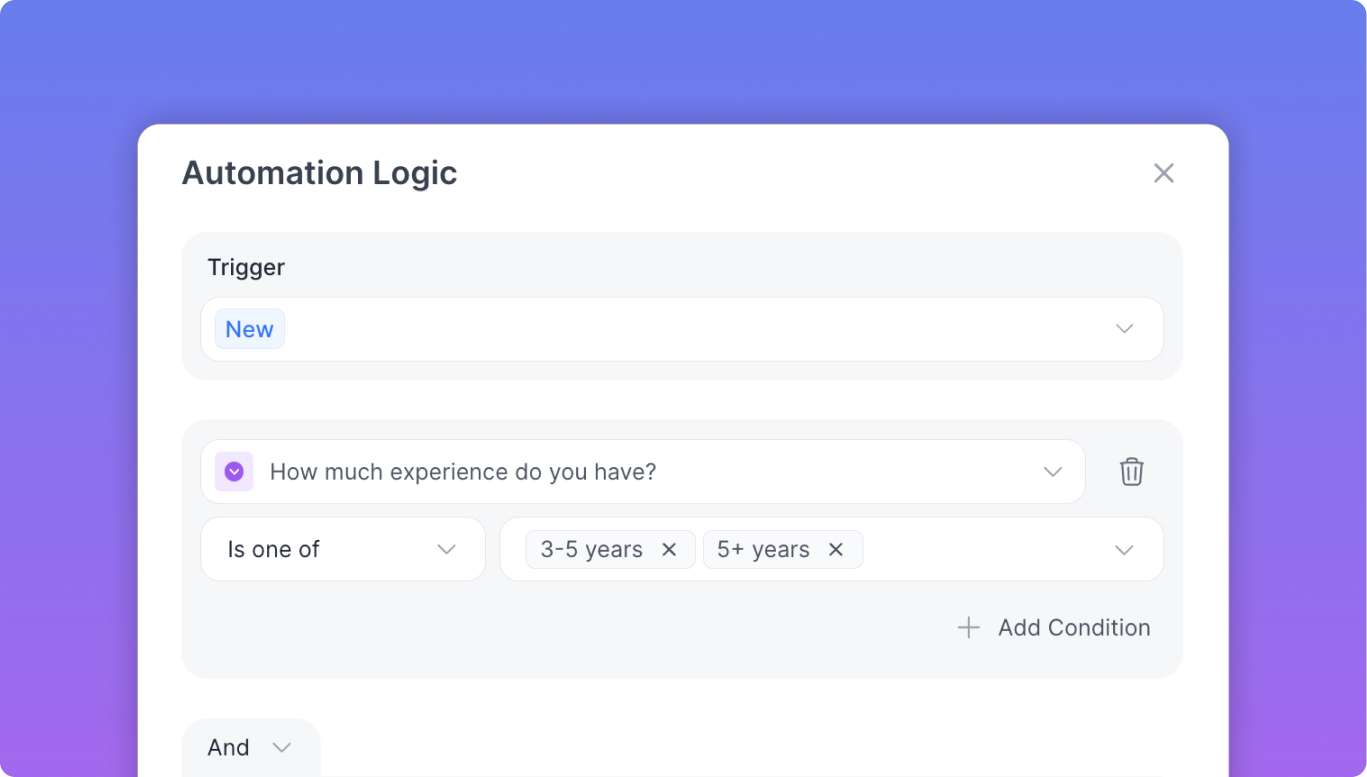
Here’s What’s New:
- Conditional Triggers – Send automated emails or WhatsApp messages based on specific funnel answers, not just lead status.
- Personalized Messaging – Trigger messages tailored to user interests, quiz results, locations, and more.
- Multiple Conditions – Combine rules (e.g. answer + ZIP code) to fine-tune your automations.
Why This Matters:
- Hyper-Personalized Communication – Deliver the right message at the right moment, based on what your leads actually care about.
- Boosted Conversions – Relevant follow-ups drive action and increase funnel performance.
- Better User Experience – Show leads that you're listening by responding directly to their inputs – no delays, no detours.
- Internal Lead Routing – Automatically notify the right team member based on answers – fast handover, no manual sorting.
Start using Automation Conditions today to create more relevant, powerful funnel experiences – with messages that react to your leads. 🚀
ℹ️ Learn more here
Automatic Timezone Tracking 🌎
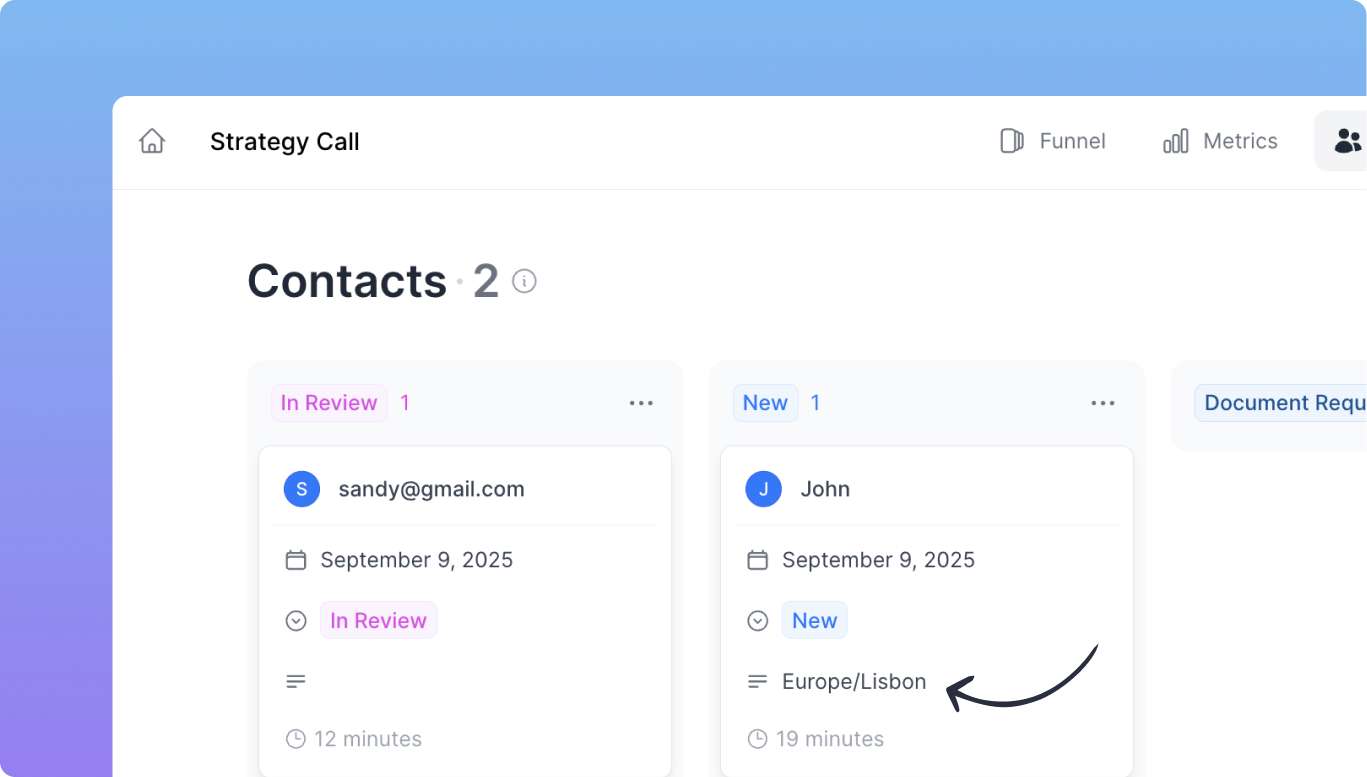
Here’s What’s New:
- Automatic Timezone Tracking – Every contact in your CRM now gets a timezone property assigned automatically.
- Available in CRM & Automations – Use the timezone info directly for smarter communication and workflows.
Why This Matters:
- Perfect Timing – Schedule calls, emails, and WhatsApp messages when your leads are most likely available.
- Higher Engagement – Reach people during their active hours for better response rates.
- Less Guesswork – No more manual checks or misaligned communication across different regions.
Start using timezone tracking today to connect with your leads at exactly the right moment!
Custom Highlight Colors 🎨
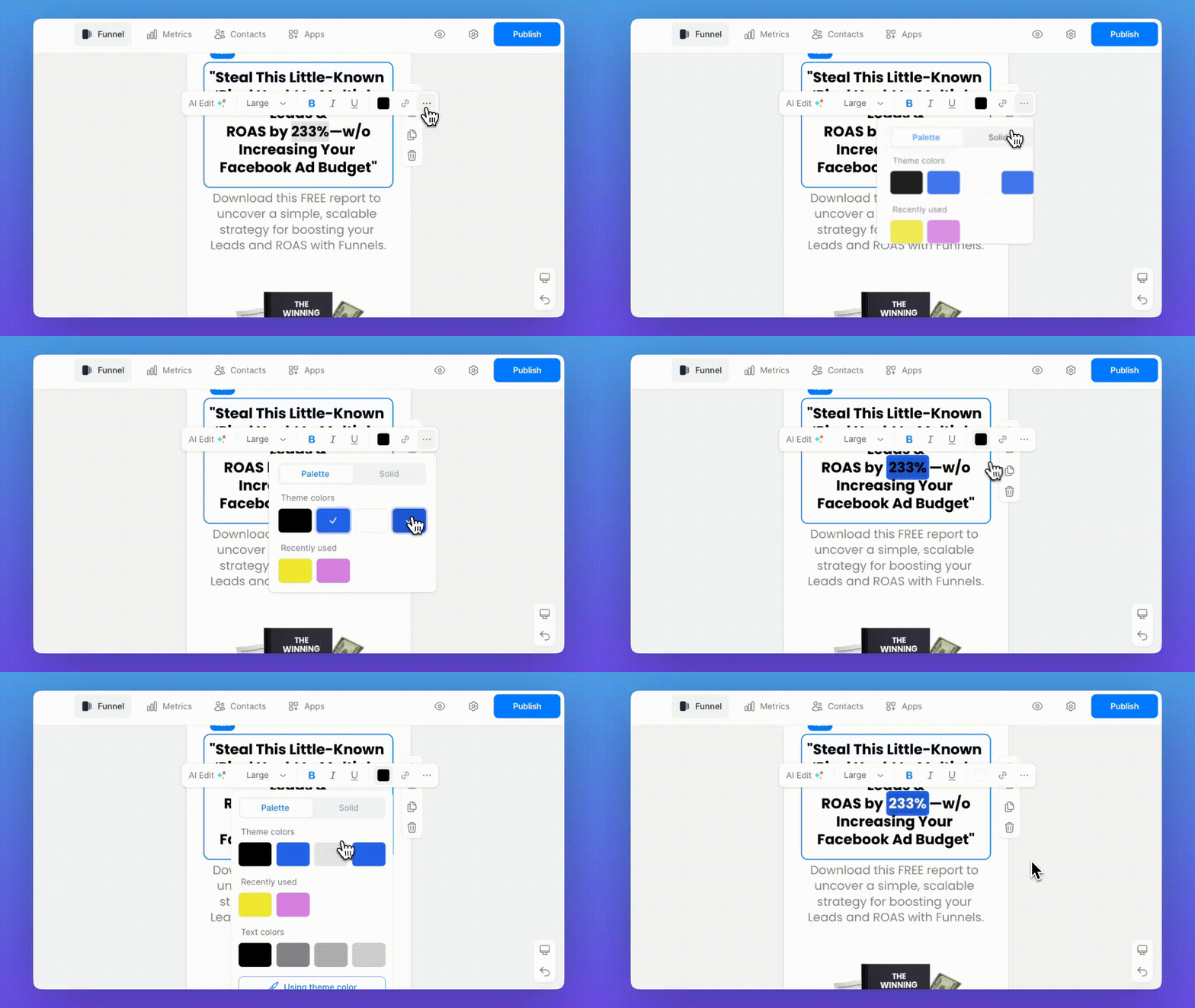
Here’s What’s New:
- Color Palette Options – Select from a variety of predefined highlight colors that fit your funnel’s design.
- Custom Hex Codes – Enter your exact brand color code to keep everything perfectly consistent.
- Smooth Compatibility – Highlighting works reliably across browsers and devices, with yellow still set as the default.
Why This Matters:
- Consistent Branding – Match highlighted text to your design theme for a polished, professional look.
- More Creative Freedom – Go beyond yellow and choose colors that align with your brand identity or funnel mood.
Start creating funnels that are as unique as your brand – with highlight colors that truly fit your style!
Automatic Country Detection for Phone Validation 📱
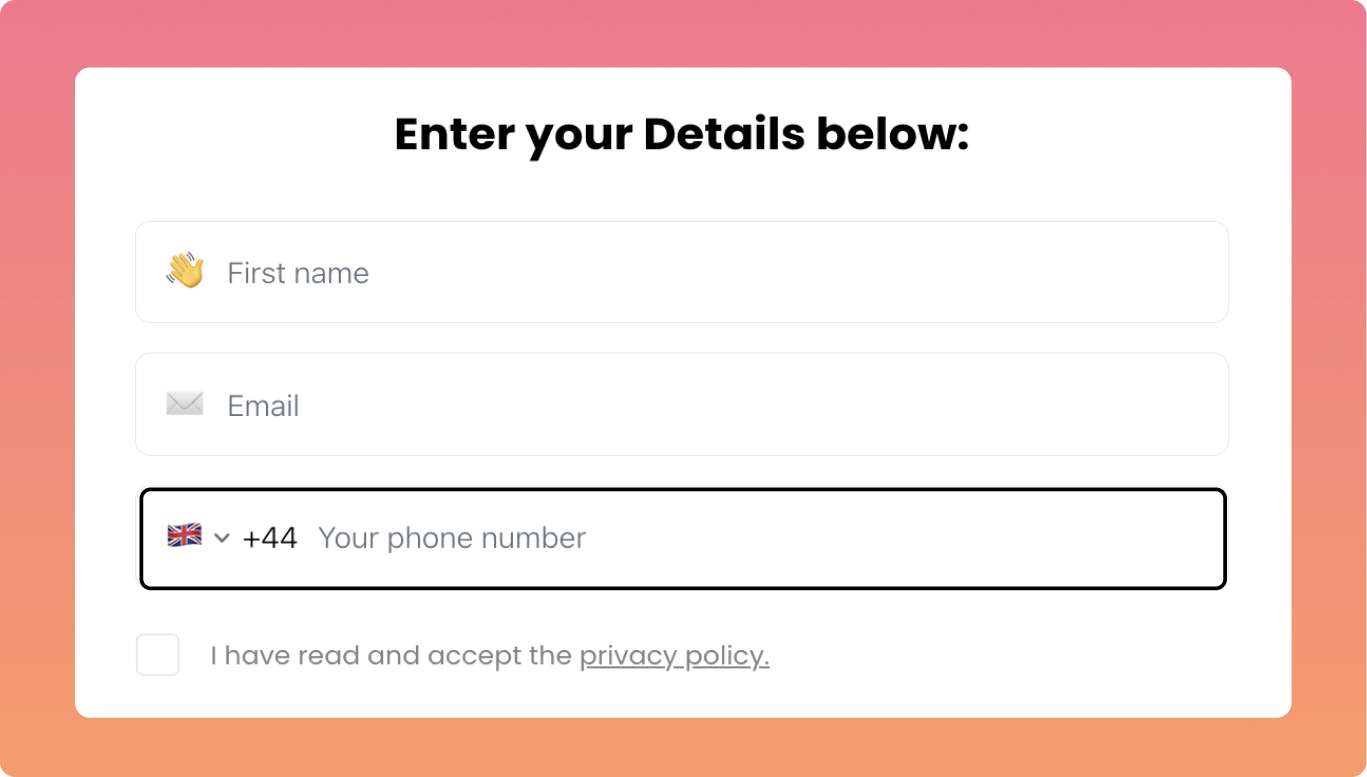
Here’s What’s New:
- Smart Country Code Detection – The phone country code is now automatically set based on the visitor’s browser settings.
- No Manual Setup Needed – You no longer need to define a default country for each form.
- Personalized Experience – Every visitor sees the correct country code instantly, no matter where they are.
Why This Matters:
- Faster Conversions – Visitors can enter their phone number more quickly without adjusting country codes.
- Less Friction – Reduced errors and confusion when filling out phone fields.
- Global Ready – Perfect for agencies and businesses working across multiple regions.
Start collecting phone numbers more smoothly with automatic country detection today!
Customizable Header - Turn Your Funnel into a Mini Website ✨

Here’s What’s New:
- Navigation Buttons – Add up to two customizable call-to-action buttons that link to any funnel page or external URL.
- Sticky Mode – Keep your header always visible while scrolling – with optional transparent or solid background.
- Full Layout Control – Add or delete the header, place your logo/buttons left/center/right, adjust size, and more.
Why This Matters:
- Website-Like Experience – Give your funnel a professional first impression with a clear, structured header.
- Frictionless Navigation – Guide your visitors directly to key sections like calendar bookings, job info, or application forms.
- Full Flexibility – Tailor the header exactly to your brand and use case – or remove it completely if you don’t need it.
Start building funnels that feel like real websites – with full control right from the top! 🚀
ℹ️ Learn more here.
WhatsApp Messaging & Inbox – Automate Lead Nurturing 📱
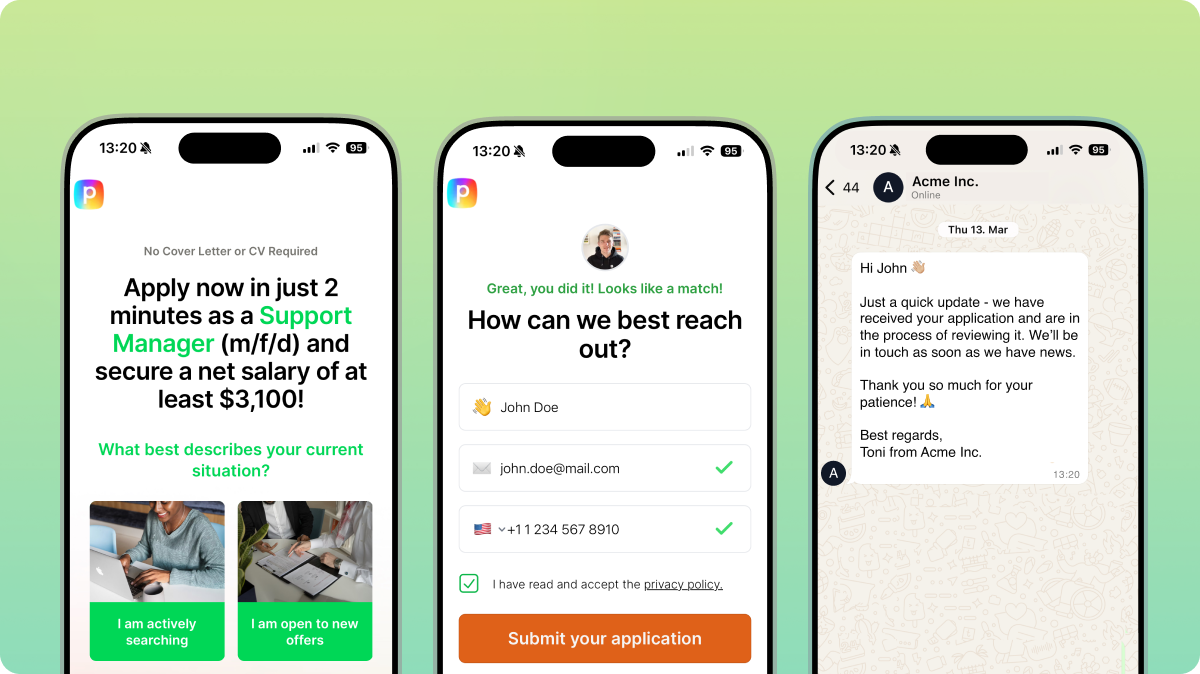
Here’s What’s New:
- WhatsApp Integration – Connect your WhatsApp Business Account directly to Perspective in just a few clicks.
- Automated WhatsApp Flows – Send fully automated WhatsApp messages to leads and candidates based on lead status.
- Central Inbox – Manage all conversations in one place: Your Perspective inbox.
- Message Templates – Create and reuse WhatsApp message templates right inside Perspective – no external tools needed.
- Multichannel Journeys – Combine WhatsApp and email in one seamless flow to guide leads from first touch to conversion.
Why This Matters:
- All-in-One Communication Hub – No more switching platforms. WhatsApp, email, automation, and CRM – all inside Perspective.
- Fully Automated Messaging – Build powerful, event-driven message flows that run 24/7 with zero manual effort.
- Lead Nurturing That Converts – Reach your contacts on the platform they actually use – with messages that feel personal and timely.
- Higher Response & Conversion Rates – WhatsApp has higher open and reply rates than email – helping you close more leads, faster.
- Perfect for Recruiting, Sales & Marketing – Whether you’re onboarding applicants or warming up cold leads – this is your new unfair advantage.
Lead nurturing, redefined – with automated WhatsApp messaging, fully integrated in Perspective.
ℹ️ This feature is available from the Advanced Plan onwards, Learn more here.
GHL Integration Improvements – Tag Support & Auto Location ID 🏷️
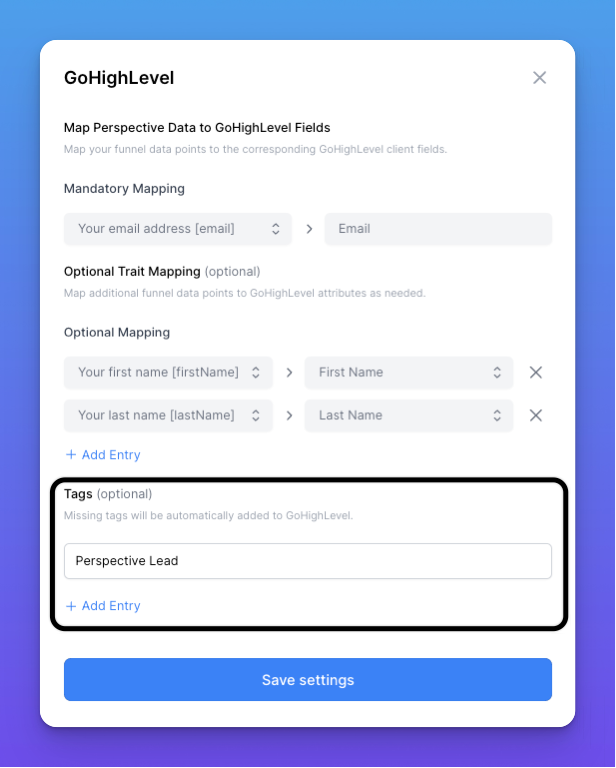
Here’s What’s New:
- Tag Support for GHL Leads – Add tags to leads coming from Perspective to trigger automations or assign them to the right pipelines.
- Automatic Tag Creation – Tags that don’t exist in GoHighLevel will be created automatically during lead submission.
- Auto-Filled Location ID – No more manual setup! The Location ID is now automatically assigned when connecting a GHL subaccount.
Why This Matters:
- Automated Workflows Made Easy – Use tags to instantly trigger workflows or assign leads to the correct place in GHL.
- Less Manual Work – No need to dig for Location IDs or manually enter them – we handle it for you.
- Top User Request Delivered – Tag support was the most requested improvement for our GHL integration.
Start using smarter, more automated GHL integrations today! 🚀
ℹ️ Learn more about our GHL integration here.
17 Brand-New Funnel Templates 🧩
Here’s What’s New:
- 13 Fresh Funnel Templates – Designed for industry specific and modern use cases like solar quotes, property sales, and coaching offers.
- 5 Templates Evolved – We've reworked and improved outdated templates to meet today’s standards.
- Proven, Conversion-Focused Layouts – Every template is built to drive sign-ups, bookings, or sales right from the start.
Why This Matters:
- Built for Your Industry – These templates are tailored to solve real problems in real businesses.
- Designed to Convert – Each one follows a proven structure to turn visitors into leads, bookings, or buyers.
- Launch Fast with Confidence – Skip the blank page and get started with a funnel that just works.
🆕 New Templates:
- Solar Quote – Capture leads with a sleek, conversion-focused solar quote request flow.
- Course Sales – Sell your course with ease using a proven structure for enrollments.
- VSL Demo – Drive conversions through a compelling video sales letter demo.
- Coaching Offer – Present your coaching services with clarity and confidence.
- VSL Checkout – Combine a persuasive video with a frictionless checkout experience.
- Property Valuation – Attract real estate leads by offering free property valuations.
- Strategy Call – Book more strategy calls with a trust-building structure.
- Health Quiz – Qualify leads with an interactive, personalized quiz.
- Bundle Checkout – Optimize checkout for bundles or higher-ticket products.
- Skool VSL – Promote your Skool community with a powerful video pitch.
- Social Profile – Turn visitors into followers and clients with a personal brand funnel.
- Property Sales – Showcase listings with stunning visuals and lead capture.
✨ Improved Templates:
- Lead Magnet
- Experience Recruiting
- Appointment
- Express Application
- Live Webinar
Accessibility: Your Funnels Are Now EAA-Ready ♿
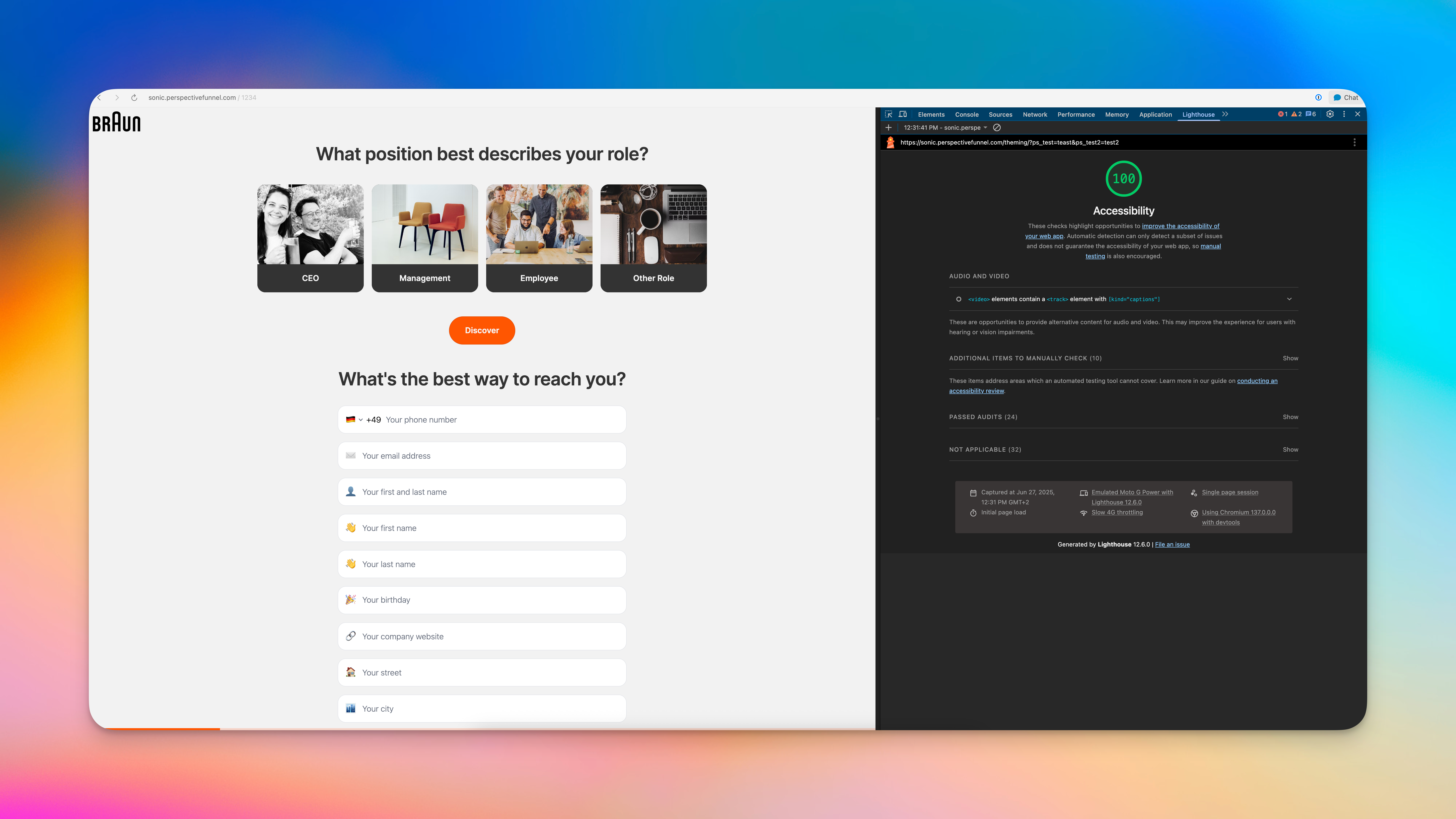
Here’s What’s New:
- Screenreader Compatibility (DE/EN) – Funnels are fully readable by screenreaders thanks to semantic HTML, correct lang attributes and meaningful ARIA labels.
- Automated Screenreader QA – We’ve implemented automated tests to maintain accessibility compliance and catch regressions when new blocks are released.
- Improved Keyboard Navigation – Visitors can navigate your entire funnel using only the keyboard or voice commands, with a clearly defined tab order.
- Alt Texts for All Images – Alt texts are now automatically generated during image upload using AI. You can later adjust or overwrite them anytime via the sidebar or media library.
- Color Contrast for Default Elements – All fixed funnel components like cookie banners meet WCAG 2.1 AA contrast requirements.
- Support for Lighthouse Accessibility Score – Our funnels now achieve 90–100 Lighthouse accessibility scores out of the box.
- Clear Labeling Across All Blocks – Inputs, buttons and interactive elements are labeled properly to ensure accessibility.
Why This Matters:
- EAA Compliance, Simplified – We’ve done the technical heavy lifting so you can build funnels that meet the EU’s new accessibility requirements
- Inclusive by Design – Every visitor, including users with disabilities, can now navigate your funnels more easily and with full access to content.
- Better User Experience – Accessibility boosts overall usability for everyone, including mobile users, keyboard-only users, and screenreader users.
Build with confidence knowing your funnel is already WCAG 2.1 AA compatible – and ready for the EAA. ♿
Editor Improvements – More Customization, Smoother Workflows 🛠️

Here’s What’s New:
- Adjustable Button Width (Desktop) – Choose whether your button spans the full width or just fits its content for a cleaner, more flexible layout.
- Logo Bar Sizes – Select between Medium (M) and Large (L) logo sizes when using the Logo Bar block to better fit your branding.
- Filename on Hover – See the original file name when hovering over images or videos in the media library – works in both the sidebar and modal.
- Persistent Funnel Overview Filters – We now retain pagination and search filters when navigating back to the funnel overview, saving you extra clicks.
- New Font Sizes – Two new headline options (48px and 64px) give you greater control over typography in your funnel.
Why This Matters:
- Better Visual Control – Fine-tune the appearance of buttons, logos, and text to match your design perfectly.
- More Efficient Editing – Quickly identify files without second-guessing based on previews.
- Smoother Funnel Navigation – No more repeating search filters or scrolling through pages after editing a funnel.
Make your funnel building faster, cleaner, and more precise with these editor enhancements!
Video Question Block - Bring Emotion & Interaction to Your Funnel! 🎥
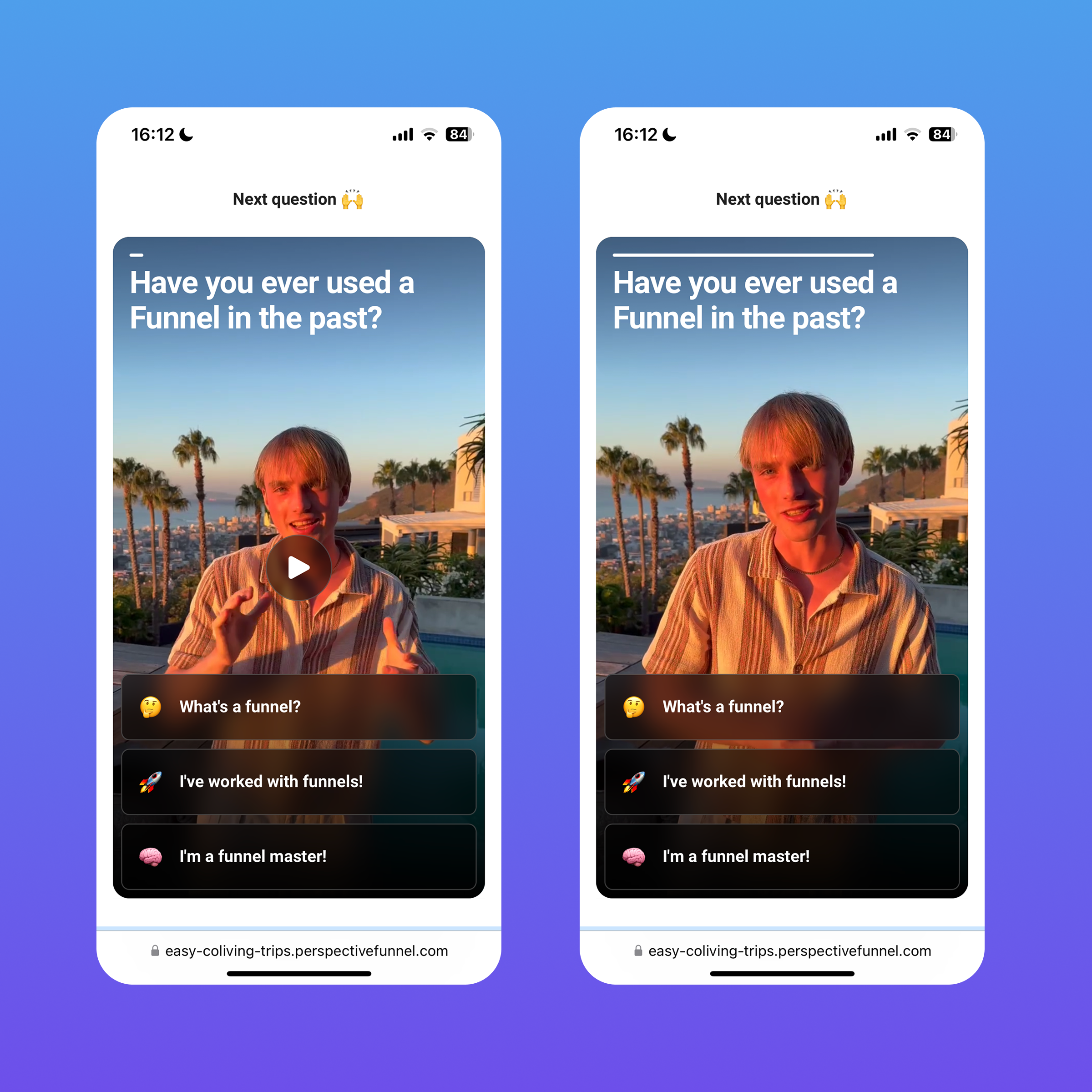
Here’s What’s New:
- New Video Question Block: Add a personal touch with a real person speaking directly to your funnel visitors via video.
- Mobile-Optimized Format: Best viewed in portrait (9:16) format, with a simple tool to set the visible focal point of your video.
- Familiar Functionality: Works just like the Choice Block, but with a video background – simple, yet powerful.
- Available from the Advanced Plan: Start using the Video Question Block with any funnel on the Advanced Plan or higher.
Why This Matters:
- More Emotion, More Conversions: Replace static questions with face-to-face communication – voice, expression, and eye contact build instant connection.
- Smooth User Guidance: Lead users through your funnel in a way that feels more like a conversation than a form.
- Clearer Product Explanation: Use video to explain complex topics or offers without relying on endless text.
- Stronger Mobile Engagement: Quickly grab attention with video and let users respond with a tap – ideal for short attention spans.
Start creating more engaging, emotional, and high-converting funnels with the new Video Question Block today!
ℹ️ Learn more here
Real-Time Answer Stats with Quiz Reveal - Boost Trust & Engagement with Real-Time Answer Stats 📊
Here’s What’s New:
- Reveal Voter Percentages: You can now enable a reveal option in all question blocks (Quiz, Multiple Choice, and Choice).
- Show Real-Time Stats: After a visitor selects an option, they’ll instantly see what percentage of other users picked each answer.
- Toggle On or Off: Decide per question whether to show results — full flexibility, no code needed.
Why This Matters:
- Build Trust: Seeing what others voted for creates transparency and fosters confidence in your funnel.
- Drive Engagement: People love to compare their answers – this feature adds a social, interactive layer that keeps them involved.
- Expand Use Cases: Perfect for quizzes, feedback collection, opinion polls, and more community-driven funnels.
Turn on Quiz Reveal and give your funnel audience the power to see how they stack up!
Address Autocomplete with Google Maps
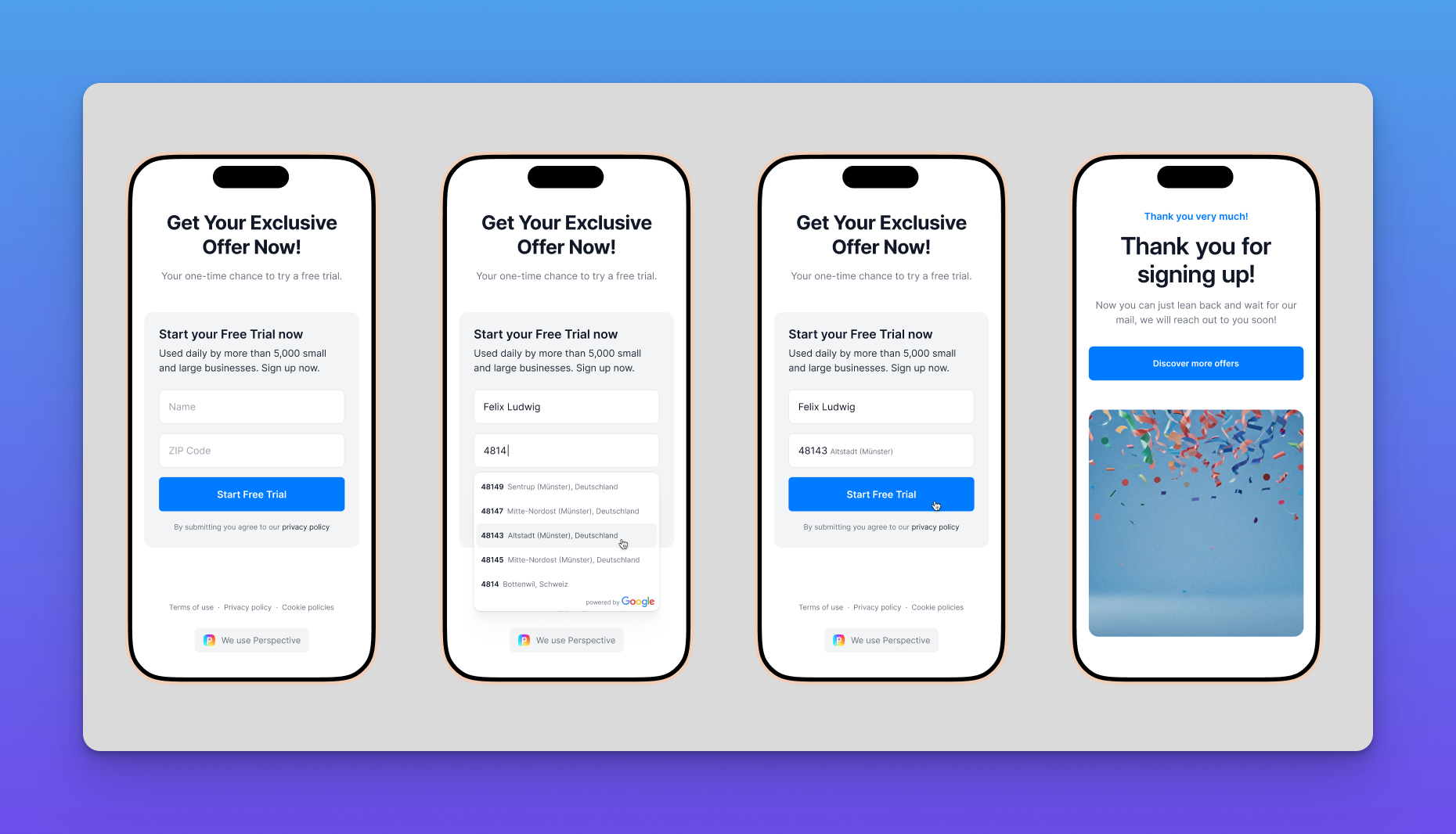
Here’s What’s New:
- Google Maps Integration: Address fields are automatically completed to reduce typos and missing info.
- ZIP Code Detection: Automatically detect and validate ZIP codes for easier lead segmentation.
- Field-Level Control: Enable autocomplete for specific fields like Street, City, Country, or ZIP only.
Why This Matters:
- Higher Lead Quality: Complete and accurate address data improves your CRM and downstream processes.
- Faster Form Completion: Less manual typing means a smoother experience and lower drop-off rates.
- Better Segmentation: Validated ZIP codes make location-based follow-ups more effective.
Start using Address Autocomplete to enhance user experience and boost the quality of your leads (available from the advanced plan onwards).
ℹ️ Learn more here
Automatic Redirect & Animated Icons – Build Conversational Funnels! 🚀
Here’s What’s New:
- Automatic Redirection: Redirect visitors to the next funnel page or external URL automatically, without any clicks required.
- Animated Icons: Use smooth, animated icons or custom loaders to enhance the user experience while they wait.
- Flexible Delay: Choose between a 4, 8, or 15-second delay before redirection happens.
Why This Matters:
- Seamless User Flow: Visitors are redirected without having to interact, ensuring smooth transitions through your funnel.
- Professional Look: Animated icons and loaders improve the appearance of your funnel, making it feel polished and smooth.
- Increased Trust: By showing visitors that their input is being processed, you can build trust and potentially boost conversions.
Start creating smoother, more engaging funnel experiences with automatic redirects and animated icons today! 🎉
ℹ️ Learn more here


